
AI Training Course Generator
Trusted by Global Teams Using Leadde's Course Generator







Why Choose This AI Training Course Generator
Convert Manuals and Slide Decks into Course Lessons
Upload PDF, PPTX, DOC, DOCX, or TXT files up to 200MB, or paste a syllabus prompt directly. Leadde's AI training video generator organizes long source material into sequenced scenes and spoken narration without manual slide slicing.
Consistent Course Layouts with Built-In Video Templates
300 AI Presenters with Clear Voice Pacing Controls
Global Courses Across 88 Languages and 175 Dialects
Localize finished modules for distributed teams without rebuilding slide decks from scratch. Use Translate inside the editor to spin up localized copies across 88 languages and 175 dialects, or apply Video Dubbing with lip-sync across 15+ languages.
How to Build an AI Training Course Online
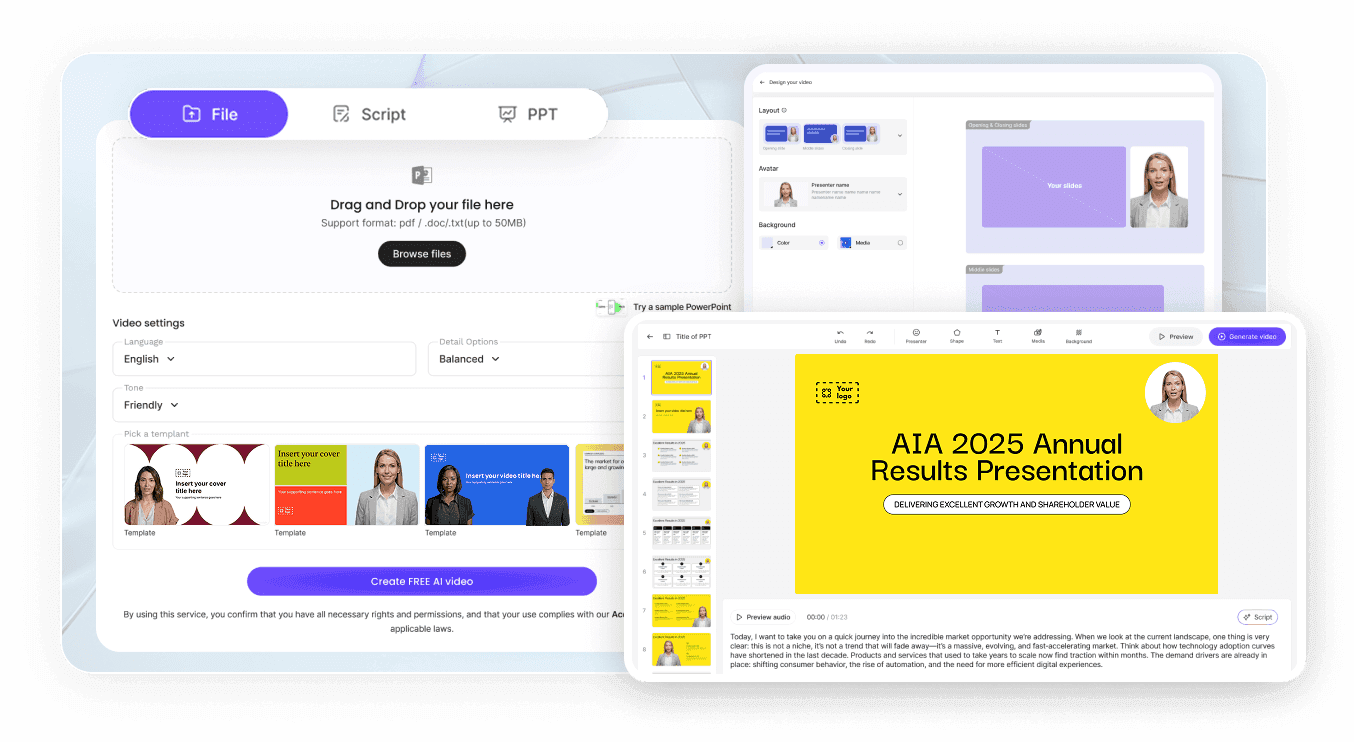
Step 1: Import Curriculum Files or Slides
Step 2: Assign Presenters, Voices, and Highlights
Step 3: Export MP4 Modules or Hosted Links
Built for L&D Teams and Course Creators
Start Building Courses on the Free Plan
Update Outdated Lessons in Text
Answer Learner Questions with Hosted Chat
Track Completion and Learner Analytics

From Single Lessons to Complete Course Libraries
Beyond standalone clips, Leadde works as a dedicated AI course video generator built to organize multi-module programs with uniform visuals and pacing.
Structured Online Course Libraries
Publish multi-lesson curricula with consistent intro pacing, presenter framing, and on-screen callouts across every chapter for internal academies or creator platforms.

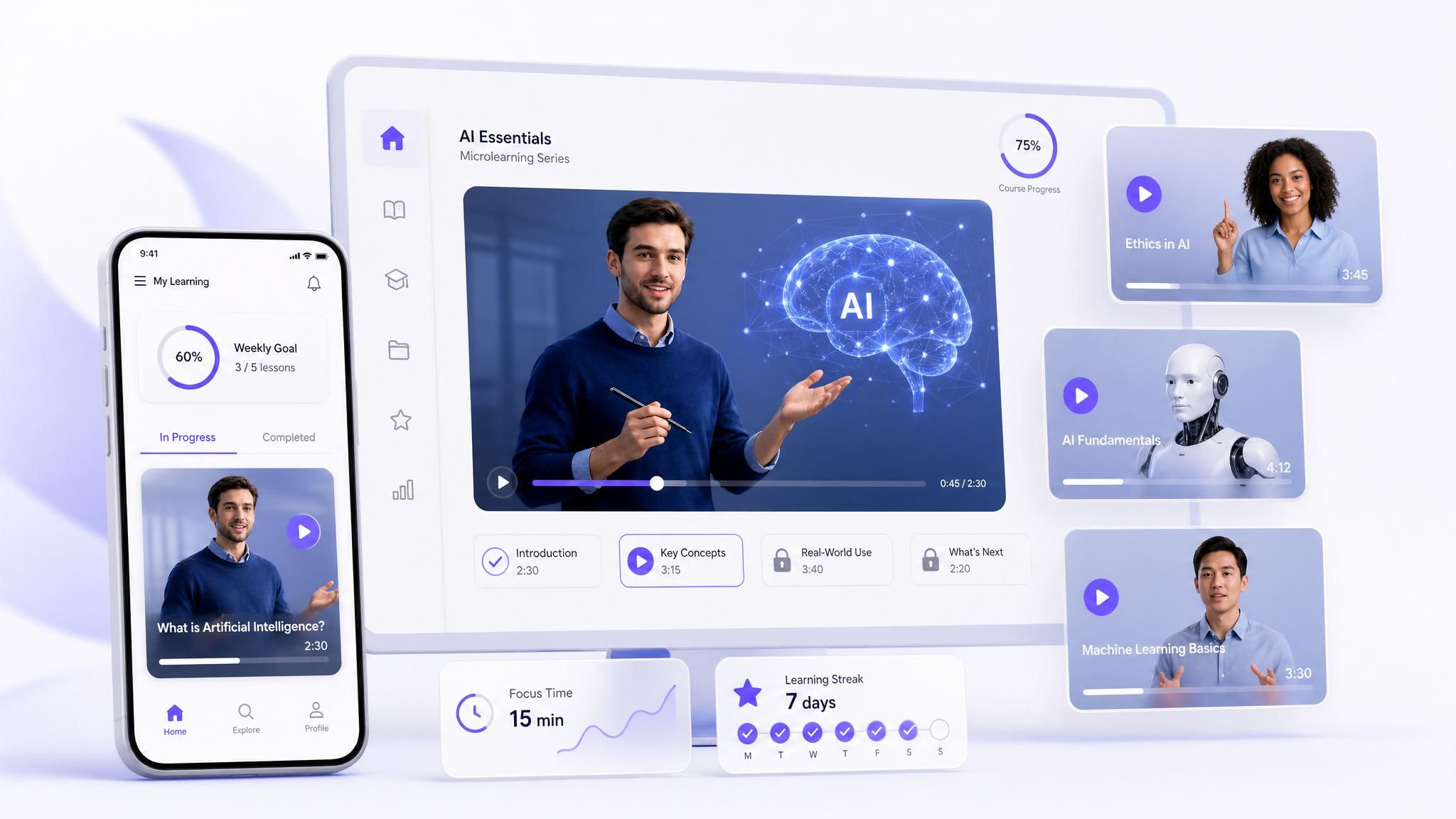
Bite-Sized Microlearning Sequences
Break dense manuals into concise lessons using our AI microlearning video maker so busy employees finish essential concepts between daily tasks.
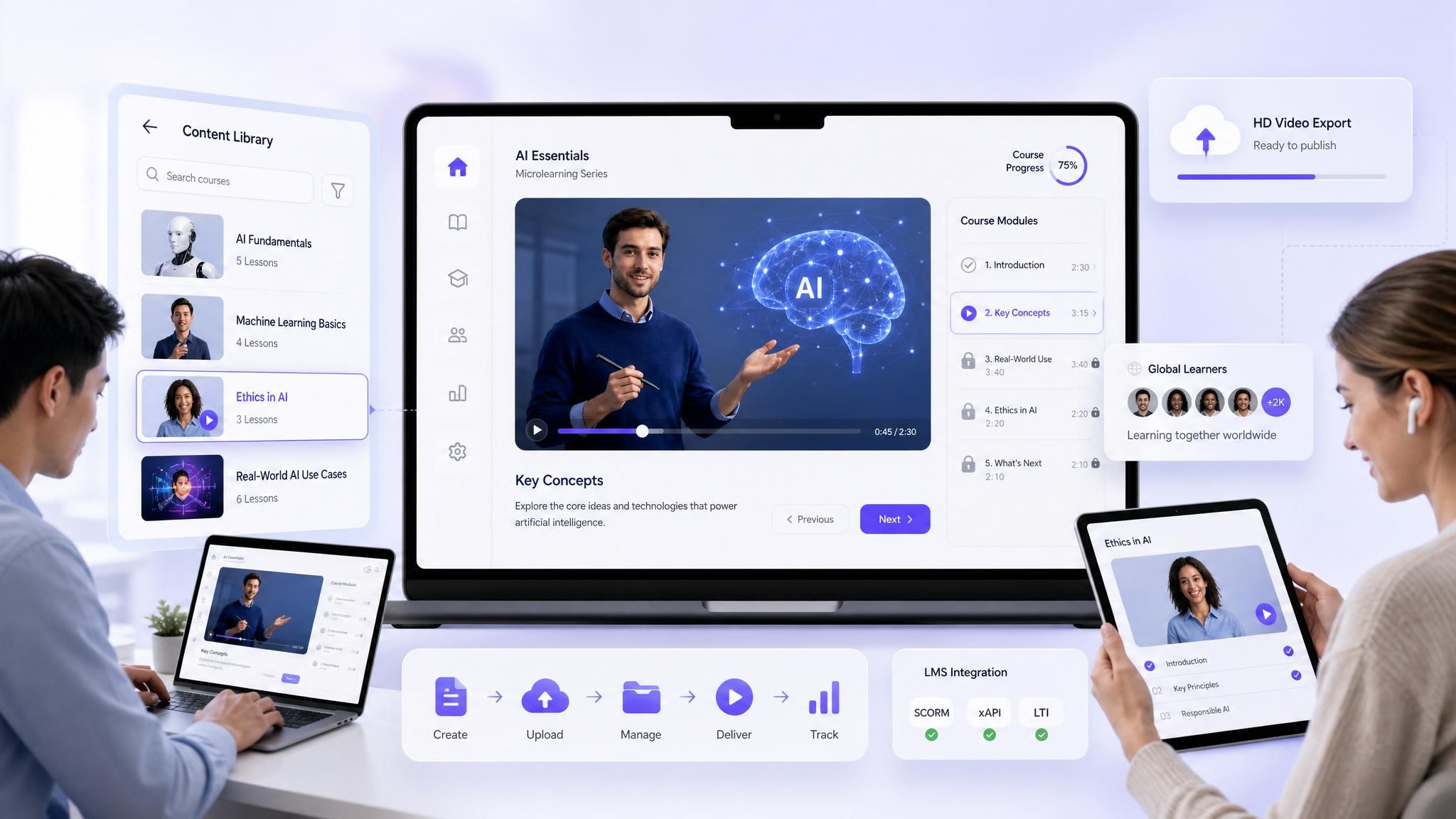
LMS-Compatible eLearning Modules
Export standardized 1080p or 4K MP4 videos and SRT or VTT subtitle tracks ready for any Learning Management System through our AI eLearning video creator.
Six Training Programs You Can Launch Today
Employee Onboarding Paths
Sales Playbook and Objection Rollouts
Customer Product Academies
Corporate Policy and Safety Updates
Partner and Reseller Certification
Paid Creator Lecture Curriculums
AI Training Course Generator FAQs
An AI course generator turns scripts, outlines, or uploaded documents into sequenced video lessons with synthetic narration, synced captions, and presenter layers. Inside Leadde, you import course files or slides, pick an avatar and voice, refine visual blocks, and render finished MP4 modules directly in your browser.
Leadde includes a Free plan at zero cost with 200 monthly credits, 16 public avatars, 500MB of Knowledge Base storage, and 1080p MP4 exports up to 10 minutes carrying a watermark. Starter and Creator plans expand limits to 250+ avatars, 4K MP4 downloads, custom Brand Kits, and SRT or VTT subtitle exports.
AI Video Creator accepts PPTX, PDF, DOC, DOCX, and TXT uploads up to 200MB and generates scene outlines with narration. For structured slide decks, Slide Presenter converts PPTX or PDF files up to 50 pages and 200MB while carrying over speaker notes.
Each finished course scales to 88 languages and 175 dialects right in your browser. Duplicate your project to produce editable regional slide captions and translated script layers, or switch on Video Dubbing across 15+ languages with matched lip-sync, custom Pronunciation entries, and adjusted Pause cards.
Share rendered courses using a Leadde Hosted Link rather than sending raw video files alone. Viewers can open the built-in side-panel AI Chat, which answers module questions directly from the course documents stored in your Leadde Knowledge Base.
Every course renders as standard MP4 video alongside optional SRT or VTT subtitle files on paid plans, so modules upload smoothly into Moodle, Canvas, Teachable, TalentLMS, internal wikis, or company portals. Teams using Hosted Links can also add password protection and review completion analytics inside Leadde.
Start Your Next Course Without Studio Delays