How to Create Multilingual Video Lectures with AI (Step-by-Step)
Creating multilingual video lectures with AI is easier when you start with the teaching materials you already have. Instead of recording separate lessons for each language, educators and training teams can use AI to turn PDFs, PowerPoint slides, scripts, or existing lectures into videos with translated narration, subtitles, and AI presenters.
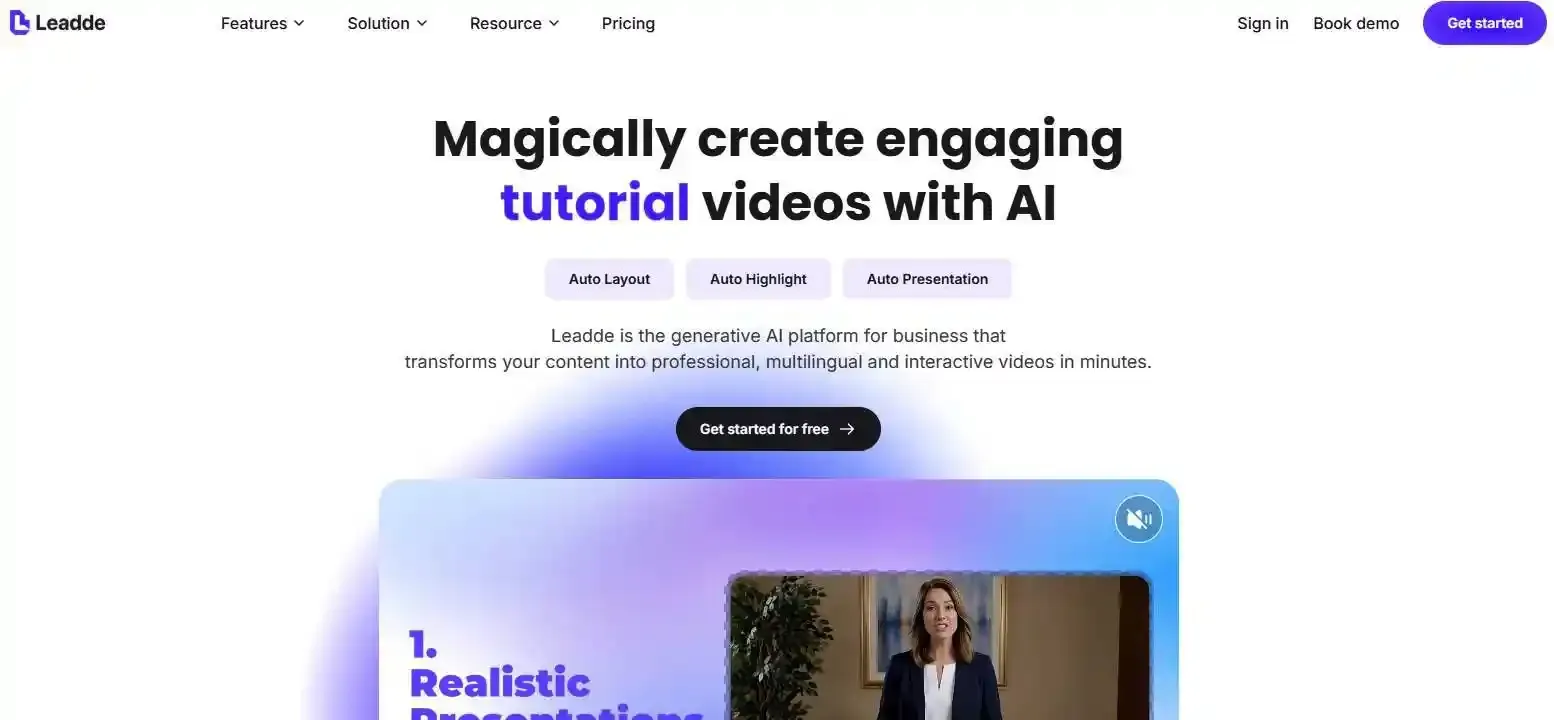
With Leadde, you can transform teaching documents into structured video lessons, use AI avatars to explain on-screen content, and add Motion animations to illustrate complex concepts. Its multilingual AI avatar generators and video capabilities help make educational content accessible to learners across different languages without rebuilding every lesson from scratch.
This guide walks you through how to make video lectures with AI across languages, from preparing course materials and generating videos to translating, reviewing, and publishing lessons that learners can understand.
How to Create Multilingual Video Lectures with AI: Step-by-Step Guide
Creating multilingual video lectures with AI involves three main stages: preparing educational content, generating video lessons, and localizing each version. The goal is not simply to translate speech but to maintain the same learning objectives across languages.
Here is a practical workflow educators and training teams can follow.
Step 1: Prepare Your Lecture Materials and Learning Objectives
Start with the educational materials you already have:
- PowerPoint presentations or lecture slides
- PDFs, textbooks, and teaching documents
- Written lesson scripts
- Existing recorded lectures
Before generating a video, identify what learners should understand or accomplish afterward.
For example, a cybersecurity instructor might want employees to recognize phishing emails. The learning objective should remain consistent whether the lesson is delivered in English, Spanish, or German.
Create a short glossary of technical terms that must retain their meaning across languages, or utilize training script templates to standardize the baseline lesson structure.
Step 2: Generate Video Scenes, AI Narration, and Teaching Animations
Next, transform the source material into a structured video lesson.
With Leadde, educators can upload PDFs, PowerPoint presentations, or documents and generate organized video scenes, narration, and AI avatar presentations through a streamlined power point to AI video workflow.
Instead of manually creating each scene, the AI helps organize information into a video-friendly sequence.
For visually complex lessons, use AI avatars to explain on-screen content and Motion animations to demonstrate concepts that are difficult to communicate through static slides. Exploring educational animation examples and benefits can help clarify which segments benefit most from dynamic illustration.
For example, a biology lecture could combine an AI presenter explaining photosynthesis with a short animation illustrating how sunlight, water, and carbon dioxide contribute to the process.
Review the generated explanations before proceeding to translation.
Step 3: Translate, Review, and Publish Each Language Version
Once the original lecture is approved, create the target-language versions.
A typical localization workflow includes:
- Translate the approved narration.
- Generate AI voiceovers or avatar presentations in the target languages.
- Adapt subtitles and on-screen text.
- Check narration timing against slide transitions and animations.
- Export each approved language version.
Practical tip: Before localizing an entire course, create a 60-second pilot containing technical terminology, a diagram, and a short animation.
Testing this segment in two languages can reveal pronunciation, translation, and timing problems before they affect dozens of lessons.
How Can You Turn PDFs and PowerPoint Slides into Multilingual Video Lectures?
You do not need an existing recording to create multilingual video lectures. AI document-to-video workflows can turn teaching materials directly into narrated lessons, saving time for educators learning how to turn course materials into video lectures.
This approach is particularly useful for educators who regularly develop presentations but lack the time or resources to record every lesson.
Convert Teaching Materials into Structured Video Lessons
A traditional PowerPoint might contain definitions, diagrams, tables, and bullet points. However, reading those slides aloud rarely creates an effective learning experience.
A better workflow transforms each important concept into a scene with a specific teaching purpose, similar to how teams turn long PDF decks into microlearning videos.
Leadde's document-to-video workflow helps turn existing materials into editable scripts, visual scenes, AI narration, and presenter-led videos.
Educators can then review the structure and adapt the explanations for their intended learners.
How AI Avatars Can Explain On-Screen Lecture Content
An AI lecturer should do more than read the text appearing on a slide.
Content-aware AI presenters can help connect narration with the visual information learners are watching.
For instance, in an economics lecture, an AI avatar explaining a supply-and-demand graph should identify what each axis represents and describe how shifting a curve affects the outcome.
Leadde's content-aware avatar capabilities support presenter-style explanations and gestures connected to the visual scene.
Teachers should still verify mathematical relationships, data labels, and other important details rather than assuming AI-generated explanations are automatically correct.
Use Motion Animations to Visualize Difficult Concepts
Some subjects benefit from showing how something changes over time.
Leadde's Motion capability can be used to create short educational animations and incorporate them into lessons, serving as one of the best animation tools for educators tackling abstract topics.
Potential applications include:
- Science: Illustrating the water cycle or a biological process.
- Mathematics: Demonstrating how changing a variable affects a graph.
- Software training: Explaining a workflow through a visual sequence.
- Corporate learning: Showing the steps of an operational procedure.
Animations should explain relationships, changes, or actions—not merely decorate the lecture.
A useful rule is to add Motion when movement communicates something that a static slide cannot explain as clearly.
How Do You Translate Existing Video Lectures into Multiple Languages?
If you already have recorded lectures, AI dubbing and video translation tools provide another production route.
Instead of recreating the lesson, you can reuse the original recording and localize its spoken content.
Transcribe and Translate the Original Lecture
First, extract a transcript from the video.
Review it carefully, particularly where the speaker discusses technical terminology, numbers, formulas, or specialized concepts.
Next, translate the corrected script into the target languages.
A terminology glossary helps prevent inconsistent translations across different lessons.
For example, a software engineering course should consistently distinguish between authentication and authorization, even when the target language uses similar expressions.
Translation should preserve educational meaning rather than follow the original wording mechanically.
Choose Between AI Dubbing, Subtitles, and Lip Sync
Different localization techniques serve different needs.
Platforms such as HeyGen support video translation and optional lip synchronization.
However, translating spoken audio does not necessarily translate text embedded in the original video. Slide labels, interface elements, and graphics may require separate editing.
Fix Audio, Subtitle, and Slide Timing After Translation
One easily overlooked problem is language-dependent narration length.
A sentence that takes six seconds in English might require more time in another language. This can cause the lecturer to explain a diagram after it has disappeared.
To correct this:
- Adjust scene duration where necessary.
- Shorten translated wording without changing its meaning.
- Avoid unnaturally fast narration.
- Recheck subtitle timing and animation transitions.
- Preview the complete lesson in each language.
For educational videos, accurate timing is especially important when students must connect spoken explanations with changing visual information.
Which AI Tools Are Best for Creating Multilingual Video Lectures?
The best AI tool depends on whether you are creating a lecture from teaching materials or translating an existing recording.
| Tool | Primary Strength | Suitable Use Case |
| Leadde | Document-to-video, AI presenters, structured scenes, multilingual generation | Creating lectures from PDFs, PPTs, and teaching documents |
| HeyGen | AI dubbing and video translation | Localizing recorded instructor videos |
| Synthesia | AI avatar creation and editable video translation | Standardized training and educational presentations |
| ElevenLabs | AI voice generation | Producing multilingual narration |
| DeepL / ChatGPT | Translation and language adaptation | Preparing localized teaching scripts |
A single-platform workflow can reduce the number of editing and production steps, while combining specialized tools offers additional control over individual stages.
When comparing products, consider more than the number of supported languages.
Ask whether the tool supports your original teaching files, allows scene-level editing, handles subtitles and visual content, and makes future revisions manageable.
For educators beginning with PDFs or slides, a document-to-video workflow such as Leadde's may be more practical than first recording a complete lecture and then dubbing it.
For instructors who already have a library of recorded lectures, dedicated video translation tools may be the more direct option.
How Can You Ensure Accuracy and Learning Quality in AI-Translated Lectures?
AI can automate important production tasks, but educational content requires more than fluent translation.
An AI-generated lecture should preserve the original lesson's concepts, instructions, and intended learning outcomes.
Review Technical Terms, Pronunciation, and Cultural Context
Start by checking domain-specific terminology.
A translation that sounds natural may still be incorrect in medicine, mathematics, engineering, or compliance training.
Have a qualified reviewer check:
- Technical definitions and abbreviations
- Numbers, formulas, and units
- Pronunciation of specialized terms
- Regional expressions and cultural examples
- Instructions that affect safety or professional practice
Localizing a lecture may also require changing examples while preserving the learning objective.
For instance, a finance course might need different currencies or regulatory references for different countries.
Check Visual Consistency, Accessibility, and Learning Objectives
A useful quality-control approach is to review five aspects of each language version.
| Quality Layer | Review Question |
| Knowledge | Are the explanations and technical concepts accurate? |
| Narration | Is the voice clear, natural, and correctly pronounced? |
| Visuals | Do graphs, slide labels, and animations match the explanation? |
| Timing | Are narration, subtitles, and scene transitions synchronized? |
| Accessibility | Are accurate captions and useful text alternatives available? |
Accessibility deserves particular attention.
The W3C Web Accessibility Initiative explains that automatically generated captions often need correction. Captions should communicate important spoken and non-spoken audio information, while visual descriptions may also be needed for learners who cannot see essential diagrams.
A translated video is not necessarily an accessible or instructionally effective video. Both language quality and visual communication need review.
What Can We Learn from TU Graz's Multilingual MOOC Project?
A practical example comes from the educational technology team at Graz University of Technology in Austria.
In a 2024 AACE Review interview, researcher Benedikt Brünner described how the team explored AI-generated multilingual educational videos for MOOCs.
Their workflow involved AI-assisted storyboards, multilingual voice generation, avatars, and other video production tools.
Initial student feedback suggested that AI avatars could appear natural, although respondents still preferred human teachers.
The project also raised important questions about instructor consent, ownership of digital likenesses, and disclosure of AI-generated content.
The lesson for educators is clear: AI can support multilingual content production, but teaching quality, ethical approval, and human educational judgment remain essential.
How Much Does It Cost to Create and Maintain Multilingual Video Lectures?
The cost of multilingual AI lectures depends on video length, the number of target languages, the production method, and the level of human review.
Rather than comparing subscription prices alone, calculate the cost of producing an approved, usable lesson.
What Affects AI Video Translation and Production Costs?
Common cost factors include:
- AI video generation or dubbing usage
- Number of languages and total lecture duration
- Avatar generation and optional lip synchronization
- Translation and subject-matter review
- Corrections, exporting, and publishing
For example, producing three translated versions of a lecture may involve relatively little new visual production, but each version still needs terminology and timing checks.
The lowest initial generation price is not always the lowest total production cost, especially when mistakes require repeated revisions.
How Do You Update Multiple Language Versions Efficiently?
Maintaining multilingual lectures becomes more challenging as the content library grows.
Suppose a software training lesson includes a product interface that changes after an update. Every language version may need corresponding changes to narration, screenshots, captions, and animations.
A practical solution is to maintain one approved source script and a scene-level change log.
| Scene | Update Required | English | Spanish | German |
| 01: Introduction | None | Current | Current | Current |
| 02: Interface walkthrough | New screenshot | Updated | Pending | Pending |
| 03: Summary | None | Current | Current | Current |
This simple system helps production teams identify which versions need attention.
Tools that support editing individual scenes, including Leadde's document-video editor, can also simplify revisions compared with re-recording complete lessons.
For larger course libraries, consistent source management is just as important as fast initial generation.
Frequently Asked Questions About Multilingual Video Lectures
Can AI create multilingual video lectures without recording a teacher?
Yes. AI video creation tools can generate narrated lessons using scripts, PDFs, and PowerPoint presentations without requiring a teacher to appear on camera. AI avatars can deliver the explanations, while generated scenes and animations present the educational content. Teachers should still review scripts, technical information, and final videos before publishing.
Can I turn a PowerPoint or PDF into a multilingual video lecture?
Yes. Document-to-video platforms such as Leadde can analyze PDF and PowerPoint content, generate structured scenes and narration, and support multilingual video creation. The most effective approach is to review the AI-generated lesson structure first, particularly when the original materials contain complex diagrams, formulas, or detailed instructions.
Can AI translate an existing lecture while preserving the original voice?
Some AI dubbing tools offer voice preservation or voice-matching capabilities, depending on the platform and the original recording. Results can vary across languages and speakers. Voice cloning should only be used with appropriate authorization, and the translated output should be checked for pronunciation, accuracy, and speaker identity.
How accurate is AI translation for educational videos?
AI translation can produce useful drafts, but accuracy depends on the language pair, subject matter, terminology, and source content. Specialized lectures may contain terms that require expert interpretation. Educators should review translated scripts and narration, particularly for medical, scientific, legal, or safety-related lessons. Fluency alone does not establish instructional accuracy.
Do multilingual video lectures still need subtitles?
Yes. Subtitles remain useful even when a lecture includes translated audio. They help learners follow unfamiliar terminology and support viewing in environments where audio is unavailable. Accurate same-language captions also provide accessibility benefits. Automatically generated captions should be reviewed to ensure that the words, timing, and important sound information are correct.
Can AI-generated teaching animations replace traditional screen recordings?
Sometimes, but not always. AI animations are useful for explaining abstract processes, conceptual relationships, and sequences that are difficult to film. Screen recordings remain more appropriate when learners need to see the exact interface and actions required to complete a software task. Many effective lectures combine both formats.
Conclusion
Creating multilingual video lectures with AI is about more than translating narration. By combining structured lesson materials, AI presenters, educational animations, and careful localization, educators can create videos for learners across different languages. Tools such as Leadde help streamline the journey from documents to multilingual lessons, while human review ensures the content remains accurate, accessible, and aligned with its learning objectives.