
How Educators Can Use AI News Videos for Lessons

News can be one of the most useful teaching materials in a classroom.
A current event can start a discussion, explain a real-world problem, connect a lesson to students' lives, or help learners practice critical thinking. But turning news into classroom-ready material takes time. Teachers need to summarize the story, check the facts, adjust the language level, create discussion questions, and make sure the topic is appropriate for students.
AI news videos can help.
With the right workflow, educators can turn a news article, newsletter, announcement, or classroom update into a short video lesson. The video can explain what happened, why it matters, what students should notice, and which questions they should discuss next.
If you want to create news-style videos for lessons, Leadde's AI Breaking News Video Generator can help turn scripts and timely updates into editable videos. For broader classroom content, AI Educational Video Maker is a strong starting point.
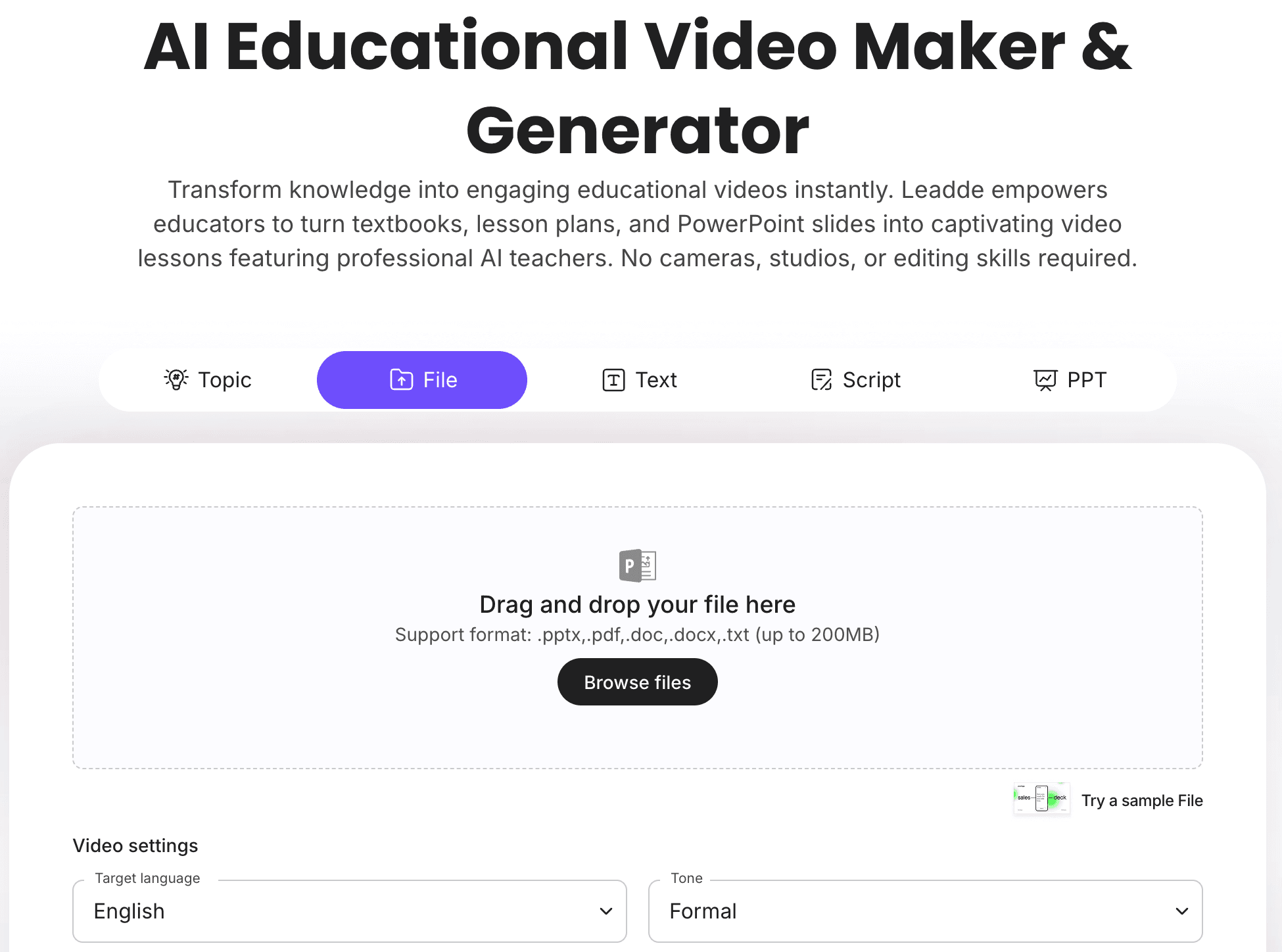
Why AI News Videos Work for Education
News videos work in education because they make current events easier to understand.
A written article may be too long for a quick lesson. A social post may be too short or lack context. A lecture may take too much class time. A short video can introduce the topic, explain the key facts, and give students a clear discussion prompt.
AI helps educators create these videos faster.
An AI news video can help teachers:
- Turn current events into short lesson openers
- Explain complex topics in student-friendly language
- Create discussion prompts
- Build media literacy activities
- Summarize newsletters or school updates
- Support multilingual learning
- Create recap videos for absent students
- Make lessons more visual and engaging
- Reuse timely stories across classes or grade levels
The goal is not to replace teacher judgment. The goal is to give educators a faster way to prepare classroom-ready video materials.
For general news-style formats, see Leadde's guide to breaking news video examples. This article focuses specifically on education use cases.
What Types of News Videos Can Educators Create?
Educators can use AI news videos for more than breaking news.
| News Video Type | Best For | Classroom Use |
|---|---|---|
| Current events recap | Social studies, civics, language arts | Introduce a real-world topic before discussion |
| Science news video | STEM classes | Explain discoveries, climate updates, or technology news |
| Media literacy video | Middle school, high school, college | Compare sources, headlines, and framing |
| School announcement video | Administrators and teachers | Share school updates in a clear format |
| Newsletter summary video | Schools, departments, course teams | Turn weekly updates into short videos |
| Student-created news report | Project-based learning | Let students explain a topic in their own words |
| Research news summary | Higher education | Turn reports or papers into accessible summaries |
| Language learning news video | ESL and world language classes | Practice listening, vocabulary, and discussion |
| Historical news-style recap | History classes | Present past events in a news format |
| Career and industry news video | Business, tech, vocational education | Connect lessons to real workplace trends |
The strongest educational news videos are short, accurate, and connected to a learning objective.
Example 1: Current Events Lesson Video
A current events video can help students understand what happened before class discussion begins.
Instead of asking students to read a long article immediately, the teacher can show a short video that explains the headline, context, key facts, and discussion question.
Sample Structure
- Headline: What happened?
- Context: Where and why is this happening?
- Key facts: What do we know?
- Impact: Why does it matter?
- Discussion prompt: What should students think about?
Sample Script
Today's current events topic is [headline].
This story is about [short explanation].
Here are the key facts.
First, [fact 1].
Second, [fact 2].
Third, [fact 3].
This matters because [context or impact].
Discussion question: [student-friendly question].
Best For
- Social studies
- Civics
- Language arts
- Debate classes
- Advisory periods
- Homeroom discussions
Example 2: Media Literacy News Video
Media literacy is one of the best use cases for AI news videos.
Teachers can create a video that explains how news stories are framed, how headlines influence interpretation, and why students should check sources before sharing information.
A media literacy video can ask students to compare:
- Headlines from different sources
- Facts vs opinions
- Confirmed information vs speculation
- Primary sources vs commentary
- Emotional language vs neutral language
- What is included vs what is missing
Sample Script
In this media literacy activity, we will look at how different sources describe the same story.
As you watch, pay attention to three things.
First, what facts are clearly confirmed?
Second, what words make the story feel more emotional?
Third, what information would you want to verify before forming an opinion?
After the video, compare the sources and discuss which one gives the clearest context.
Best For
- Middle school
- High school
- College courses
- Journalism lessons
- Digital citizenship
- Critical thinking activities
This type of video should be carefully reviewed so it does not introduce bias or unsupported claims.
Example 3: Science News Video for Students
Science news can make STEM lessons feel current and relevant.
A science news video can explain a new discovery, climate update, health-related study, space mission, technology breakthrough, or environmental report.
The video should translate technical language into student-friendly explanation without changing the meaning.
Sample Structure
| Section | What to Explain |
|---|---|
| Topic | What is the news about? |
| Background | What concept do students need first? |
| Discovery or update | What changed or was found? |
| Evidence | What supports the finding? |
| Limitations | What should students be cautious about? |
| Discussion | What question should students explore? |
Best For
- Science classes
- STEM clubs
- Environmental studies
- Technology lessons
- Research discussions
If the source is a paper or report, see Leadde's guide on turning research papers into video summaries.
Example 4: School Announcement Video
Not every educational news video needs to be about global news.
Schools can use news-style videos for internal updates too.
A school announcement video can cover:
- Schedule changes
- Event reminders
- Club updates
- Sports results
- Safety announcements
- Exam reminders
- Parent communication
- New program launches
Sample Script
School update for [date].
Here are the three things students and families should know this week.
First, [announcement 1].
Second, [announcement 2].
Third, [announcement 3].
For more details, check [school resource or channel].
Have a great week.
Best For
- School administrators
- Teachers
- Student media teams
- Parent newsletters
- Campus communication
If the source is a newsletter, use Newsletter to Video to turn school updates into video summaries.
Example 5: Student-Created News Report
AI news videos can also support student projects.
Students can research a topic, write a script, check sources, and turn their work into a news-style video. This helps them practice research, writing, media literacy, presentation, and digital communication.
A student-created news report can include:
- A headline
- A short introduction
- Key facts
- Source notes
- A quote or data point
- A visual explanation
- A discussion question
- A closing summary
Best For
- Project-based learning
- Journalism classes
- Social studies projects
- Science communication
- Student clubs
- Digital media assignments
Teachers should review the script before video generation, especially if students cover sensitive or developing topics.
Example 6: Language Learning News Video
News videos can help language learners practice listening, vocabulary, and discussion.
A teacher can create a simplified news video using level-appropriate language.
For example:
- Beginner level: simple headline and basic facts
- Intermediate level: short explanation and vocabulary list
- Advanced level: discussion, source comparison, and opinion writing
Sample Activity
- Watch the news video once.
- Write down three key words.
- Watch again with captions.
- Answer a comprehension question.
- Discuss the topic with a partner.
- Write a short summary.
Best For
- ESL classes
- World language classes
- Bilingual education
- Listening practice
- Vocabulary development
For multilingual classroom content, see Leadde's guide on bilingual learning videos.
Example 7: Historical Event as a News Video
Teachers can use a news-style format to explain historical events.
Instead of presenting history only as a textbook chapter, the video can frame a past event as if it were a news update.
This can help students understand:
- What happened
- Who was involved
- What people knew at the time
- Why the event mattered
- What changed afterward
- What questions historians still discuss
Example Topics
- A major election
- A scientific discovery
- A social movement
- A historical crisis
- A treaty or policy change
- A major invention
- A cultural milestone
The key is to avoid pretending modern certainty existed at the time. The video should make clear that it is a learning format, not actual historical footage.
Example 8: Course or Lecture News Recap
Educators can use news-style videos to recap course updates or lecture themes.
For example, after a lecture, a short video can summarize:
- The main topic
- The key idea
- A real-world connection
- A question for review
- The next assignment
This helps students who missed class or need a quick review.
For more lecture-focused workflows, see Leadde's guide on turning lecture notes into videos, or use AI Lecture Video Maker.
How to Create AI News Videos for Lessons
The workflow should be fast, but not careless. Educational news videos need accuracy, age-appropriate language, and a clear learning goal.
Step 1: Choose the Lesson Goal
Start with the learning objective.
Ask:
- What should students understand?
- Is the goal discussion, comprehension, analysis, or review?
- What background knowledge do students need?
- Is the topic age-appropriate?
- What should students do after watching?
A news video should support the lesson, not become the entire lesson.
Step 2: Start with a Reliable Source
Use a verified source before generating the video.
Good source materials include:
- Published articles
- School newsletters
- Official announcements
- Research reports
- Course readings
- Teacher-written scripts
- Approved classroom materials
If the story is developing, say that details may change.
If the topic is sensitive, use extra review before showing the video to students.
Step 3: Write a Student-Friendly Script
A classroom news video needs a different script than a public news clip.
Use clear, neutral, age-appropriate language.
A simple structure:
| Script Section | Purpose |
|---|---|
| Headline | Introduce the topic |
| Background | Explain what students need to know |
| Key facts | Share verified details |
| Why it matters | Connect to the lesson |
| Vocabulary | Define important terms |
| Discussion question | Give students something to think about |
If your source is a written article, Article to Video can help turn it into video. If you already have a script, use Script to Video.
Step 4: Turn the Script into a Video
With AI Breaking News Video Generator, educators can turn a classroom news script into editable video scenes.
For broader lessons, AI Educational Video Maker and AI Learning Video Generator can help create structured learning videos beyond news recaps.
A simple classroom news video structure might look like this:
| Scene | Purpose |
|---|---|
| Scene 1 | Headline |
| Scene 2 | Background |
| Scene 3 | Key fact one |
| Scene 4 | Key fact two |
| Scene 5 | Why it matters |
| Scene 6 | Vocabulary or concept |
| Scene 7 | Discussion question |
Step 5: Add Captions, Visuals, and an AI Presenter
Students benefit from visual structure.
Use:
- Captions
- Headline cards
- Vocabulary cards
- Maps
- Timelines
- Quote cards
- Key fact cards
- Discussion prompts
- Source notes
- Review questions
With an AI avatar generator, educators can add a presenter to guide students through the update without recording a live video every time.
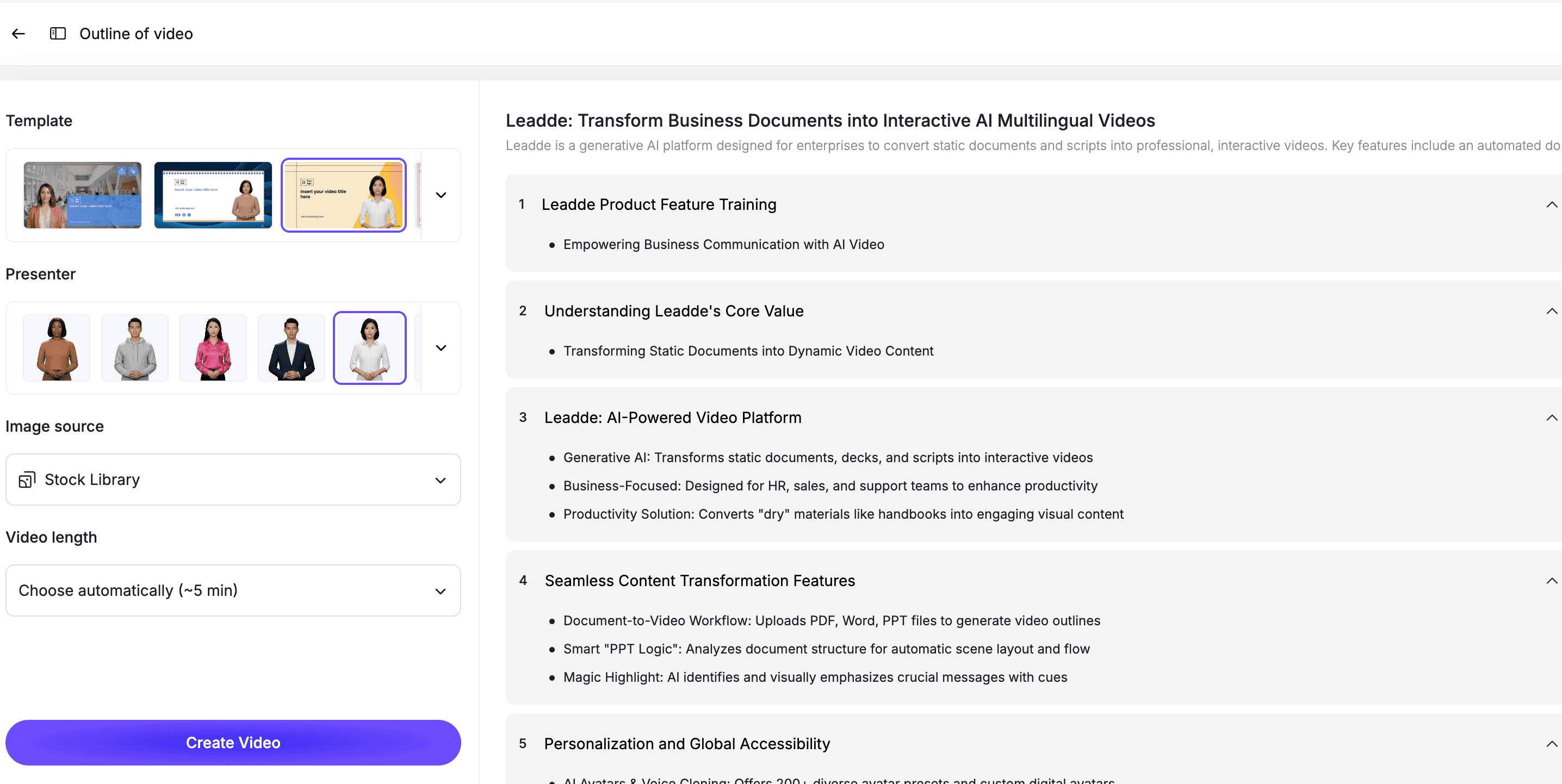
The presenter should match the classroom tone: clear, calm, and helpful.
Step 6: Review Before Using in Class
Before showing the video, review it carefully.
Check:
- Are the facts accurate?
- Is the language age-appropriate?
- Is the tone neutral?
- Are sensitive details handled carefully?
- Are sources clear?
- Are captions correct?
- Does the video support the lesson objective?
- Is the discussion prompt useful?
AI can speed up the draft, but educators should still make the final decision.
Best Practices for AI News Videos in Education
Keep Videos Short
Most classroom news videos should be 1 to 3 minutes.
If the topic is complex, create a short introduction video and let the main discussion happen in class.
Use Neutral Language
Avoid sensational wording.
The goal is education, not clickbait.
Add Discussion Questions
A news video should lead to thinking.
End with a question such as:
- What information would you verify next?
- Who is affected by this story?
- What background knowledge helps explain this event?
- How does this connect to today's lesson?
- What perspectives are missing?
Make Sources Visible
Students should learn where information comes from.
Mention the source in the video or include a source note in the lesson materials.
Adapt the Video to Grade Level
A high school current events video can include more nuance than an elementary school update.
Adjust vocabulary, length, and examples for the learner.
Keep the Video Editable
News and classroom materials change.
Use an editable workflow so you can update facts, captions, scenes, and discussion questions when needed.
How Leadde Helps Educators Create AI News Videos
Leadde helps educators and education teams turn news scripts, articles, newsletters, course materials, and announcements into editable AI videos.
With Leadde, educators can:
- Turn news scripts into video scenes
- Add AI presenters
- Create captioned lesson videos
- Convert articles into video summaries
- Repurpose newsletters into school update videos
- Add discussion prompts and vocabulary cards
- Create multilingual learning videos
- Update videos when information changes
Start with AI Breaking News Video Generator for news-style classroom videos. Use AI Educational Video Maker for broader lessons, or AI Learning Video Generator for structured learning content.
If you already have a classroom news script ready, you can also try Leadde directly and start building your first AI news video for education.
Common Mistakes to Avoid
Mistake 1: Using News Videos Without a Learning Objective
Do not show a news video just because it is timely.
Connect it to a lesson goal, discussion prompt, writing assignment, or review activity.
Mistake 2: Skipping Source Review
AI can summarize, but it should not decide what is reliable.
Check the source before using the video in class.
Mistake 3: Making the Video Too Dramatic
Educational news videos should be clear and calm.
Avoid exaggerated urgency, dramatic visuals, or sensational wording.
Mistake 4: Using Language That Is Too Advanced
Students need appropriate vocabulary.
Simplify the explanation without changing the meaning.
Mistake 5: Forgetting Student Discussion
The video should not be the end of the lesson.
Use it to start discussion, analysis, writing, or reflection.
FAQ
What is a news video generator for education?
A news video generator for education is an AI tool that helps educators turn news scripts, articles, school updates, newsletters, or current events into short educational videos for lessons and classroom discussion.
How can teachers use AI news videos in lessons?
Teachers can use AI news videos as lesson openers, current events recaps, media literacy activities, discussion starters, school updates, language learning exercises, and student project formats.
Are AI news videos safe to use in classrooms?
They can be useful, but they should be reviewed before use. Educators should check facts, sources, tone, age appropriateness, captions, and discussion prompts before showing AI-generated news videos to students.
What should an educational news video include?
A strong educational news video should include a clear headline, background context, verified key facts, student-friendly explanation, vocabulary support, and a discussion question or next activity.
How long should a classroom news video be?
Most classroom news videos should be 1 to 3 minutes. More complex topics can use a longer explainer or be split into multiple short videos.
Can students create AI news videos?
Yes. Students can create AI news videos as part of media literacy, journalism, social studies, science communication, or project-based learning activities. Teachers should review scripts and sources before publishing or presenting.
Can AI turn articles or newsletters into educational news videos?
Yes. AI can help turn articles, newsletters, and announcements into video scripts, scenes, captions, and editable video drafts. Human review is still important before classroom use.
Conclusion
AI news videos can help educators turn timely updates into structured learning materials.
The best classroom news videos are not sensational. They are accurate, age-appropriate, source-aware, and connected to a clear learning objective. They help students understand what happened, why it matters, what vocabulary they need, and what question they should discuss next.
Start with a reliable source, write a student-friendly script, turn it into short scenes, add captions and visuals, review the content carefully, and use the video as a starting point for discussion or activity.
Use Leadde's AI Breaking News Video Generator to create editable news-style videos for lessons, current events, and classroom updates.





