
Educational Videos for Medical Studies: 2026 Guide

Educational videos for medical studies are structured learning resources that help students understand complex subjects such as anatomy, physiology, pathology, pharmacology, clinical skills, and exam preparation through visual explanations, demonstrations, and case-based teaching.
The most effective videos are accurate, matched to the learner’s level—whether for professional training or patient education—supported by reliable medical sources, and combined with active recall, practice questions, and supervised clinical learning.
Yet producing accurate medical videos, healthcare training videos, and pharma videos, is often slow, costly, and difficult to update.
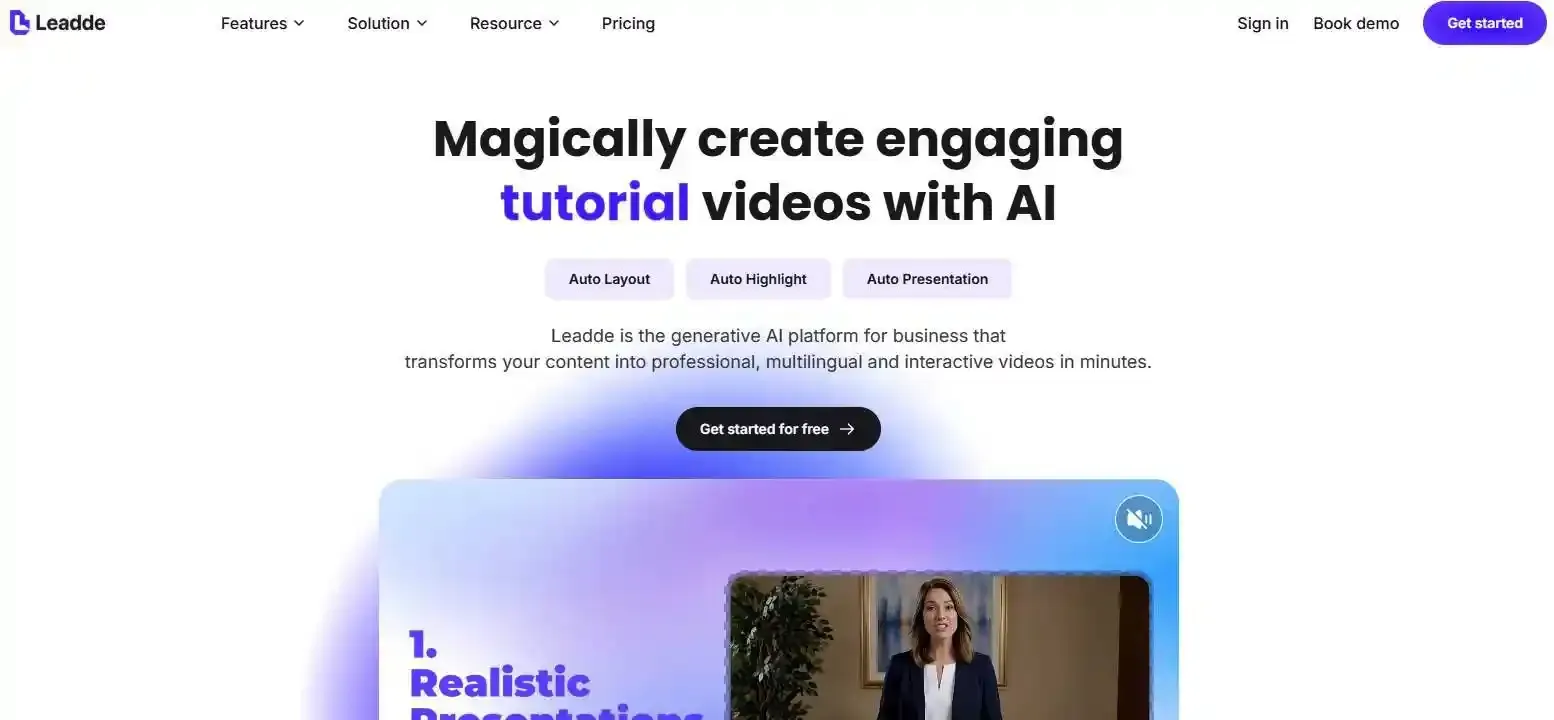
Leadde turns documents and text into professional business videos in minutes, helping teams reduce production costs by over 80% and content creation time by up to 90% while keeping medical experts in control.
Educational Videos for Medical Studies: What Are They and Why Do They Matter?
Educational videos for medical studies are visual learning resources that explain biomedical science, clinical reasoning, examinations, procedures, and patient care. They may use animation, diagrams, recorded demonstrations, expert lectures, virtual patients, or interactive cases.
Video-based learning can support medical knowledge and skills, especially when the content is designed around clear learning outcomes. However, videos work best as part of a wider learning system that includes reading, questions, feedback, and supervised practice. A 2024 systematic review found positive effects on knowledge acquisition in medical and dental education, while also noting differences between studies and teaching contexts.
Who Are Medical Education Videos Designed For?
Medical education videos serve several audiences, but each audience needs a different level of detail.
| Audience | Typical video purpose | Appropriate depth |
| Pre-med students | MCAT science, basic biology, and study preparation | Introductory |
| Preclinical medical students | Anatomy, physiology, pathology, and pharmacology | Foundational to intermediate |
| Clinical students | Examination, diagnosis, management, and OSCE preparation | Applied clinical |
| Residents and professionals | Procedures, guidelines, advanced cases, and continuing education | Advanced |
| Patients and caregivers | Conditions, treatments, consent, and self-care | Plain-language |
A patient video should not use the same terminology or assumptions as a specialist training video. Before choosing or creating a video, the learner level, required background knowledge, and learning goal should be stated clearly.
Which Medical Subjects Benefit Most From Visual Learning?
Videos are especially useful when students need to understand movement, spatial relationships, sequence, or change over time.
Common examples include:
- Anatomy: three-dimensional structures, nerves, vessels, joints, and organs
- Physiology: circulation, ventilation, electrical activity, and feedback systems
- Pathology: disease progression, histology, and abnormal imaging
- Pharmacology: mechanisms of action, pathways, and adverse effects
- Clinical skills: physical examinations, communication, and procedural steps
- Clinical reasoning: how evidence changes a differential diagnosis
Interactive 3D models can be particularly useful for anatomy because students can examine a structure from several angles. AnatomyZone, for example, combines narrated tutorials with interactive anatomical models for selected topics.
What Are the Benefits and Limitations of Video-Based Medical Learning?
Well-designed videos can make difficult concepts easier to visualize, let students pause and replay explanations, and support learning before or after class. They can also make consistent teaching available across locations and time zones.
The main limitation is that watching is not the same as mastering. A student may understand an explanation while it is playing but fail to recall or apply it later.
Videos also have subject-specific limits:
- A procedure video cannot prove that a learner can perform the skill safely.
- A short review cannot replace a complete guideline.
- An animation may simplify anatomy or pathology too much.
- A popular video may be old, incomplete, or medically inaccurate.
- A clinical video may follow guidance from another country.
Medical videos should therefore support—not replace—textbooks, current guidelines, question practice, laboratory work, clinical teaching, and professional supervision.
What Types of Medical Education Videos and Resources Are Most Useful?
The best type of medical video depends on what the learner must do after watching. A format that works for remembering drug classes may not work for learning a physical examination or solving a clinical case.
Anatomy, Physiology, Pathology, and Pharmacology Videos
Foundational sciences benefit from visual formats that show relationships rather than present disconnected facts.
- Anatomy videos should show orientation, neighboring structures, blood supply, innervation, and clinical relevance. Three-dimensional models are helpful when two-dimensional diagrams make a structure difficult to imagine.
- Physiology videos should explain a process step by step. Useful visuals include pressure changes, flow direction, membrane movement, feedback loops, and graphs.
- Pathology videos should connect normal structure with abnormal change. Strong videos combine gross pathology, histology, imaging, mechanisms, symptoms, and clinical consequences.
- Pharmacology videos should link the target, mechanism, indication, adverse effects, contraindications, and monitoring. Mnemonics can help recall, but they should not remove important safety information.
Resources such as Ninja Nerd currently organize teaching across foundational science, pathology, clinical medicine, clinical skills, and nursing topics. AnatomyZone focuses on anatomy tutorials, while Osmosis provides illustrated medical explanations and supporting learning tools.
Clinical Skills, Case-Based Learning, and Exam Preparation Videos
Clinical skills videos are most useful when they show the full sequence of a task, including preparation, communication, consent, technique, safety checks, interpretation, and completion.
For an examination or procedure, learners should look for:
- A clear equipment list
- Correct patient positioning
- Infection-control steps
- Communication and consent
- A full demonstration
- Common errors
- Interpretation of findings
- A checklist for practice
Geeky Medics, for example, provides clinical-skills videos alongside step-by-step guides and checklists. These materials can support OSCE preparation, but learners still need supervised practice and feedback before performing clinical skills independently.
Case-based videos serve a different goal. They should ask learners to interpret symptoms, examination findings, laboratory results, and imaging before revealing the answer. Interactive video cases may improve engagement and help students practise clinical thinking, although their value depends on case quality and feedback design.
Exam-preparation videos are best used for focused review. They should be combined with official exam information, question banks, timed practice, and analysis of mistakes.
Free YouTube Channels, Paid Platforms, and Institutional Learning Libraries
Free and paid resources solve different problems. Students do not need to choose one platform for every subject.
| Resource type | Main strengths | Main limitations |
| Free YouTube channels | Easy access, wide topic range, several teaching styles | Uneven review, updates, depth, and organization |
| Paid platforms | Structured courses, assessments, progress tracking, and linked resources | Cost, subscription limits, and possible curriculum mismatch |
| Institutional libraries | Curriculum alignment, faculty review, and local guidance | Access may be limited to enrolled learners |
| Specialist platforms | Strong depth in anatomy, OSCEs, pathology, or another field | May not cover the full medical curriculum |
Common resource patterns include:
- Ninja Nerd: long-form visual explanations across science and medicine
- AnatomyZone: anatomy tutorials and selected interactive 3D models
- Geeky Medics: clinical-skills demonstrations, OSCE guides, and checklists
- Osmosis: illustrated videos with related questions and study tools
- Institutional portals: expert-led modules, transcripts, references, and progress tracking
Current platform features can change, so students should review each provider’s official site before subscribing.
A practical approach is to choose resources by role:
- One source for deep explanation
- One source for fast review
- One source for clinical skills
- One source for current guideline verification
- One question bank for independent application
This personal resource stack is usually more useful than searching for one “perfect” medical channel.
How Can Students Choose Accurate and Trustworthy Medical Videos?
A polished video can still contain medical errors. Students should judge a video by its evidence, review process, relevance, and update history—not only by its production quality or popularity.
Check the Creator, Medical Reviewer, Sources, and Review Date
Start by identifying who created the video.
Look for:
- The presenter’s name and qualifications
- A named medical reviewer
- The institution or organization responsible for the content
- References to textbooks, guidelines, or peer-reviewed studies
- The publication and last-review dates
- A correction or update policy
- Disclosure of sponsorship or conflicts of interest
A creator does not need to be a specialist in every case, but high-risk clinical content should be reviewed by someone with relevant expertise.
Students should be cautious when a video:
- Makes major medical claims without sources
- Uses an unnamed “doctor” or synthetic presenter
- Promotes a product as part of the teaching
- Gives medication doses without context
- Presents one approach as universal
- Uses dramatic claims to increase engagement
- Has no visible update date
Views, likes, and comments can show reach, but they do not prove medical accuracy.
Match the Content to Your Study Stage and Local Clinical Guidelines
A video may be accurate but still inappropriate for the learner.
A preclinical student may need the mechanism of heart failure. A clinical student may need diagnosis and management. A resident may need advanced risk assessment or procedural decision-making.
Location also matters. Videos may differ in:
- Drug names and availability
- Screening programs
- Emergency pathways
- Referral rules
- Vaccination schedules
- Clinical scoring systems
- Licensing-exam expectations
Students should use videos to understand principles, then verify clinical recommendations against current local guidance. This is especially important for treatment, prescribing, emergency care, infection control, and public-health policy.
A useful rule is:
Use videos to understand the topic, but use current official guidance to confirm what should be done.
Use a Medical Video Evidence Card to Identify Outdated or Misleading Content
A Medical Video Evidence Card is a simple way to evaluate a resource before relying on it.
| Evidence-card field | Question to ask |
| Intended audience | Is this for patients, students, residents, or specialists? |
| Learning objective | What should the viewer know or do afterward? |
| Creator | Who wrote and presented the content? |
| Medical reviewer | Was it checked by a relevant professional? |
| Sources | Are guidelines, textbooks, or studies listed? |
| Region | Which country or healthcare system does it follow? |
| Review date | When was it last checked? |
| AI disclosure | Were the script, voice, presenter, or visuals generated by AI? |
| Limitations | Does it explain exceptions, uncertainty, and safety concerns? |
| Corrections | Can viewers report errors, and are changes documented? |
The card separates evidence quality from entertainment value. It also makes it easier to compare a free video with a paid course or institutional module.
For educators, this information can be displayed under every video. For students, it can become a quick personal checklist.
How Can Medical Students Learn Actively With Educational Videos?
The most effective use of video is active. Students should make decisions, retrieve information, solve problems, and explain concepts during and after viewing.
Combine Videos With Active Recall, Questions, and Spaced Repetition
Before starting a video, write down what you already know. This activates prior knowledge and reveals gaps.
During the video:
- Pause before an important explanation.
- Predict the next step, diagnosis, mechanism, or finding.
- Answer questions without looking at the screen.
- Draw the pathway or structure from memory.
- Mark sections that need verification.
After the video:
- Close the player.
- Write the key points from memory.
- Explain the topic in simple language.
- Complete practice questions.
- Review mistakes.
- Return to the topic after a delay.
Spaced review is more useful than repeatedly watching the same video in one session. The goal is not to remember the video—it is to recall and apply the medical knowledge without the video.
Build a Personal Medical Video Stack for Deep Learning and Quick Review
Students often need different resources for different jobs.
A practical stack may include:
| Learning need | Best resource style |
| First exposure | Clear, structured concept video |
| Deep understanding | Longer whiteboard or expert lecture |
| Spatial anatomy | 3D model and labeled anatomy tutorial |
| Rapid review | Short summary or mnemonic video |
| Clinical skill | Full demonstration with checklist |
| Clinical reasoning | Interactive or pause-and-answer case |
| Guideline confirmation | Current official or institutional source |
| Exam practice | Timed question bank |
Use one resource as the primary explanation. Add a second source only when the first is unclear or incomplete. Constantly switching between creators can waste time and produce conflicting notes.
The stack should also change by course. A resource that is excellent for physiology may not be strong for OSCE practice, pathology images, or local treatment guidance.
Avoid Passive Watching and the Medical Video Compression Trap
A clear video can create an illusion of competence. Information feels familiar because the presenter has organized it, but familiarity is not independent recall.
Test understanding by asking:
- Can I explain this without replaying the video?
- Can I draw the process from memory?
- Can I solve a new case?
- Can I identify the important exception?
- Can I explain why the wrong answers are wrong?
Students should also avoid the medical video compression trap. A ten-minute summary may remove the context found in a longer lecture, chapter, or guideline.
Important details that should not disappear include:
- Red flags
- Differential diagnoses
- Contraindications
- Safety steps
- Important exceptions
- Population limits
- Uncertainty in the evidence
- When specialist help is required
Short videos are useful for review, but the shorter format must not be treated as proof that the topic itself is simple.
How Do You Create an Effective Medical Education Video?
An effective medical education video begins with a learning problem, not a camera or an AI tool. The production method should follow the educational goal.
Define the Audience, Learning Objective, and Appropriate Video Format
Begin with three questions:
- Who is the learner?
- What should the learner be able to do?
- Why is video the right format?
A strong learning objective is specific and observable.
Weak objective:
Understand arterial blood gases.
Stronger objective:
Interpret pH, PaCO₂, and bicarbonate values to identify the primary acid–base disorder.
The format should match the outcome:
| Learning objective | Suitable format |
| Identify anatomical structures | Labeled 3D model or dissection |
| Explain a physiological process | Diagram-based animation |
| Demonstrate an examination | Live procedural video |
| Apply diagnostic reasoning | Interactive clinical case |
| Compare treatments | Expert explanation with evidence table |
| Review key facts | Short recap or mnemonic |
| Practise communication | Virtual or recorded patient encounter |
Research on health-procedure videos emphasizes clear outcomes, learner-centered design, multimedia principles, adult-learning theory, engagement, and strong audiovisual quality.
Research, Script, Visualize, and Review Every Medical Claim
The script should be built from approved sources before scenes are created.
A safe workflow is:
- Select current guidelines, textbooks, or peer-reviewed evidence.
- Extract only the information needed for the learning objective.
- Record the region, date, and intended audience.
- Write the script in clear language.
- Match every claim with a visual purpose.
- Create a storyboard and shot list.
- Review the script medically.
- Review the visuals separately.
- Pilot the video with representative learners.
- Correct problems before publication.
A source-to-scene audit trail can make this process stronger. Each scene should record:
- The claim being taught
- The supporting source
- The relevant guideline date
- The intended visual
- The reviewer
- The approval status
- Any later correction
Visual review is essential because a script can be correct while an image is wrong. A generated artery may connect to the wrong structure, an instrument may be held incorrectly, or an animation may show an impossible physiological process.
Add Captions, Transcripts, References, Assessments, and an Update Process
A medical video should remain useful after playback ends.
Useful supporting elements include:
- Professionally reviewed captions
- A searchable transcript
- Video chapters
- Key-term definitions
- Downloadable notes
- References
- Practice questions
- A short summary
- A review date
- A correction link
- An update history
W3C’s WCAG 2.2 requires captions for prerecorded audio in synchronized media at Level A and also addresses alternatives or audio description for prerecorded video content. Medical captions need human review because automatic systems may misidentify drug names, abbreviations, eponyms, and anatomical terms.
Assessments should match the learning objective. A factual video may use recall questions, while a procedure video requires observed performance. A clinical reasoning video should use a new case, not a question that simply repeats the narration.
The update process should name a content owner and define review triggers, such as:
- A new clinical guideline
- A safety alert
- A drug withdrawal
- A changed diagnostic criterion
- A reported error
- An updated institutional policy
How Is AI Changing Medical Education Video Creation in 2026?
AI can reduce the manual work involved in video creation, but it does not remove the need for educational design or medical review.
Turning Medical Documents, Presentations, and Course Notes Into Video Drafts
Turning Medical Documents, Presentations, and Course Notes Into Video Drafts can be aided by AI tools, which help transform existing materials into:
- Draft outlines
- Scene plans
- Narration scripts
- Slide layouts
- Summaries
- Captions
- Translations
- Review questions
This can be useful when an institution already has approved PowerPoint presentations, protocols, course notes, or training documents.
However, document-to-video conversion can reproduce weaknesses in the source. An outdated slide deck will produce an outdated video. A vague document may become a vague script. Conflicting sources may create internal contradictions.
Before conversion, educators should:
- Confirm that the source is current
- Remove irrelevant material
- Define the learner level
- Write the learning objective
- Separate required knowledge from optional detail
- Identify claims that need specialist review
- Mark material that should not be uploaded because of privacy restrictions
AI should begin from approved content whenever possible rather than generate the medical substance without grounding.
Using AI for Visuals, Presenters, Interaction, and Multilingual Learning
AI-assisted production can support:
- Synthetic presenters
- Voice generation
- Scene creation
- Translation
- Caption generation
- Interactive questions
- Searchable transcripts
- Personalized explanations
- Rapid content updates
These features may improve access and reduce repeated filming. They may also help institutions create several language versions from one approved master script. If you are looking for the right tools, check out our guide to the best AI medical video makers.
The risks are significant:
- Incorrect anatomy
- Unrealistic procedures
- Fabricated citations
- Wrong medical pronunciation
- Translation errors
- Missing contraindications
- Overconfident explanations
- Visual and narration mismatch
- Synthetic presenters that appear to be real clinicians
A 2025 systematic review found only five empirical studies of AI-generated medical or patient-education videos. Although some studies reported better engagement or understanding, all reported problems involving accuracy, bias, or usability. The evidence remains too limited to assume that AI-generated medical videos are automatically safe or educationally effective.
Human review should therefore include:
- Medical script review
- Visual accuracy review
- Terminology and pronunciation review
- Translation review
- Privacy and consent review
- Accessibility review
- Final approval by a named content owner
Building a Source-to-Scene Review Workflow With Leadde
According to the supplied official product overview, Leadde can transform PowerPoint, PDF, Word, text, and scripts into structured video presentations. Its workflow can generate outlines, scenes, narration, and layouts, while allowing users to edit the content before final production.
The supplied product materials also describe support for:
- Audience and learning-objective settings
- Layered PowerPoint import
- Script and scene editing
- AI presenters
- More than 90 language options
- Interactive video questions
- Version management
- Sharing and analytics. For medical education, a source-grounded Leadde workflow could follow this model:
| Stage | Educator action | Required medical control |
| Source preparation | Upload an approved document or presentation | Confirm currency, ownership, and privacy |
| Outline generation | Generate the proposed lesson structure | Check scope and learning outcomes |
| Script drafting | Create narration from source material | Verify every medical claim |
| Scene creation | Match visuals and layouts to the script | Review anatomy, procedures, and diagrams |
| Presenter selection | Choose an avatar or presentation style | Disclose synthetic presentation when appropriate |
| Localization | Create additional language drafts | Use qualified medical-language review |
| Interaction | Add questions or video Q&A | Ground answers in approved content |
| Publication | Generate and distribute the video | Record reviewer, date, and version |
| Maintenance | Update changed scenes or scripts | Reapprove every affected section |
Leadde may reduce repetitive production work, but the supplied product information does not establish that the platform independently verifies medical facts or clinically validates generated visuals. Medical organizations must keep qualified experts in control of source selection, review, approval, and updates.
A practical principle is:
Automate production steps, not medical accountability.
Conclusion
Educational videos can make medical learning clearer, more flexible, and easier to review, but they are most valuable when students choose credible resources and use them actively. Educators should build every video around a clear learning objective, reliable evidence, expert review, accessibility, assessment, and a defined update process. AI-assisted platforms can make production and localization faster, but medical accuracy and final approval must remain under human control.





