
Medical Product Video Instructions: 2026 Guide

Medical product video instructions are visual guides that show patients, caregivers, or healthcare professionals how to set up, operate, maintain, and troubleshoot a medical product safely.
The strongest videos are created from approved IFUs and controlled product documents, then reviewed for medical accuracy, regulatory consistency, usability, accessibility, and version control before publication.
Yet turning approved medical content into accurate video often requires slow, costly production and repeated localization.
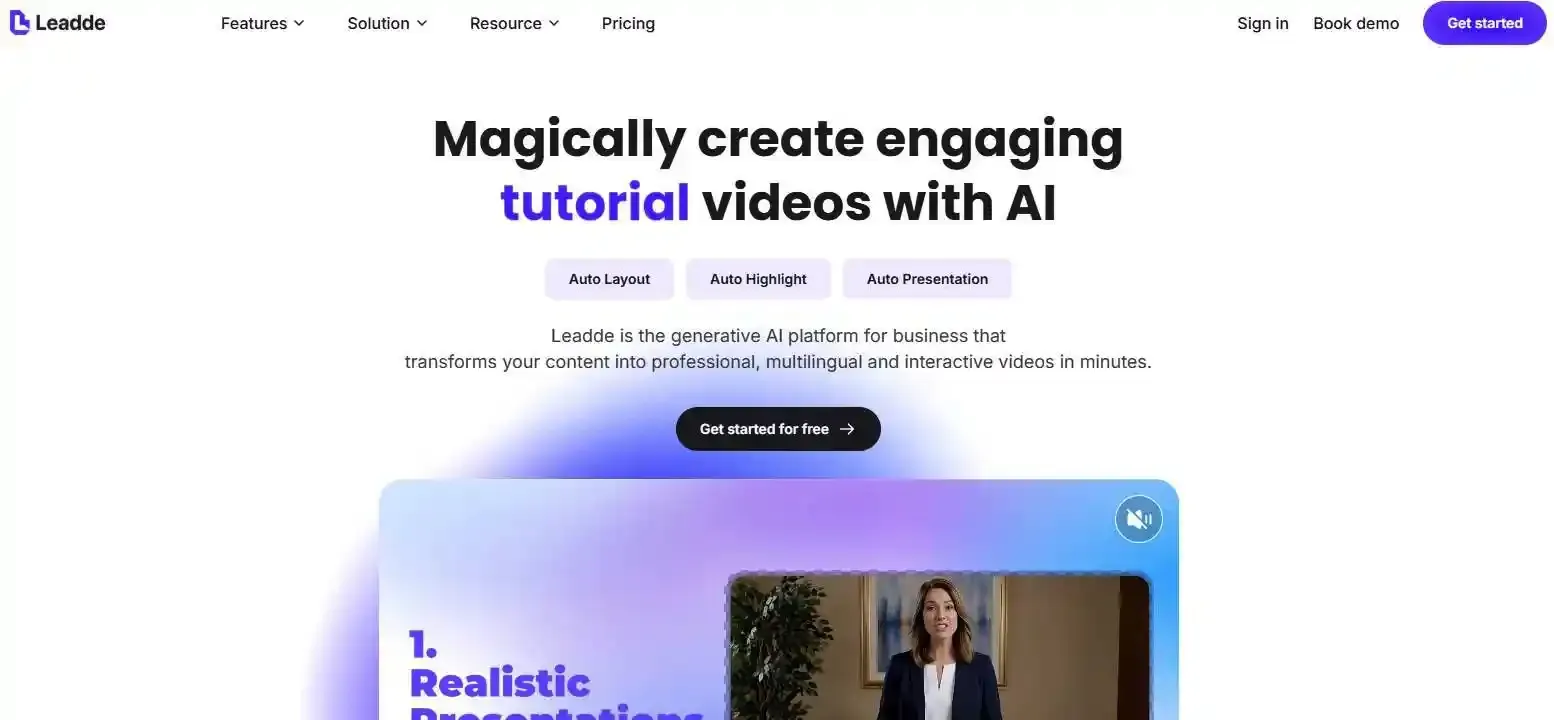
[Leadde](- https://leadde.ai/) solves this by automatically transforming documents and text into professional videos in minutes, helping teams cut production costs by over 80% and content creation time by 90% while keeping reviews under human control.
[ ](- https://leadde.ai/)
What Are Medical Product Video Instructions, and When Should Companies Use Them?
Medical product video instructions use live action, animation, screen recordings, narration, captions, or interactive scenes to explain how a product should be used.
They can support patients, caregivers, clinicians, technicians, distributors, and internal training teams. However, the video’s purpose, audience, source content, and regulatory status must be defined before production begins.
Videos are especially useful when a task contains:
- Moving or hidden components
- Time-sensitive actions
- Small buttons or connectors
- Device sounds or status lights
- Several preparation steps
- Common directional errors
- Cleaning or maintenance tasks
- Software menus that are difficult to describe in text

Medical Instruction Videos vs. IFUs, Product Demos, and Promotional Videos
A medical instruction video is not automatically the same as an official Instructions for Use document.
FDA describes an IFU as procedural information covering activities such as setting up, using, cleaning, troubleshooting, and storing a device. Medical device patient labeling should also be understandable and usable by patients, family members, or other lay caregivers when they are the intended audience.
| Content type | Main purpose | Typical content |
| Official IFU | Provide approved use and safety information | Indications, warnings, steps, maintenance |
| Instruction video | Demonstrate correct product use | Setup, operation, checks, troubleshooting |
| Product demo | Show how the product works | Features, interface, workflow |
| Explainer video | Explain a concept or mechanism | Technology, anatomy, mechanism of action |
| Training video | Build user knowledge or skill | Procedures, practice, competency |
| Promotional video | Encourage product interest or adoption | Benefits, differentiation, customer stories |
The boundaries can overlap. For example, a product demonstration may become promotional when it makes performance claims, while an instructional video may be treated as labeling when it accompanies or supplements the product.
Companies should classify each video before writing the script. This determines which teams must review it and which approved claims may be used.
Common Video Types and Intended Audiences
Different users need different levels of detail. A patient using a home device may need slower instructions and stronger safety reminders, while an experienced clinician may need a short refresher focused on one procedure.
Common formats include:
- First-use videos: Unboxing, preparation, assembly, calibration, and startup
- Operating videos: The correct sequence for routine use
- Patient education videos: Plain-language support for home or self-administered products
- Healthcare professional training: Clinical workflows and product-specific procedures
- Maintenance videos: Cleaning, disinfection, consumable replacement, and storage
- Troubleshooting videos: Alarm meanings, common errors, and approved corrective actions
- Software tutorials: Screen recordings for software medical devices or connected systems
- Simulation videos: Training with models that are not intended for real patient care
Audience versions should not be created by simply shortening the same script. Each version should reflect the user’s knowledge, task, environment, risks, and access to professional support.

Can Video Replace a Printed or Electronic IFU?
A video should not be assumed to replace an official IFU. Whether electronic instructions may replace paper depends on the product, market, user group, and applicable regulation.
In June 2025, the European Commission expanded electronic IFU availability to medical devices used by healthcare professionals in the EU. Professionals can still request a paper version. This change supports digital delivery, but it does not mean that any product video automatically qualifies as an electronic IFU.
A safer content system uses three connected layers:
- Official IFU: The complete controlled source
- Instruction video: Visual support for important tasks
- Quick reference: Short point-of-use reminders
The video should tell viewers where to find the current approved IFU. If the video simplifies a procedure, it must not remove a warning, change a step, or create a new claim.

What Should an Effective Medical Product Instruction Video Include?
A reliable video gives users enough information to identify the product, prepare correctly, complete each task, recognize a successful result, and respond safely when something goes wrong.
The exact content depends on the device and risk profile. A low-risk setup tutorial may be short, while a home-use combination product may need detailed warnings, timed actions, disposal instructions, and professional escalation guidance.
Product Information, Intended Use, and Safety Content
Start by showing the exact product covered by the video.
Include:
- Product and brand name
- Model or catalog number
- Software or firmware version, where relevant
- Intended user
- Intended use environment
- Required accessories or supplies
- Important preparation conditions
- Video version and review date
Safety information should appear where it affects the task. Do not place all warnings at the beginning and assume users will remember them later.
A video may need to include:
- Contraindications
- Warnings
- Precautions
- Known hazardous situations
- Actions users must not perform
- Conditions that require stopping
- When to contact a healthcare professional
- When to contact technical support
Risk information should remain consistent with approved labeling. FDA’s medical device labeling resources emphasize that labeling requirements support safe and effective use and help prevent a device from being misbranded.
Step-by-Step Actions and Completion Signals
Break the process into observable actions. Each scene should tell the user what to do and how to confirm the result.
A useful scene structure is:
Action → Product response → User check → Next step
For example:
- Press the device firmly against the approved site.
- Listen for the first click.
- Keep the device in position while delivery continues.
- Wait for the approved completion signal before removing it.
Users should not have to guess whether a step worked. Show the visual, audio, or tactile signal defined in the controlled product documents.
Useful completion signals include:
- A light changes color
- A progress bar reaches its final state
- A component locks into place
- A click is heard
- A display shows a confirmation message
- A needle shield covers the needle
- A measured value falls within the approved range
Keep the sequence identical to the validated workflow. Avoid rearranging steps simply because another order looks better on screen.
Clear Visual, Audio, and Instructional Design
Use plain language, but do not simplify away medical meaning. Define necessary technical terms and remove wording that does not help users perform the task.
Good visual design includes:
- One main action per scene
- Stable camera angles
- Close-ups of small components
- Arrows that show movement
- Labels that do not block the product
- Consistent names for every component
- Realistic timing
- Clear contrast
- A clean background
Narration, captions, and visuals must describe the same action at the same time. A narrator should not introduce the next step while the screen still shows the previous one.
Audio also affects safety. Medical terms, product names, measurements, and warning language should receive pronunciation review. Background music should be quiet or removed when it competes with instructions.
Warnings should be readable long enough to understand. Do not depend on small text, rapid movement, or color alone to communicate a critical message.

How Can Companies Turn Approved Medical Documents Into Video Instructions?
The safest workflow begins with controlled documents, not a blank script or an open-ended AI prompt.
The production team should create a direct relationship between the approved evidence, the spoken script, the visual scene, and the final video version.
From Approved Documents to a Traceable Script
Collect all relevant source materials before drafting:
- Approved IFU
- Device labeling
- Patient information
- Quick-start guide
- Risk-management file
- Use-related risk analysis
- Product specifications
- Approved claims
- Human factors findings
- Training materials
- Complaint and support data
- Approved translations
Create a source table for every instruction and claim.
| Script element | Approved source | Source location | Reviewer | Status |
| Product preparation | IFU | Section 3.1 | Medical | Approved |
| Warning before use | Labeling | Warning 4 | Regulatory | Approved |
| Completion signal | Product specification | Requirement 28 | Engineering | Approved |
| Cleaning step | IFU | Section 8 | Quality | Approved |
This evidence-to-scene traceability reduces content drift. It also makes later updates easier because the team can identify which scenes are affected when a document changes.
AI may help extract and organize content, but missing information should be marked as unavailable. It should never fill gaps with a likely medical step.
From Script to Scenes, Storyboards, and Product Visuals
After the script is approved, convert each task into a storyboard.
Each storyboard panel should define:
- Scene objective
- Exact narration
- On-screen text
- Product view
- User action
- Warning or precaution
- Completion signal
- Source reference
- Reviewer comment
Choose visuals based on the task rather than style alone.
| Format | Best used for | Main limitation |
| Live action | Real handling, setup, grip, cleaning | Harder to update |
| 2D animation | Simple flows and abstract concepts | May hide physical detail |
| 3D animation | Internal mechanisms and complex movement | Requires accurate models |
| Screen recording | Software and device interfaces | Becomes outdated after UI changes |
| AI presenter | Introduction, narration, transitions | Should not replace critical product views |
| Interactive video | Branching support and checks | Requires careful validation |
Real products and real hands are usually stronger for safety-critical physical tasks. Animation is useful when a camera cannot show internal movement or when the video needs a clean view of an otherwise hidden mechanism.
Do not visually improve the product in a way that changes its shape, color, controls, connector position, display, or operation.
Using AI and Leadde Without Losing Medical Control
AI-assisted production can shorten the path from approved document to editable video draft.
Leadde can import PowerPoint, PDF, Word, text, and scripts. It can generate an outline, scene structure, voice-over draft, and visual layout, while allowing teams to edit individual scenes before generating the final video.
A controlled Leadde workflow can follow these steps:
- Upload the approved source document.
- Define the language, audience, tone, and learning objectives.
- Review the generated outline.
- Compare every scene with the source material.
- Select a template and presenter.
- Replace generic visuals with approved product assets.
- Edit narration and on-screen text.
- Send the draft through medical and regulatory review.
- Create approved language versions.
- preview the complete video.
- Generate, publish, and record the final version.

Leadde supports multilingual workflows, more than 200 AI avatars, scene-level editing, analytics, version control, and interactive video features. These functions can make production and localization more scalable.
Automation should not approve:
- Medical claims
- Warnings
- Contraindications
- Product operation
- Anatomy
- Clinical conclusions
- Translation accuracy
- Regulatory status
Human reviewers remain responsible for the published content. AI should accelerate production, not become the medical authority.
How Do Human Factors and Regulations Shape Medical Product Videos?
Medical product instructions are part of the wider user interface. They influence how people prepare, operate, maintain, and respond to a product.
FDA describes human factors work around three connected parts of the device-user system: the users, use environments, and user interface. The goal is to reduce use-related risk and support safe and effective use by intended users.
Intended Users, Critical Tasks, and User Mental Models
Before production, define who performs each task.
Intended users may include:
- Specialist physicians
- Nurses
- Technicians
- Patients
- Family caregivers
- Home-care workers
- Service personnel
- Users with limited health or digital literacy
Use environments can change the instruction design. A bright training room is different from a noisy ward, a moving ambulance, or a dim home.
Identify critical tasks: actions that could cause serious harm if performed incorrectly or not performed at all. These tasks deserve stronger visual emphasis and representative-user testing.
Also examine user mental models. People bring past experience to a new product. A user may assume:
- A familiar connector fits the same way
- A short sound means the task is complete
- A button should be held instead of pressed once
- An injection finishes as quickly as a previous product
- A warning light has the same meaning as another device
A strong video does not merely repeat the correct instruction. It directly shows the difference between the expected behavior and the correct product-specific behavior.
FDA, EU MDR, Risk Management, and Labeling Consistency
In May 2026, FDA issued final guidance describing a risk-based framework for human factors information in medical device marketing submissions. It complements FDA’s broader guidance on applying human factors and usability engineering to medical devices.
This does not mean every training video requires a separate submission. It means manufacturers should assess whether the video affects risk controls, critical-task performance, validated labeling, or evidence used to support safe operation.
Two standards are particularly relevant:
- ISO 14971:2019 establishes a lifecycle process for medical-device risk management.
- IEC 62366-1:2015 establishes a process for analyzing, developing, and evaluating medical-device usability as it relates to safety.
The video-development process should therefore connect to:
- Hazard identification
- Use-related risk analysis
- Risk-control measures
- Critical-task identification
- Formative usability work
- Validation evidence
- Post-market information
In the EU, electronic IFU use expanded in 2025 for devices used by healthcare professionals. Companies still need to examine the exact regulation, device scope, language obligations, paper-copy availability, and national requirements for each market.
Regulatory and legal requirements vary. A video should not claim to be globally compliant merely because it uses the approved English-language IFU.
Point-of-Use and High-Stress Instruction Design
Some users watch a complete video before first use. Others search for one step while already holding the product.
Point-of-use instructions should be designed for speed and safety:
- Put the product model at the start.
- Use clear task names.
- Divide long videos into chapters.
- Offer short clips for common tasks.
- Keep warnings next to the related action.
- Provide pause and replay controls.
- Link to the complete IFU.
- Show when the user must stop.
- Provide a direct support route.
A two-layer system can serve both new and experienced users:
| Layer | Purpose | Typical length |
| Complete instruction video | Full preparation and use | Based on task complexity |
| Point-of-use clip | One approved task or problem | As short as the task allows |
High-stress environments require additional checks. The user may be distracted, wearing gloves, working in poor light, or unable to hear narration clearly.
For safety-critical content, provide an offline or printed alternative. A QR code is useful only when it opens the correct, available, version-controlled content.
How Should Medical Product Videos Be Published for Global and Accessible Use?
A medical instruction video should be part of a connected content system.
The strongest system links:
Product → Packaging → QR code → Video page → Current IFU → Support
This makes instructions easier to find while preserving the controlled source.
QR Codes, Web Pages, Apps, and Two-Layer Instructions
Use the access method that fits the user journey.
A web page is often suitable when users need quick access without downloading software. An app may be appropriate when the product requires repeated interaction, device connectivity, user-specific settings, or offline features.
QR codes can appear on:
- Packaging
- Quick-reference cards
- Product labels
- Training materials
- Service documentation
The text beside the code should explain:
- What the user will open
- Which product or task it covers
- Whether internet access is required
- Where to find another format
- How to request support
The destination should first confirm the product model or version. A code that leads to a general video library may create selection errors.
Use stable links so the manufacturer can update the destination without replacing every printed code. Retain archived content where required, but prevent outdated versions from appearing as current instructions.
Medical Translation and Multilingual Version Control
Medical localization is more than replacing the voice-over.
A controlled process should include:
- Approved source-language script
- Translation by a qualified medical linguist
- Approved terminology database
- Review of product names and units
- In-country or subject-matter review
- Narration recording
- Caption and on-screen text comparison
- Final audiovisual review
- Publication under the correct market version
Translation errors can occur when narration, captions, graphics, and product screens are handled in separate files. Maintain one language package for each version.
The language package should record:
- Source-script version
- Translation version
- Translator and reviewer
- Approval date
- Voice file
- Caption file
- On-screen text
- Market
- Product version
Leadde supports multilingual workflows across 92 languages and can create multiple language drafts from a shared project. This can reduce duplicated production work and make your video localization scalable, but each medical version still requires language and content approval.
Accessibility, Video SEO, and AI-Search Visibility
Accessible media helps users with hearing, visual, motor, or cognitive limitations. It also supports people in noisy rooms, quiet clinical settings, and low-bandwidth environments.
W3C guidance recommends captions for prerecorded audio, and it provides guidance on transcripts and descriptions of visual information. WCAG 2.2 also covers captions and alternatives or audio descriptions for relevant prerecorded media.
Provide:
- Accurate closed captions
- A complete transcript
- Audio description when critical visual information is not spoken
- Readable text and strong contrast
- Keyboard-accessible controls
- Pause, replay, and speed controls
- Warnings that do not rely on color alone
- Descriptive links and chapter names
Publish each important video on a dedicated watch page. Add a clear title, product model, version, summary, transcript, reviewer, sources, and update date.
Google recommends making videos available on indexable watch pages, using high-quality thumbnails, and providing VideoObject structured data. Key moments can help users navigate directly to important sections.
For AI-search visibility, place important facts in readable HTML, not only inside the video. A transcript with clear headings gives search systems a better chance of identifying the correct product, task, warning, and source.
Structured data does not guarantee enhanced search results, but it can help search engines understand the video and its page.
How Should Companies Test, Maintain, and Measure Medical Instruction Videos?
A completed video is still a design hypothesis. The team must confirm that intended users can find, understand, and apply it.
Testing should measure task performance, not only whether viewers liked the video.
Testing the Gap Between Watching and Doing
Watching a correct action does not prove that a user can repeat it safely.
Test representative users in realistic conditions. Ask them to:
- Find the correct video
- Confirm the product model
- Identify required preparation
- Explain major warnings
- Complete critical tasks
- Recognize completion signals
- Respond to an error
- Locate the current IFU
- Explain when to stop
- Repeat the task without coaching
Do not guide participants through problems that the final user would face alone. Observe hesitation, skipped steps, incorrect assumptions, repeated scenes, and unsafe workarounds.
Use a combination of:
- Formative testing during development
- Comprehension questions
- Teach-back
- Hands-on simulation
- Critical-task assessment
- Final validation where required
FDA notes that usability testing is particularly important when incorrect task performance could lead to serious harm, especially for lay users of over-the-counter products.
Video may supplement hands-on practice, but it should not replace supervised competency training when the procedure requires professional judgment or physical skill.
Version Control, Updates, and Post-Market Feedback
Every video should have a controlled identity.
Record:
- Video title
- Internal asset number
- Product and model
- Software version
- Language and market
- Source-document versions
- Medical reviewer
- Regulatory reviewer
- Approval date
- Effective date
- Next review date
- Publication locations
- Archive status
When an IFU, warning, interface, accessory, claim, or product image changes, perform an impact assessment.
Ask:
- Which scenes use the changed information?
- Which language versions are affected?
- Does the QR destination need updating?
- Should the current video be removed immediately?
- Does the change affect a critical task?
- Is additional usability testing required?
- Must users be notified?
Complaint and support data can reveal missing or weak instructions. If users repeatedly call about the same alarm, replay the same chapter, or misunderstand the same completion signal, review the corresponding scene.
Do not leave outdated videos publicly searchable without clear archive status. A user may reach an old version through a search engine, bookmark, distributor page, or copied link.
Performance, Cost, Timeline, and Production Decisions
Measure whether the video improves safe task performance.
Useful metrics include:
| Metric Category | Specific Indicator | What It Measures (Goal) |
| Task Performance | First-time success rate | Can users complete the task correctly after watching? |
| Safety | Critical error reduction | Are hazardous mistakes avoided during real-world use? |
| Operational Impact | Support ticket volume | Does the video reduce inbound calls for common troubleshooting? |
| Content Engagement | Chapter replay rate | Which specific steps are users struggling to understand? |
Views and completion rates are not enough. A video can receive many views while users continue to make the same error.
Cost and schedule depend on:
- Medical complexity
- Video length
- Number of critical tasks
- Live action, 2D, or 3D requirements
- Product and CAD asset availability
- Number of languages
- Review rounds
- Human factors testing
- Regulatory documentation
- Future update frequency

Traditional live action is useful when real handling must be shown. Custom 3D animation is valuable for internal mechanisms or movements that cannot be filmed. AI document-to-video is strongest when approved source content already exists and teams need faster drafting, frequent updates, or multiple language versions.
The final production choice should be based on risk and evidence, not novelty. Use AI where it improves speed and consistency, and use human expertise where medical meaning, safety, and approval are required.
Conclusion
Medical product video instructions are most effective when they convert approved source content into clear, task-based visual guidance without weakening safety information. A strong 2026 workflow combines human factors, regulatory review, controlled AI automation, accessible multilingual publishing, representative-user testing, and ongoing version management.





