How to Create a Talking Avatar from a Photo (6 Easy Steps)
Creating a talking avatar from a photo is simple: upload a clear portrait, add a script or voiceover, choose an AI voice, and generate a video with realistic lip-sync and facial movements. No camera, recording equipment, or editing experience is required.
With Leadde, you can turn a photo into a talking AI avatar and use it to create educational videos, product explainers, and training content.
In this guide, you'll learn how to create a talking avatar from a photo in 6 easy steps, explore AI tools, improve video realism, and fix common lip-sync issues.
How to Create a Talking Avatar from a Photo in 6 Steps
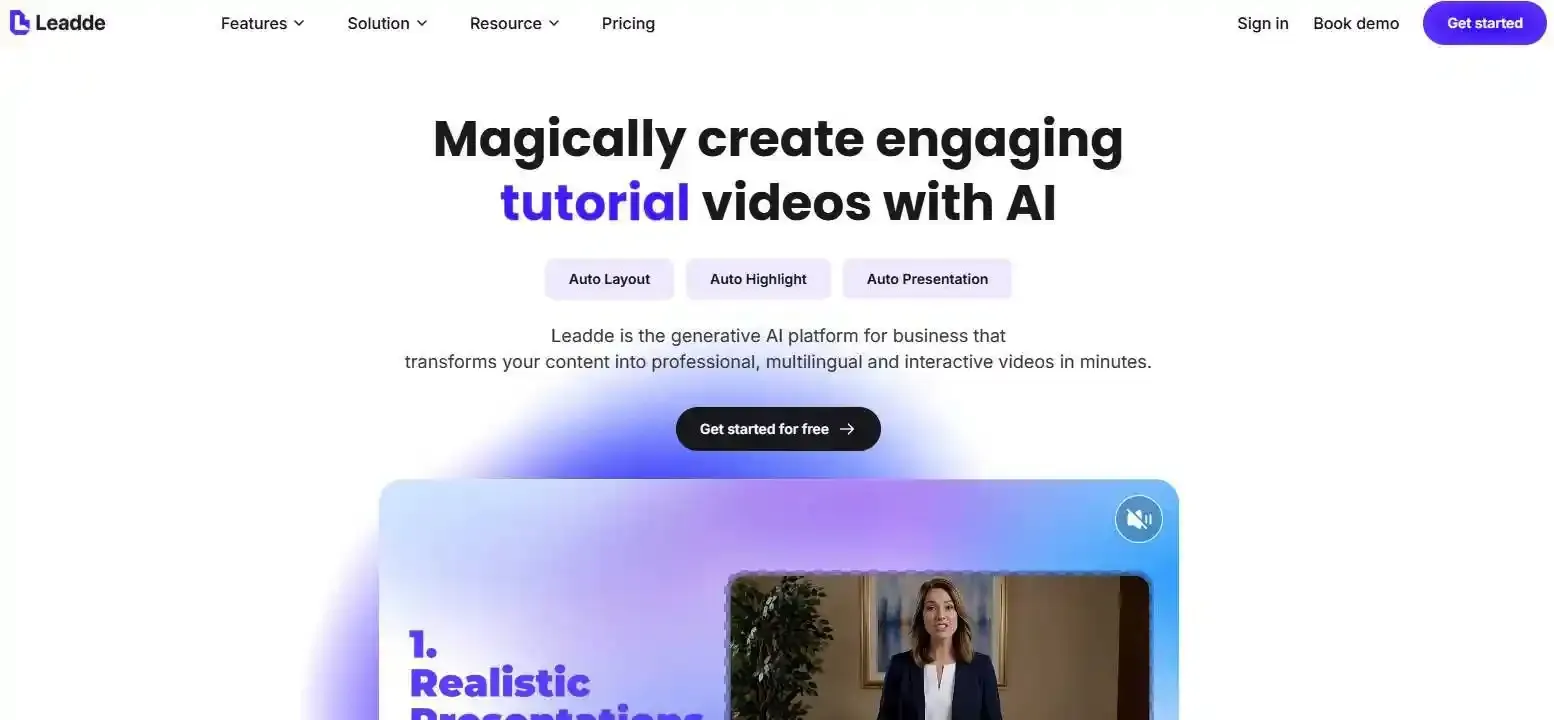
You can create a talking avatar using an AI photo animation tool such as Leadde. The process involves preparing your image, adding speech, generating facial movements, and exporting the finished video.
Here's a practical workflow using Leadde as an example.
Step 1: Choose a Clear Photo
Start with a high-quality portrait where the subject faces the camera.
For better results:
- Use a sharp, well-lit photograph.
- Keep the eyes and mouth clearly visible.
- Choose a natural facial expression.
- Avoid heavy filters, shadows, and facial obstructions.
A simple headshot or selfie often works well. Make sure you have permission to animate the person's likeness, especially if you are evaluating if AI avatars are legal for commercial use.
Step 2: Upload Your Photo
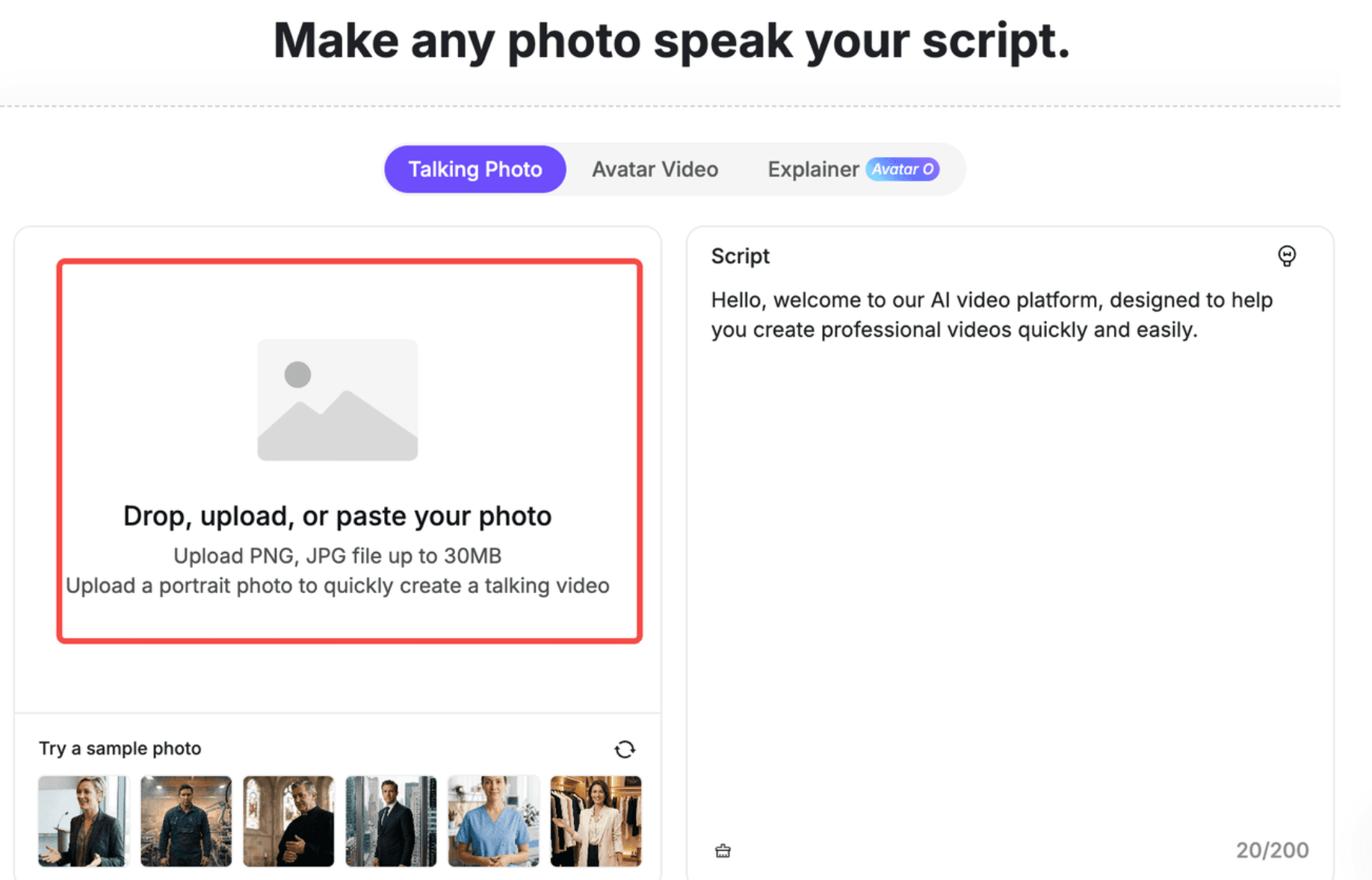
Visit Leadde's AI Talking Photo Generator and select Photo Avatar in the web application.
Upload your portrait to create an AI presenter. Leadde uses the image to generate facial animation that can respond to spoken content.
You can also explore its Picture Avatar feature for creating a reusable virtual person as your digital presenter.
Step 3: Add a Script or Audio
Write what you want your avatar to say. If you need help structuring your message, check out our video script templates and examples.
For example:
"Welcome to our product tutorial! Today, I'll show you how to get started in three simple steps."
Keep sentences short and conversational. A natural script makes AI-generated speech easier to follow.
Some AI avatar platforms also support uploaded audio. This is useful when you want to preserve a recorded speaker's pronunciation or delivery.
Step 4: Select a Voice and Customize
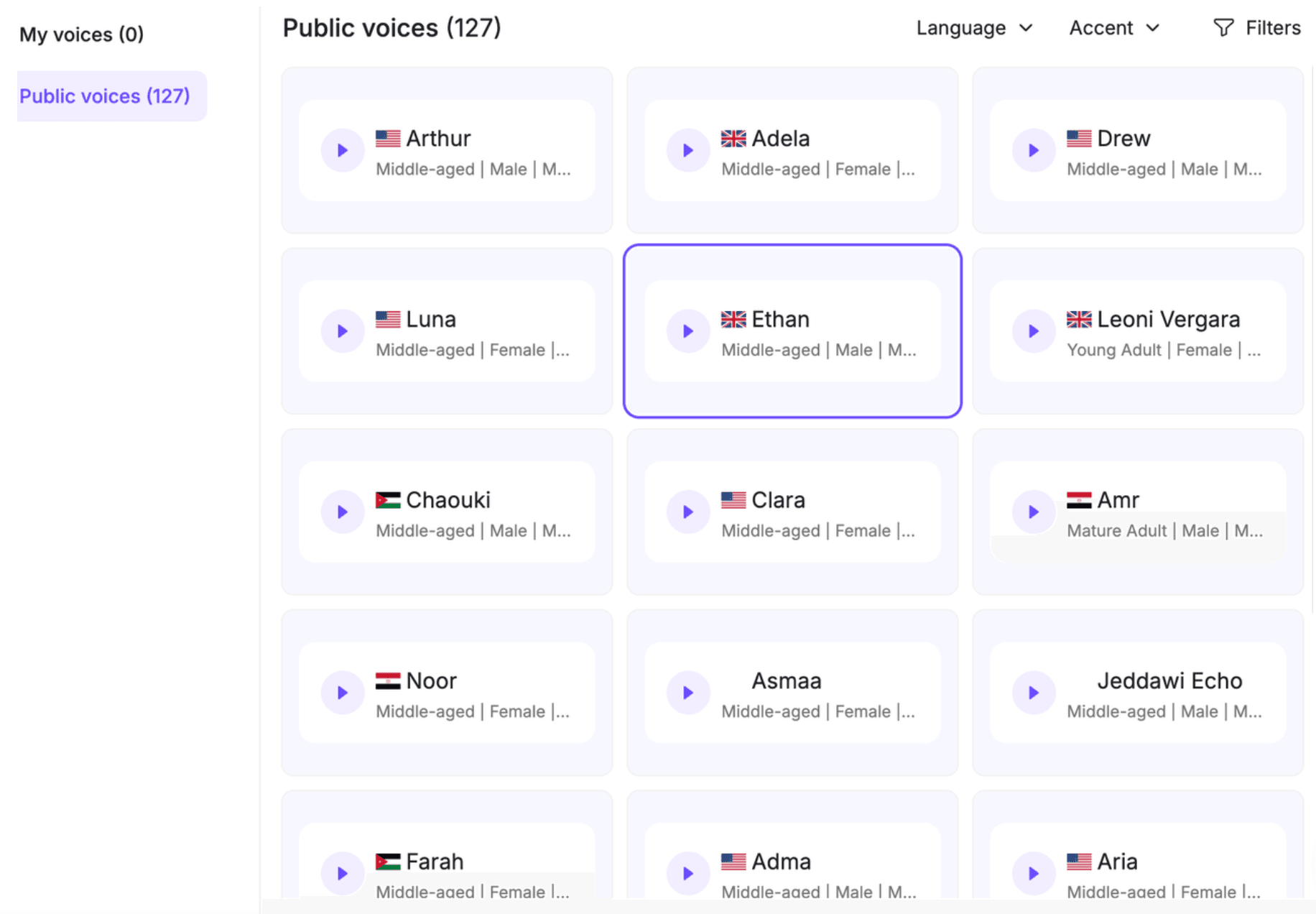
Choose an AI voice that matches your content.
For educational videos, a clear, calm voice works well. Marketing videos may benefit from a more energetic delivery.
Leadde provides AI voices and options for customizing the video presentation, including backgrounds and visual elements.
Step 5: Generate and Preview
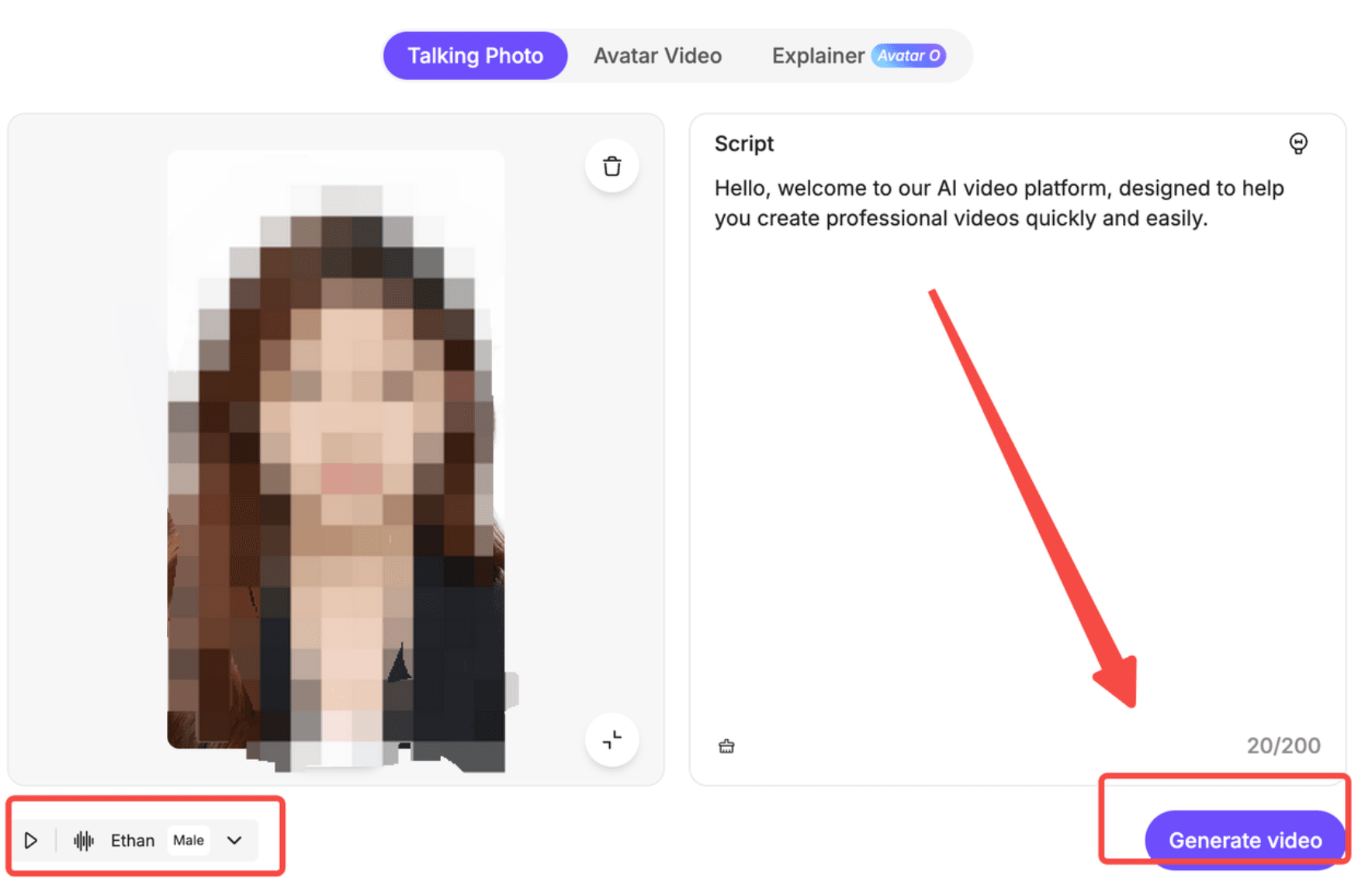
Click Generate Video and let the AI create your talking avatar.
Before producing a longer video, consider testing a short script.
Review the result for:
- Accurate mouth movements
- Natural facial expressions
- Clear pronunciation
- Consistent facial appearance
If something looks unnatural, adjust the source photo or script before generating another version.
Step 6: Export Your Talking Avatar Video
Once you're satisfied, export your video using an available format and resolution.
For publishing:
- 16:9: YouTube videos, presentations, and training courses.
- 9:16: TikTok, Instagram Reels, and YouTube Shorts.
- 1:1: Square social media posts.
Export options and resolution limits depend on your selected plan.
What Is a Talking Avatar, and What Kind of Photo Works Best?
A talking avatar is an AI-generated synthetic video character created from a still image. AI analyzes the facial features and combines them with speech to animate mouth movements, expressions, and sometimes head gestures.
Unlike a traditional video recording, a talking avatar can deliver new scripts without requiring the original person to appear on camera again.
How Does AI Turn a Photo into a Talking Avatar?
Talking avatar generators generally combine three technologies:
- Facial analysis: Identifies facial landmarks and visual characteristics.
- Speech generation or processing: Converts written scripts into audio or processes an existing recording.
- Audio-driven animation: Generates lip movements and facial motion aligned with the speech.
A talking photo creates an animated clip, while a reusable AI avatar can serve as a recurring presenter. An interactive avatar goes further by responding dynamically to user input.
Photo Requirements for Realistic AI Avatars
The original image strongly influences video quality.
Use this checklist before uploading:
| Photo Element | Recommended Condition |
| Resolution | Clear, high-quality portrait |
| Face position | Front-facing, centered |
| Lighting | Even, without harsh shadows |
| Expression | Natural or neutral |
| Mouth visibility | Unobstructed |
| Background | Simple and uncluttered |
Practical tip: Zoom into the face before uploading. If the eyes or mouth appear blurry, use a better source image rather than expecting AI animation to restore missing details.
Can You Animate Selfies, Old Photos, or Illustrations?
Yes, depending on the tool.
Selfies and professional headshots are generally suitable when facial details are clearly visible.
Old photographs may work if the face is sufficiently sharp. However, scratches, blur, and missing facial details can reduce animation quality.
Some platforms support illustrated characters, but others require realistic human photographs. For example, Leadde's general avatar guidance recommends real photos rather than cartoons, screenshots, or heavily edited images.
Always check the selected tool's image requirements before uploading.
Which AI Tools Can Create a Talking Avatar from a Photo?
Several AI platforms can animate photographs, but they offer different workflows. For a comprehensive overview, review our guide on the top AI avatar generators.
The best choice depends on whether you need a short talking clip, a reusable digital presenter, or a complete educational video.
Best AI Talking Avatar Generators Compared
| AI Tool | Best For | Key Workflow |
| Leadde | Training, education, business presentations | Photo avatars, scripts, document-to-video |
| HeyGen | Digital presenters and reusable avatars | Photo avatar creation and avatar videos |
| Fliki | Narrated videos and creator content | Talking photos, AI voices, video editing |
| PixVerse | Character animation and short videos | Avatar lip-sync with images and audio |
| D-ID | Developer-oriented digital human workflows | Photo-driven video generation and APIs |
These tools differ in voice options, animation models, usage limits, and editing capabilities.
If you only need a short clip, a dedicated talking photo generator may be sufficient.
For training or product education, a complete video creation platform may be more useful because you also need structured scripts, supporting visuals, and repeatable editing workflows.
Can You Create a Talking Avatar for Free?
Yes. Some AI avatar platforms offer free plans or trial access.
For example, Leadde offers a free plan that includes avatar video creation and custom photo avatars, subject to plan limits.
However, free access doesn't necessarily mean unrestricted downloads.
Check these details before choosing a tool:
- Video generation credits or allowances
- Maximum video duration
- Watermark restrictions
- Export resolution
- Commercial usage permissions
Also consider regeneration costs. If you need several attempts to achieve accurate lip-sync, the total production cost may be higher than the cost of a single successful video.
How Can You Make a Talking Avatar Look and Sound More Natural?
A realistic talking avatar needs more than accurate lip movements. Its voice, facial expressions, timing, and overall presentation should work together.
Choose the Right Voice and Write a Natural Script
Most talking avatar workflows use one of three voice approaches:
| Voice Method | Best Use |
| Text-to-Speech | Quick narration and frequently updated scripts |
| Uploaded Audio | Preserving an existing voice performance |
| Voice Cloning | Reusing an authorized speaker's voice |
For natural narration, use short sentences, familiar words, and appropriate punctuation.
An audio-first workflow can improve production consistency: finalize your script, generate or record the voiceover, check pronunciation, and then create the avatar animation.
This is particularly useful for employee training, product tutorials, and recurring branded videos.
Audio uploading and voice cloning availability varies by platform.
How to Improve Lip Sync, Facial Expressions, and Avatar Consistency
In professional video workflows, visual quality should be evaluated across several dimensions rather than judged by lip-sync alone.
Use this five-point avatar quality check:
- Lip Sync Accuracy: Do mouth movements align with the spoken words?
- Identity Consistency: Does the face remain recognizable throughout the video?
- Facial Motion: Do blinking, expressions, and head movements look natural?
- Voice Delivery: Are pronunciation, pacing, and pauses appropriate?
- Visual Continuity: Does the character maintain a consistent appearance between scenes?
For longer explanations, consider splitting the narration into shorter sections.
This makes individual clips easier to review and allows you to insert slides, screen recordings, or relevant visuals instead of showing an uninterrupted talking head.
Common Talking Avatar Problems and How to Fix Them
Even with a good image, AI-generated talking videos can contain visual or audio problems.
| Problem | Possible Cause | Recommended Fix |
| Lips out of sync | Audio timing or script mismatch | Check the audio and regenerate |
| Blurry face | Low-quality source photo | Upload a sharper portrait |
| Unnatural expressions | Unsuitable animation or source image | Try simpler motion or another photo |
| Robotic narration | Dense script or inappropriate voice | Shorten sentences and adjust delivery |
| Inconsistent appearance | Scene-to-scene variation | Reuse the same avatar assets and review transitions |
Change one variable at a time. This helps identify whether a problem comes from the image, voice, or animation settings.
How Can You Use a Talking Avatar for Education, Training, and Marketing?
Talking avatars are useful when organizations need to communicate information repeatedly without recording a presenter for every video.
Their value increases when combined with clear explanations, relevant visuals, and an organized content workflow.
Talking Avatars for Educational Videos and Employee Training
Educators can use AI avatars to introduce lessons, summarize concepts, and explain learning objectives.
Corporate training teams can use them for onboarding, workplace policies, and standard operating procedures.
For example, a company preparing employee onboarding videos could:
- Organize its training documents by topic.
- Write short scripts for each learning objective.
- Use a consistent AI avatar to introduce each lesson.
- Add screenshots, process diagrams, and captions.
- Review accuracy before sharing videos with employees.
From an instructional design perspective, the avatar should guide the explanation rather than replace useful demonstrations.
Talking Avatars for Product Explainers, Marketing, and Multilingual Videos
Marketing and SaaS teams can use talking avatars for product introductions, feature explanations, customer education, and social videos.
A recurring digital presenter can help maintain a consistent visual identity across multiple videos.
Multilingual workflows are another practical application. Teams can adapt approved scripts and narration for different audiences without arranging new presenter recordings for every language.
However, spoken content still requires translation review, particularly for technical terminology.
From a Talking Photo to a Complete AI Training Video
A talking photo is only one component of an effective instructional video.
For more complex content, teams need scripts, supporting visuals, structured scenes, and an efficient review process.
This is where Leadde's AI Video Creator extends beyond basic photo animation.
Leadde can transform PDFs, PowerPoint presentations, documents, and scripts into videos containing AI-generated narration, structured scenes, and digital presenters.
A practical workflow is:
Photo Avatar → PDF or PPT → Structured Video Scenes → AI Narration → Content Review → Multilingual Video
For example, instead of asking an avatar to read an entire employee handbook, a training team can divide the document into short topics, use supporting visuals to explain procedures, and update relevant video sections when policies change.
The result is not simply a talking photograph, but a reusable approach to communicating business knowledge.
Frequently Asked Questions About Talking Avatars from Photos
Can I make a talking avatar from a photo without recording a video?
Yes. AI talking avatar generators animate a still image using a text script or audio input. You don't need to film yourself or record a live performance. Upload a suitable portrait, choose a voice, and generate a video with synchronized speech and facial animation.
Can I make a photo talk using my own voice?
Yes, if your chosen platform supports audio uploads or voice cloning. You can record your narration and use it as the speech source, or create an authorized AI voice model. For best results, use clear audio with minimal background noise.
Can I create a talking avatar from an old photograph?
Some AI tools can animate old photographs when the facial features remain visible. However, damaged, blurry, or low-resolution images may produce unnatural results. Improving image clarity before animation can help, although restoration may introduce facial details that were not present in the original.
Can a talking avatar speak different languages?
Yes. Many AI avatar platforms provide multilingual voices or video translation features. Leadde supports multilingual video generation, making it useful for international training and product communication. Language availability and lip-sync quality depend on the selected workflow and model.
How long does it take to generate a talking avatar?
Generation time varies by platform, video duration, model, and processing demand. A short clip may take only a few minutes, while longer videos or repeated revisions take additional time. Allow extra time to review pronunciation, facial animation, and the exported video.
Can I use a talking avatar for commercial videos?
Many platforms allow commercial use under specific plans or licensing terms. Check the provider's current conditions before publishing advertisements, training content, or product videos. You must also have appropriate rights to the source image, voice, and other materials included in the video.
Can I animate someone else's photo with AI?
Only when you have the necessary permission or another valid legal basis. Using someone's likeness or voice without authorization can create privacy, publicity-rights, and impersonation concerns. Avoid misleading representations, and disclose synthetic media when appropriate or required by the publishing platform.
Conclusion
Creating a talking avatar from a photo starts with a clear image, a natural script, and an AI video generator. For better results, review voice quality, lip-sync, facial expressions, and visual consistency before publishing. With tools like Leadde, you can go beyond a single talking photo and create reusable AI presenters for educational videos, employee training, and product communication.