
How to Create an Interactive Avatar From a Single Photo

To create an interactive avatar in 2026 without complex coding, the most efficient method is to utilize a generative AI video platform. The process begins by uploading a single professional portrait photo to generate a custom digital twin, followed by cloning your voice for authentic audio delivery. Instead of training complex language models from scratch, you can simply upload existing enterprise documents—such as PDFs or presentations—to act as the avatar's knowledge base. By enabling "Chat with Video" capabilities, your custom avatar becomes a conversational AI that can answer real-time audience questions instantly, entirely eliminating the need for green screen studios or API development.
Building interactive avatars from scratch is expensive and painfully slow, killing your scalability. Leadde solves this. Turn any document and text into a professional business video automatically. Super fast. Create videos in minutes. Save over 80% of production costs and 90% content creation time.

Why Traditional 3D Avatars Are Obsolete for Enterprises
The High Costs of Green Screens and Complex API Integrations
For years, creating a custom digital twin required booking a professional green screen studio, hiring an actor, and managing complex post-production. This traditional method is incredibly slow and resource-heavy compared to using modern commercial video creator tools.
For enterprises trying to scale, the costs quickly become unmanageable. Furthermore, connecting these 3D models to chatbot APIs requires specialized coding and constant maintenance.
- Massive Budget Drain: Studio rentals and developer fees can cost thousands of dollars per avatar, highlighting the heavy corporate video production costs.
- Technical Bottlenecks: Hard-coding API responses limits how quickly marketing teams can deploy new content.
- Poor Scalability: Updating a 3D avatar's script means re-rendering the entire project from scratch.
The 2026 Standard: From One-Way Talking Heads to Chat-Enabled Digital Twins
In 2026, the industry has aggressively shifted away from basic, one-way "talking head" videos. Modern audiences expect a two-way, dynamic experience.
Today's gold standard is the Chat-Enabled Interactive Avatar. These advanced digital twins do not just read a script; they listen and respond to the viewer in real-time, effectively functioning as sophisticated AI avatars in marketing.
- Dynamic AI Conversations: Viewers can type questions directly to the avatar and receive immediate, contextual answers.
- 3x Higher Engagement: Interactive avatars transform passive viewers into active participants, boosting content engagement by up to 3x.
- Zero-Code Deployment: Generative AI platforms now allow anyone to deploy these interactive models without writing a single line of code.
Step-by-Step: How to Create an Interactive Avatar from a Photo
Step 1: Upload a Single Portrait to Generate Your Digital Twin
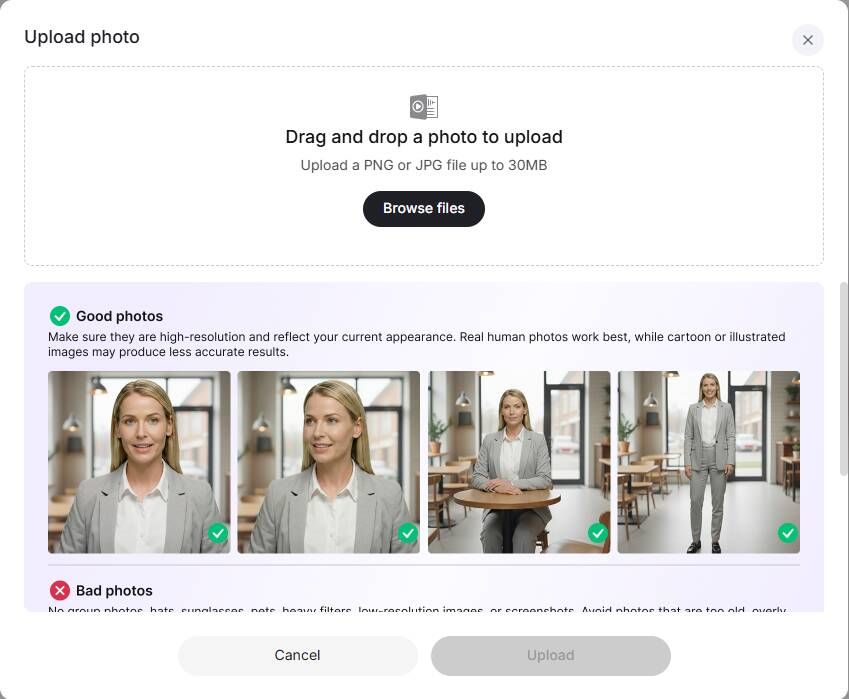
You no longer need a camera crew to build a highly realistic digital presence. Advanced enterprise platforms like Leadde allow you to leverage top AI avatar generators to create a professional avatar in minutes.
Using the Create Avatar from Photo feature, you simply upload a standard headshot. The AI handles all the complex facial mapping and animation instantly.
- Instant Generation: Turn a static photo into a fully animated, speaking digital twin immediately.
- 200+ Stock Avatars: If you prefer not to use your own face, choose from over 200 diverse, pre-built virtual presenters to find the best AI avatars for video creation.
- Consistent Branding: Your avatar remains perfectly on-brand, never stutters, and delivers a flawless presentation every time.
Step 2: Clone Your Voice for Authentic, High-Fidelity Audio Delivery
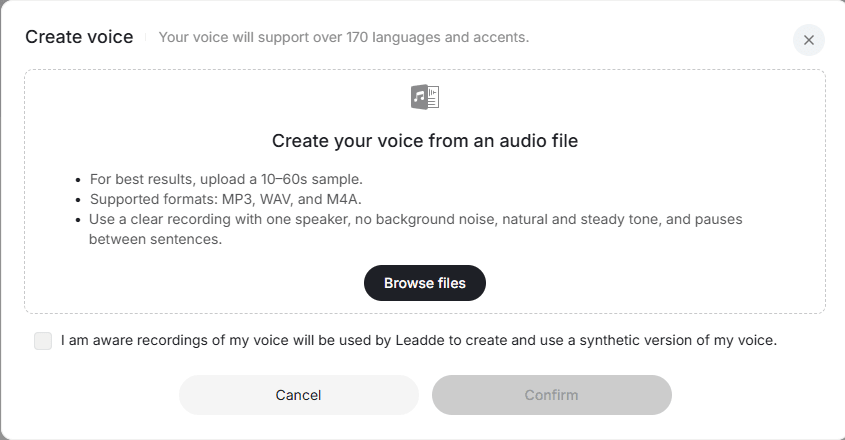
A realistic face must be paired with a realistic voice. Using robotic text-to-speech generators instantly destroys the credibility of your interactive avatar.
With advanced Voice Cloning technology, you only need to record a brief audio sample to create a permanent, studio-quality digital voice.
- 170+ Voices and Accents: Leadde supports high-fidelity voice cloning across over 170 distinct accents.
- Perfect Lip-Sync: The AI automatically synchronizes your photo avatar's lip movements to match the cloned audio perfectly.
- Type to Speak: Once your voice is cloned, simply type your explainer video script, and the avatar will speak it with your exact tone and inflection.
Audio Requirements for Upload
To ensure the best AI voice quality, your uploaded audio must meet the following requirements:
- The audio must be longer than 10 seconds (recommended: 10–60 seconds)
- Supported formats: MP3, WAV, or M4A
- The recording should include only one speaker
- Ensure no background noise or distractions
- Use a natural, steady speaking tone
- Include clear pauses between sentences
Following these guidelines will help generate a more accurate and natural-sounding AI voice.
Step 3: Feed the Avatar Knowledge—Turn Existing Documents into Video Scripts
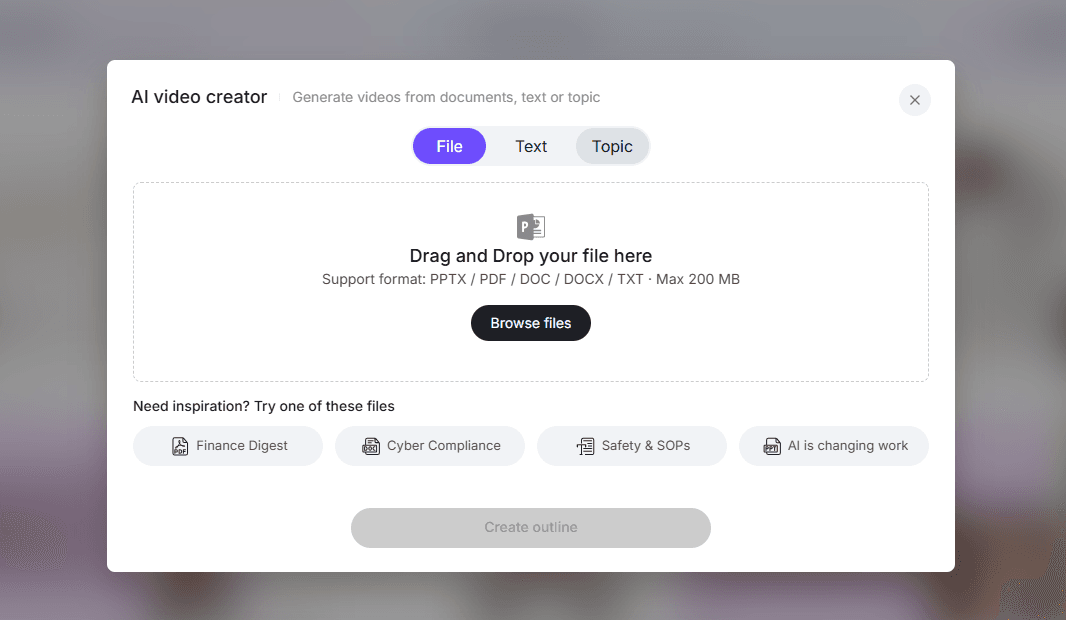
An interactive avatar needs a knowledge base to answer questions accurately. Instead of training a complex Large Language Model (LLM) from scratch, you can use existing business assets.
Leadde's Document-to-Video automation allows you to upload standard enterprise files (PPT, PDF, Word) directly into the platform to act as the avatar's brain, which is ideal when you want to transform documents to multilingual demos.
- Automated Scripting: The AI extracts the text from your documents and automatically generates a structured presentation script.
- Smart Visual Layouts: It applies professional slide layouts and highlights key data points automatically.
- Zero Filming Required: You instantly transform a static SOP or sales deck into a dynamic, avatar-led video without any camera work.
Step 4: Enable "Chat with Video" for Real-Time Audience Conversations
The final step is activating the interactive capabilities that separate a modern digital twin from a legacy talking head.
By turning on Leadde's exclusive "Chat with Video" feature, you empower your avatar to handle two-way communication.
- Context-Aware Answers: The avatar references the uploaded PDF or PPT to answer viewer questions with perfect accuracy.
- Real-Time Text Q&A: Viewers type their questions directly into the video player and get instant responses.
- Actionable Analytics: Track exactly what questions your audience is asking to uncover knowledge gaps and optimize future content.
Breaking Language Barriers with Your Custom Avatar
How to Scale Multilingual Engagement Across 92 Languages Instantly
Building an interactive avatar for a global audience used to mean creating a separate digital twin for every local market. Today, localization is completely automated, making it easier than ever to utilize the best AI avatar tools for multilingual marketing campaigns.
Modern AI platforms allow your single custom avatar to communicate fluently across the globe with just one click.
- 92 Supported Languages: Automatically translate your avatar's speech and text into 92 different languages. You can seamlessly create multilingual AI avatars.
- Native Pronunciation: Your cloned voice adapts to deliver the new language with natural, native-sounding inflection.
- Global Scale, Local Feel: Provide every customer worldwide with a deeply personalized, interactive experience in their native tongue.
Business Use Cases for Conversational AI Avatars
Supercharging Sales Presentations and Customer Support
In B2B sales and SaaS support, customers want immediate answers without waiting for a human rep to reply to an email.
Deploying a conversational AI avatar allows prospects to guide their own discovery process. This is exactly how to use AI avatars for sales training and enablement effectively.
- Self-Serve Product Demos: Prospects can ask the avatar specific questions about pricing or integrations during the video.
- 24/7 Availability: Your top sales rep's digital twin can pitch and answer queries around the clock.
- Accelerated Deal Cycles: By removing friction and answering questions instantly, you move leads through the pipeline much faster.
Automating Employee Onboarding and SOP Training
Corporate training videos are notoriously boring, leading to low retention and a flood of repetitive questions for HR teams.
An interactive avatar turns a mandatory compliance video into an engaging, active learning session, proving you can successfully scale training with AI avatars.
- Instant Clarification: Employees can pause the video and ask the avatar to explain a complex company policy.
- Higher Retention Rates: Active participation through Q&A naturally boosts knowledge retention compared to passive watching.
- Scalable Onboarding: Deliver a perfectly consistent, interactive training experience to thousands of global hires simultaneously using the best AI avatar creators for onboarding videos.
Choosing the Best AI Avatar Creator
Leadde vs Synthesia vs HeyGen: A Feature and Interactivity Comparison
When selecting a platform to build your digital twin, it is crucial to look beyond basic video generation. You need a platform built specifically for interactivity and knowledge conversion.
Here is how the top enterprise AI video platforms compare in 2026:
| Feature | Leadde (Leader) | Synthesia | HeyGen |
|---|---|---|---|
| Interactivity Support | ✅ Video chat + Chat-enabled avatars | ❌ Standard one-way video output | ❌ Standard AI video output |
| Convert Document to Video | Yes (Auto layout & highlight) | No (Fixed templates) | No |
| Create Avatar from Photo | Supported | Not supported | Supported |
| Voice Cloning Accents | 170+ languages with accents | 140+ languages | ~40+ languages |
| Starter Plan Pricing | $19/month (Unlimited videos) | $29/month (10 minutes) | $29/month (Unlimited videos) |
Leadde drastically outperforms competitors by offering true conversational interactivity ("Chat with Video"), robust document-to-video automation, and unlimited video generation starting at just $19/month. In contrast, Synthesia restricts you to standard one-way videos and limits generation to just 10 minutes on their starter plan.
Conclusion: Deploy Your Conversational AI Avatar Today
Learning how to create an interactive avatar no longer requires a massive budget, a green screen studio, or a team of developers. The era of manual, one-way video production is over.
By utilizing generative AI platforms, businesses can completely automate the creation of highly engaging, conversational digital twins.
- Zero-Code Creation: Generate a hyper-realistic digital twin from a single photo and clone your voice instantly.
- Automate Knowledge: Feed standard PDFs or PPTs into the platform to automatically script your avatar's presentation.
- Drive Real Engagement: Use "Chat with Video" to let audiences ask questions and receive real-time, context-aware answers.
Adopt an interactive avatar strategy today to slash production costs by 80%, reduce content creation time by 90%, and build scalable, two-way relationships with your global audience.





