8 Free HeyGen & D-ID Alternatives in 2026 (Compared)
Yes, there are free alternatives to HeyGen and D-ID, including Leadde, Vidnoz, Synthesia, and DomoAI. However, free plans vary in video limits, watermarks, AI avatar features, and download options.
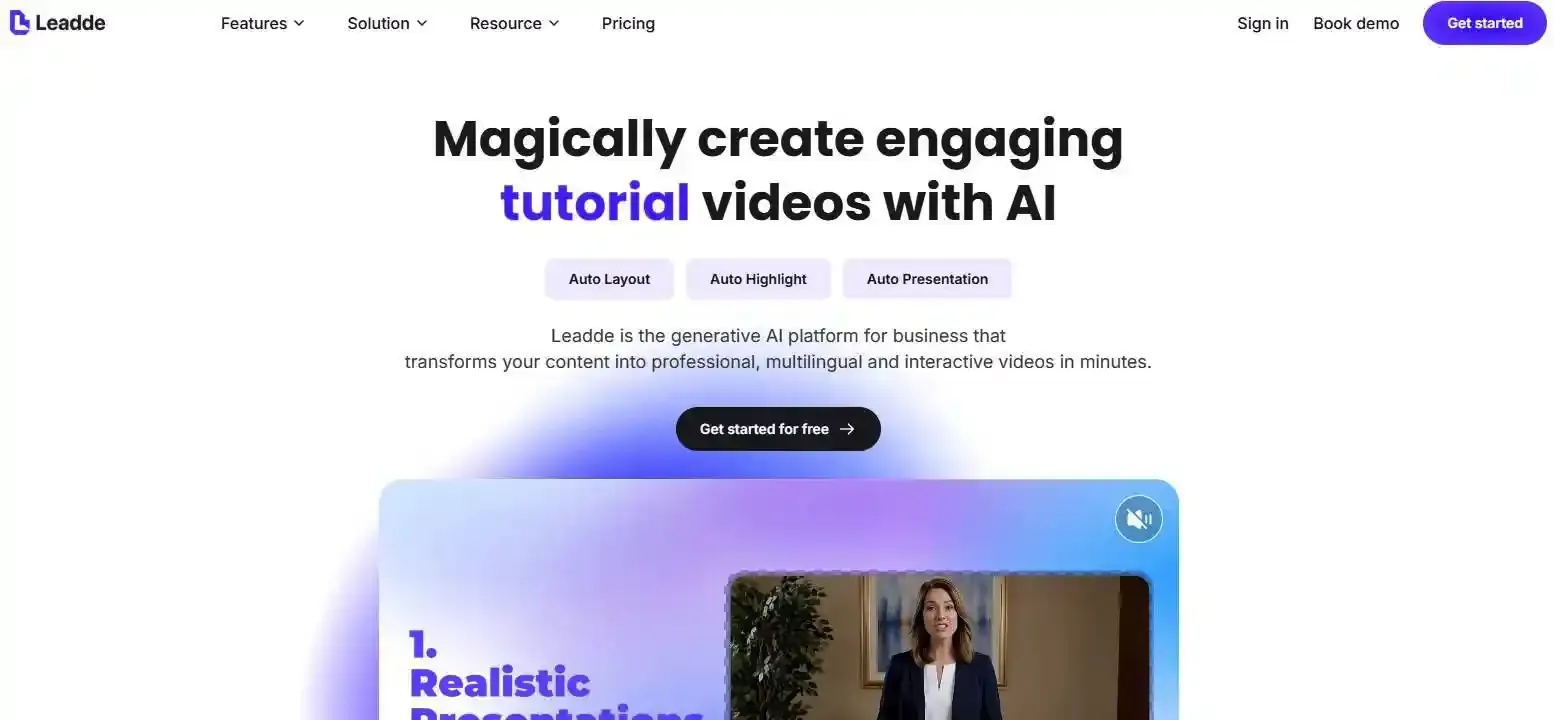
If you need more than a talking photo, Leadde offers a free AI video creation plan that helps turn PDFs, PowerPoint slides, and text into structured videos with AI avatars, narration, and multilingual support.
In this guide, we'll compare 8 HeyGen and D-ID alternatives, explore their free features and limitations, and help you choose the right tool for your needs.
What Are the Best Free Alternatives to HeyGen or D-ID in 2026?
The best free alternatives to HeyGen or D-ID include Leadde, Vidnoz, Synthesia, DomoAI, Magic Hour, and Hedra. Each serves a different purpose, from animating photos to creating AI presenter videos and converting documents into structured AI training videos.
8 Free AI Avatar and Video Generators Compared
| Tool | Best For | Free Access | Main Limitation |
| Leadde | AI training videos, PDF-to-video, presentations | Free plan | Free export features and usage limits vary |
| HeyGen | AI presenters and avatar videos | Free plan | 3 watermarked videos/month, up to 1 minute each |
| D-ID | Talking photos and digital humans | 14-day trial | Watermarked trial output |
| Vidnoz | Talking photos and avatar videos | Free plan | Daily limits and watermark restrictions |
| Synthesia | Educational and corporate training videos | Free plan | Watermarked videos; downloads require a paid plan |
| DomoAI | Animated portraits, anime, and characters | Trial credits | Limited initial credits |
| Magic Hour | Lip sync and talking photo generation | Limited free use | Short clips and watermarks |
| Hedra | Audio-driven character videos | Limited free plan | Restricted generations and export features |
Free plans and limits can change. Check each provider's current pricing before starting a project.
Why Look for an Alternative to HeyGen or D-ID?
HeyGen and D-ID are established AI avatar platforms, but their free access may not suit every project.
For example, HeyGen's free plan currently allows three watermarked videos per month, each up to one minute. D-ID offers a 14-day trial rather than an ongoing free plan.
These restrictions matter when creating longer tutorials, employee training materials, or frequently updated videos.
The right alternative depends on what you need to produce, not simply which tool offers the most realistic avatar.
Are Free AI Avatar Generators Really Free?
Yes, but "free" doesn't always mean unlimited video generation, watermark-free downloads, or commercial usage.
Free Plans vs. Free Trials vs. Trial Credits
Free AI video tools generally offer four access models:
- Free plan: Ongoing access with recurring or limited allowances, as offered by Leadde and HeyGen.
- Free trial: Temporary access that expires, such as D-ID's 14-day trial.
- Trial credits: A limited starting balance for testing video generation.
- Free preview: Users can test a feature, but continued creation or downloading may require payment.
Before choosing a tool, check whether the free allowance renews and whether the final video can actually be exported.
Watermarks, Video Limits, and Commercial Usage
A free video generator may allow creation while restricting downloads, resolution, or watermark removal.
For example, Synthesia's Basic plan allows limited free video creation and sharing, but downloading and removing its watermark require an upgrade. You can read more about this in our Synthesia review.
Commercial rights also need separate verification. Permission to generate an AI avatar does not automatically grant permission to use another person's face, cloned voice, or copyrighted material.
A practical Free-to-Publish Check asks five questions:
- Can I generate the video for free?
- Can I edit mistakes without exceeding my allowance?
- Can I download the completed video?
- Can I legally publish it for my intended purpose?
- Can I update the video later?
A tool that passes only the first question may be suitable for experimentation but not for regular content production.
| Free-to-Publish Check | Status (Example) | Action Required |
| 1. Can I generate the video for free? | ❓ | Check plan tier |
| 2. Can I edit mistakes without exceeding allowance? | ❓ | Check revision credit rules |
| 3. Can I download the completed video? | ❓ | Verify export permissions |
| 4. Can I legally publish it? | ❓ | Check commercial rights & watermarks |
| 5. Can I update the video later? | ❓ | Ensure assets are saved in account |
Which Free HeyGen or D-ID Alternative Is Best for Your Needs?
The best choice depends on your starting material and desired output.
Best for Talking Photos and AI Lip Sync
If you want to make a still image speak, consider D-ID, Vidnoz, or DomoAI. Check out our 10 best D-ID alternatives for more options.
Talking photo generators animate a static portrait using speech, while lip-sync tools can adjust mouth movements in existing footage to match replacement audio.
Magic Hour is particularly relevant for the second task, offering limited free lip-sync generations for short clips.
For illustrated characters, pets, or animated mascots, DomoAI and other character-focused tools may be worth testing.
Best for AI Avatar Presenters and Explainer Videos
HeyGen and Synthesia are useful starting points for scripted AI presenter videos.
Their workflows can support digital presenters, narration, and visual content without requiring traditional filming.
However, producing a complete explainer video involves more than selecting an avatar. A useful video also needs clear explanations, well-organized scenes, readable visuals, and accurate subtitles.
For content-heavy projects, evaluate the entire editing process rather than avatar appearance alone.
Best for Training, Education, and Business Videos
Different teams face different video production challenges:
- Educators need to convert lesson plans and presentation slides into understandable explanations.
- HR teams need to create onboarding videos from employee handbooks and SOPs.
- SaaS businesses need product tutorials that remain accurate as features change.
- Marketing teams need consistent video content for different languages and audiences. For this, a strong video localization strategy is critical.
For these applications, a document-driven tool such as Leadde can be particularly relevant.
Instead of building every scene from a blank script, teams can begin with existing information and develop a structured video around it.
Why Choose Leadde as a Free Alternative to HeyGen or D-ID?
Leadde is worth considering when you need more than a talking avatar. Its AI video workflow focuses on transforming documents, presentations, and business knowledge into structured videos with narration, visual scenes, and optional AI presenters.
Leadde's AI Video Agent and Document-to-Video Features
Leadde offers several capabilities relevant to training and business communication:
- AI Video Agent: Create videos from instructions and source materials.
- Document-to-Video: Convert PDFs, PowerPoint slides, Word documents, and text into videos.
- AI Script Generation: Organize source information into a complete video script.
- Structured Scenes: Present information through coordinated visuals and highlights.
- AI Avatars and Voiceovers: Deliver content with a digital presenter or narration alone.
- Multilingual Creation: Adapt videos for audiences using different languages.
Unlike a basic talking photo generator, Leadde focuses on organizing information into a complete video presentation.
Its free plan provides access to AI video creation features, although specific generation, export, and watermark permissions should be checked before publishing.
How to Create an AI Video With Leadde
A typical document-to-video workflow involves five steps:
- Upload your materials. Start with a PDF, PowerPoint presentation, training document, or written script.
- Define the audience. Specify whether the video is intended for employees, students, customers, or marketing audiences.
- Generate the video. Let Leadde organize the information into a script, scenes, visuals, and narration.
- Review and customize. Check the content, adjust the AI avatar or voiceover, refine the visuals, and review subtitles.
- Export or share. Publish the approved result using the options available under your plan.
For better results, prepare your source documents before uploading them. Remove outdated information, identify essential steps, and clarify complex terminology.
When Is Leadde Better Suited Than a Talking Photo Generator?
Consider an HR team creating a new employee onboarding video.
The team already has a 15-page training manual covering company policies, software access, and security procedures.
A talking photo generator could animate a presenter reading the material. However, the team would still need to organize the script and design supporting visuals.
With Leadde's document-to-video workflow, the manual can serve as the starting point for structured video scenes and narration.
The team can then review important procedures, emphasize key instructions, and adjust the presentation.
The practical advantage is connecting existing knowledge with video production, not simply generating a talking face.
For a short lip-sync replacement in an existing clip, a dedicated lip-sync tool may remain the more appropriate option.
How Can You Test AI Avatar Video Tools Before Paying?
Before purchasing a subscription, test whether a tool can complete your actual task.
Comparing promotional demonstrations is unreliable because providers often use different source images, scripts, and production settings.
A Simple 10-Second AI Avatar Test
For tools supporting comparable avatar tasks, use:
- The same front-facing portrait
- The same 10-second voice recording
- The same language and video format
- Similar generation settings where available
Evaluate mouth synchronization, facial consistency, voice clarity, visual artifacts, and export restrictions.
Pay particular attention to words after pauses, rapid speech, and visible mouth movement.
These conditions can reveal problems that are difficult to notice in short promotional demonstrations.
Testing Document-to-Video Quality and Editing Effort
Document-based video creation requires a different evaluation method.
Use the same three-slide presentation or short SOP in each compatible tool.
Check whether the generated video:
- Preserves important facts and instructions.
- Organizes information into a logical sequence.
- Uses visuals that support the explanation.
- Produces understandable narration and captions.
- Allows corrections without excessive rebuilding.
Also record the number of revisions needed before the video is ready to publish.
A realistic avatar does not guarantee an effective instructional video. From an instructional design perspective, factual accuracy and content clarity are equally important.
| Evaluation Criteria | Test Method | Key Things to Look For |
| Mouth Synchronization | 10-sec Avatar Test | Alignment during rapid speech and after pauses |
| Visual Consistency | 10-sec Avatar Test | Lack of visual artifacts or flickering |
| Information Retention | Document Test | Preserves important facts from original SOP/Slide |
| Logical Sequence | Document Test | Organized flow of information |
| Revision Effort | Document Test | Number of manual clicks to fix AI errors |
What Should You Consider Before Using a Free AI Video Generator?
Free AI video tools can reduce production complexity, but successful generation is only one part of the workflow.
Common AI Avatar Problems and How to Avoid Them
Common problems include inaccurate lip synchronization, unnatural facial movement, unclear narration, and inconsistent subtitles.
Several simple practices can improve the process:
- Use clear, front-facing portrait images for talking-photo tasks.
- Keep audio clean and avoid unnecessary background noise.
- Divide complicated explanations into shorter scenes.
- Review technical terms, numbers, and instructions.
- Check subtitles and translated narration before publishing. For educational or corporate videos, content accuracy should take priority over visual effects.
For educational or corporate videos, content accuracy should take priority over visual effects.
The Real Cost of Creating and Updating AI Videos
Subscription prices do not always reflect the full cost of creating usable content.
A video may require several generations, script corrections, subtitle edits, and stakeholder reviews before approval.
A useful evaluation metric is:
Cost per Approved Video = Total Generation, Subscription, and Editing Costs ÷ Number of Approved Videos
Long-term maintenance matters, too.
Imagine a company updating an employee security policy. Its training video may need revised explanations, new screenshots, updated subtitles, and changes across several languages.
Teams should therefore consider whether a video can be edited and republished without rebuilding the entire project.
For organizations maintaining large training libraries, the ability to revise existing content can be as important as the initial generation process.
FAQ — Frequently Asked Questions
Is there a completely free alternative to HeyGen?
Yes. Tools such as Leadde, Vidnoz, and Synthesia offer free plans for exploring AI video creation. However, completely free does not necessarily mean unlimited generation or unrestricted downloads. Each platform has different allowances, watermark policies, and export limitations. Check the current free-plan conditions before starting a project.
What is the best free alternative to D-ID for talking photos?
Vidnoz and DomoAI are useful alternatives for creating talking photos. Vidnoz offers an ongoing free plan with usage limits, while DomoAI provides trial credits for experimenting with different character styles. If you need complete videos built around documents rather than a single animated portrait, consider Leadde.
Can I create AI avatar videos without a watermark?
Some tools offer watermark-free output under specific conditions, but many free plans include branding or reserve watermark removal for paid users. HeyGen, Synthesia, and D-ID impose watermark restrictions on their free or trial offerings. Always confirm export conditions before assuming that a generated video is suitable for publication.
Can I use my own photo and voice in a free AI avatar video?
Many AI avatar platforms support personal photos, recorded audio, or custom voice features, although free-plan availability varies. Tools such as D-ID and DomoAI support photo-driven videos, while others focus on reusable presenters. You should have the necessary rights and consent before uploading someone else's likeness or voice.
Can I turn a PDF or PowerPoint into an AI video for free?
Yes. Leadde's AI Video Creator supports converting PDFs, PowerPoint presentations, Word documents, and text into structured videos with narration and visual scenes. Leadde offers a free plan for exploring these workflows, but users should verify current generation allowances, watermark conditions, and export permissions before producing final deliverables.
Conclusion
Free alternatives to HeyGen and D-ID are available, but the right choice depends on your video goals. DomoAI and Vidnoz are worth exploring for talking photos, while HeyGen and Synthesia support AI presenter workflows. For educators, training teams, and businesses that need to transform documents into structured videos, Leadde offers a practical starting point. Compare free limits, editing flexibility, and publishing requirements before choosing a tool.