Top AI Translator in Video Creation Industry (2026): 10 Tools Tested on Real Creator Workflows

The top AI translator in the video creation industry is not simply the tool with the most languages. The best choice is the tool that helps you translate spoken video, generate accurate subtitles, create natural AI dubbing, preserve speaker tone, support lip sync when needed, and fit into the way videos are actually created, edited, reviewed, and published.
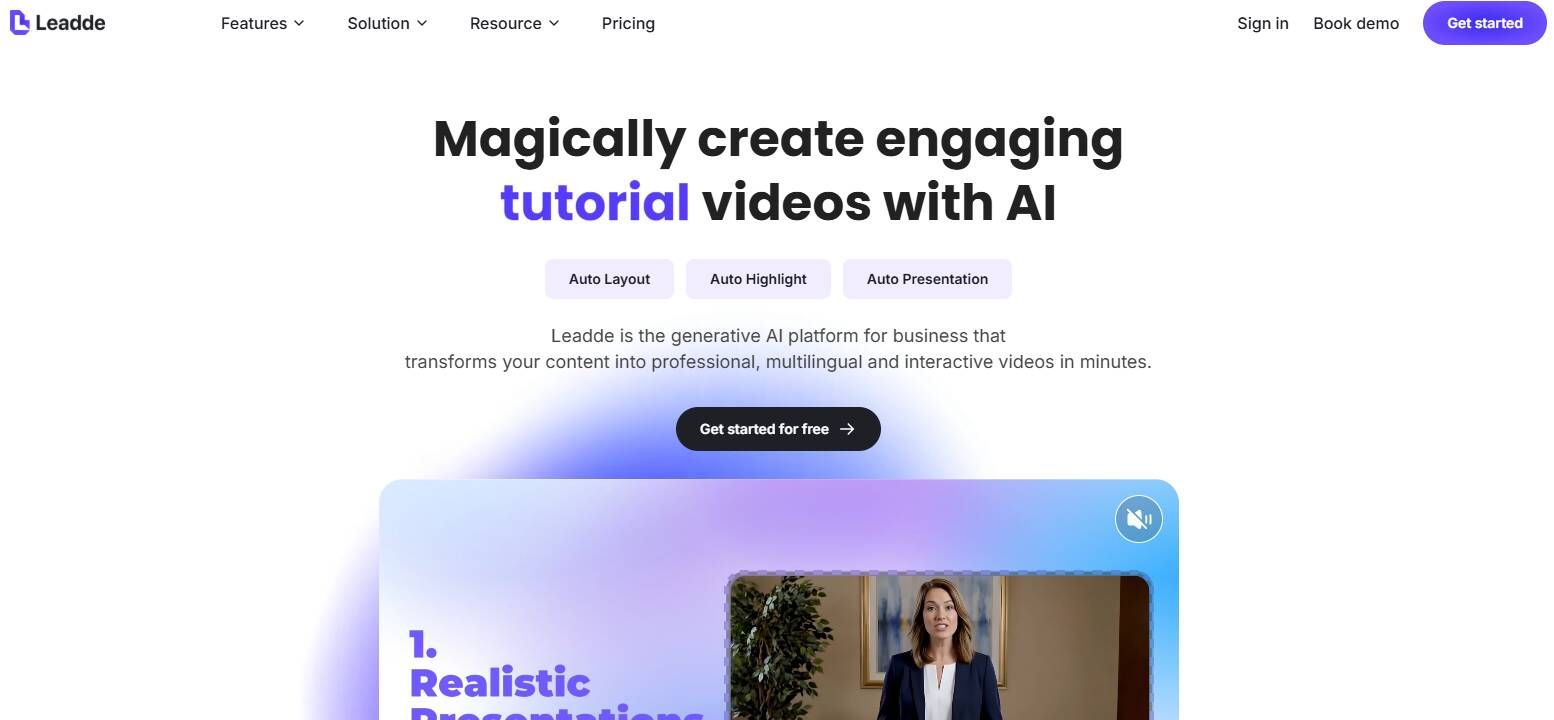
For most video teams, the right AI video translator depends on the output they need. If you want to turn course materials, PDFs, slides, or training documents into multilingual videos, Leadde is a strong option because it helps transform existing learning assets into localized video content. If you need presenter-style video localization with voice cloning and lip sync, HeyGen is one of the strongest options. If you need to turn long videos into multilingual short-form clips, Reap is strong because it connects translation with captions, clipping, dubbing, and reframing. If you need high-quality AI voice dubbing, ElevenLabs is a top choice. If you need subtitles, browser editing, or course localization, tools like VEED, Kapwing, Maestra, Rask AI, and Synthesia may fit better depending on the workflow.
After reviewing AI video translation tools, creator workflows, and real production pain points, my conclusion is clear: the best AI translator for video creation is the one that solves the whole video workflow, not just the translation step.
In video creation, translation is not a single feature. It is part of a larger production system that includes transcription, subtitle timing, script review, AI voice generation, visual editing, platform formatting, compliance review, and publishing.
Quick Answer: Which AI Video Translator Should You Use?
If you want to turn course materials, PDFs, slides, or training documents into multilingual videos → Leadde
If you need presenter video localization with lip sync → HeyGen
If you want to turn long videos into multilingual short clips → Reap
If you need business training videos, AI avatars, and enterprise localization → Synthesia
If you need the most natural AI dubbing and voice cloning quality → ElevenLabs
If you need full video localization at scale for agencies or global teams → Rask AI
If you need fast online video translation with simple editing → VEED
If you mainly need subtitle translation and social video editing → Kapwing
If you need transcription, subtitles, and education-focused video translation → Maestra
If you prefer transcript-first editing for podcasts, interviews, and long-form content → Descript
In short, HeyGen is best for lip-synced presenter videos, Reap is best for multilingual clip repurposing, Leadde is best for course-material-to-video workflows, ElevenLabs is best for voice quality, and Synthesia is best for enterprise avatar-based training videos.
What Does an AI Translator Do in the Video Creation Industry?
An AI translator in the video creation industry helps convert video content from one language into another while preserving meaning, timing, and viewer experience. In a simple workflow, it may only translate subtitles. In a more advanced workflow, it can transcribe speech, translate the transcript, generate AI dubbing, clone the speaker’s voice, match lip movement, edit captions, reframe the video for social platforms, and export publish-ready files.
In my user research, many creators originally described their problem as “I need to translate a video.” But after looking at their actual workflows, the real need was usually more specific:
- They needed to translate a YouTube video into another language without rebuilding the entire project.
- They needed to create subtitles for course videos so learners could understand technical content.
- They needed AI dubbing for marketing videos, but the voice had to sound natural enough for a brand channel.
- They needed to convert webinars or podcasts into multilingual short clips for YouTube Shorts, TikTok, Reels, and LinkedIn.
- They needed a workflow that let a human editor correct terminology before publishing.
That distinction matters. A basic text translator cannot solve these problems. Even a subtitle translator may not be enough if the final deliverable needs dubbed speech or lip-synced presenter video.
A complete AI video translation workflow usually includes seven layers:
| Workflow Layer | What It Means in Video Creation | Why It Matters |
|---|---|---|
| Speech recognition | Turns spoken audio into text | The transcript is the foundation of every later step |
| Translation | Converts the transcript into another language | Accuracy, tone, and terminology matter |
| Subtitle generation | Creates translated captions | Essential for silent viewing, accessibility, and social platforms |
| AI dubbing | Creates translated voiceover | Better for long videos, training, and global audiences |
| Voice cloning | Preserves the speaker’s voice style | Useful for creators, founders, instructors, and brand consistency |
| Lip sync | Matches mouth movement to translated speech | Important for presenter videos, ads, and avatar content |
| Editing and publishing | Lets teams revise, resize, export, and publish | Makes translation useful in real production |
This is why the keyword top AI translator in video creation industry should not be answered with a normal translation-tool list. The industry needs tools that understand video as a format.
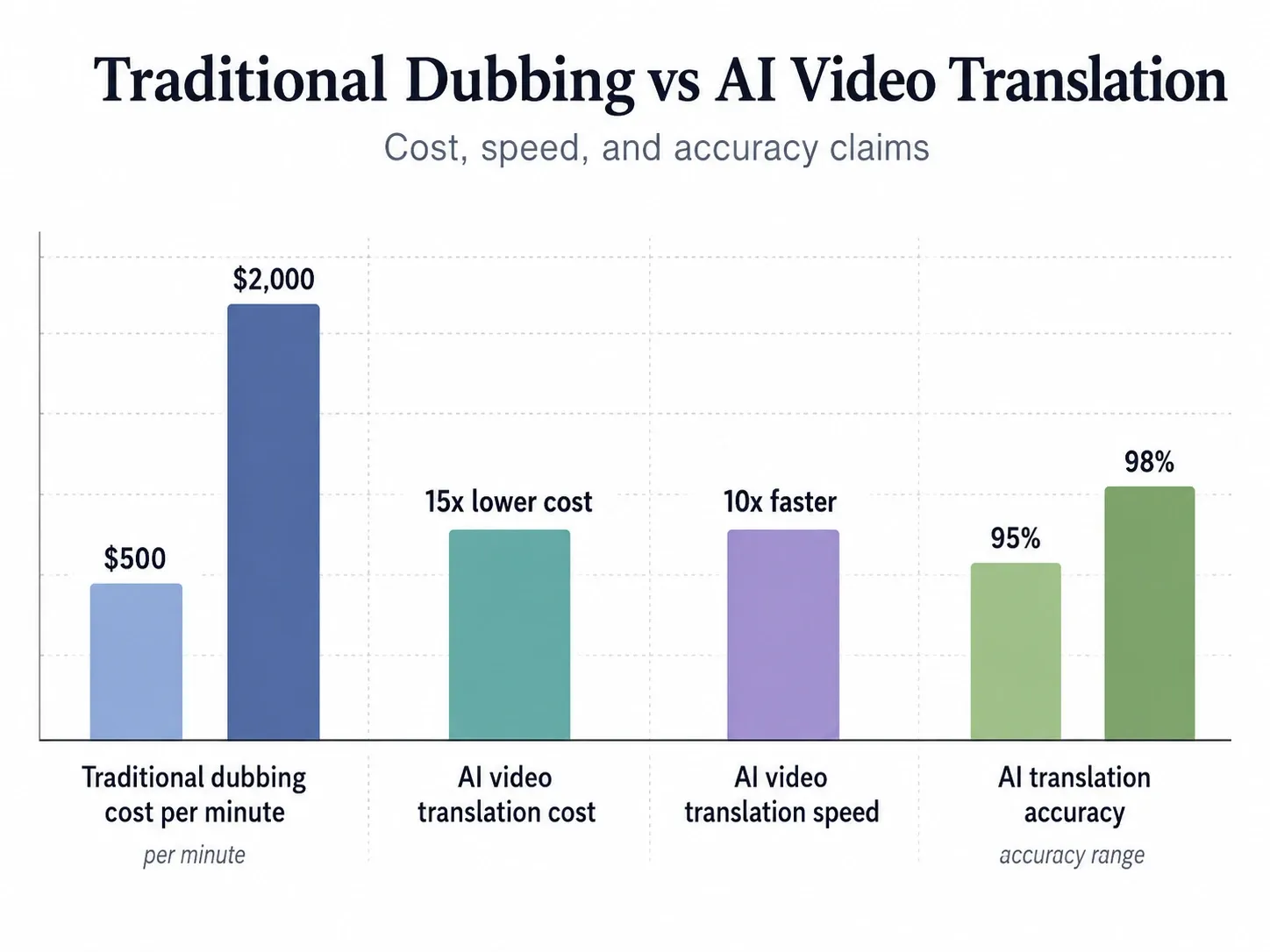
HeyGen’s video translator article reflects this trend by evaluating AI video translators across translation accuracy, voice quality, language support, ease of use, and pricing value. It also states that AI video translation can reach 95–98% accuracy, reduce turnaround time by 10x, and reduce cost by up to 15x compared with traditional dubbing workflows.
Reap takes a different but important angle: it argues that the best AI video translator depends on whether the user needs subtitles, dubbing, or a broader multilingual content workflow. Its page emphasizes that translation should connect with clipping, captions, dubbing, reframing, and social-ready output.
Both perspectives are useful. HeyGen focuses on quality and tool testing. Reap focuses on creator workflow. A stronger answer combines both.
AI Video Translator vs Subtitle Translator vs Dubbing Tool vs Localization Platform
One of the biggest mistakes I saw in user research was that people used the same phrase, “AI video translator,” to mean several different things.
Some people only wanted translated subtitles. Some wanted a new voice track. Some wanted lip sync. Some wanted an end-to-end localization workflow for a content library. These are not the same problem.
| Tool Type | What It Does | Best For | Main Limitation |
|---|---|---|---|
| AI subtitle translator | Translates captions while keeping the original audio | YouTube videos, lectures, webinars, social clips | Viewers still need to read subtitles |
| AI dubbing tool | Replaces the spoken audio with translated speech | Training videos, courses, podcasts, long-form content | Voice quality and timing can vary |
| AI lip-sync translator | Matches mouth movement to the translated language | Presenter videos, founder videos, ads, talking-head videos | More expensive and harder to perfect |
| AI localization platform | Manages translation, review, dubbing, export, and team workflows | Enterprises, agencies, education teams, global marketing teams | More setup and process management |
| Video creation translator | Combines translation with editing, clipping, captions, reframing, and publishing | Creators, content teams, social media teams | Quality depends on workflow depth |
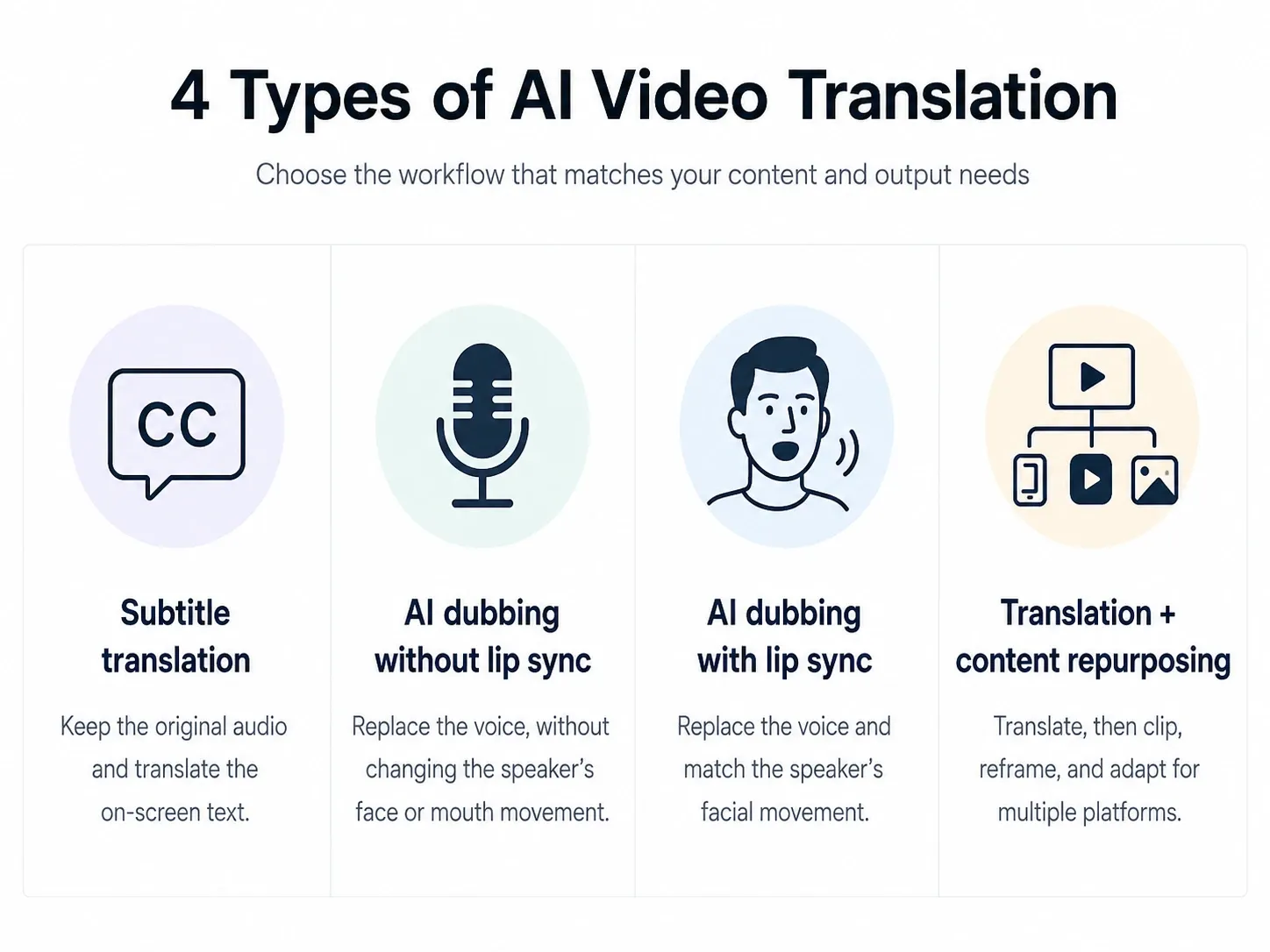
In practice, I found that subtitle translation is the most reliable starting point for many creators. It is easier to correct, cheaper to scale, and less risky than fully automated dubbing. Dubbing becomes valuable when the video is long, instructional, or designed for viewers who do not want to read subtitles. Lip sync is most useful when the speaker’s face is central to the video, such as a founder announcement, online course, sales video, or avatar-led explainer.
This explains why different tools win different use cases.
HeyGen is strong when the final deliverable is a polished translated presenter video. Reap is strong when translation is part of a broader content repurposing workflow. ElevenLabs is strong when voice quality matters more than visual editing. Kapwing and VEED are strong when the creator needs a fast browser-based subtitle and editing workflow. Synthesia is strong when business teams need avatar-based video translation and enterprise workflows.
Reap’s own comparison makes a similar distinction: subtitle translation changes the on-screen text, dubbing changes the spoken audio, and stronger AI video translators connect both with editing and repurposing.
How I Evaluated the Top AI Translators for Video Creation
To evaluate the top AI translators in the video creation industry, I used a workflow-first standard instead of a feature-list standard.
The question was not simply, “How many languages does this tool support?”
The better question was:
Can this tool help a real creator, educator, marketer, or business team turn a video into a usable multilingual asset?
I used eight evaluation criteria.
| Evaluation Factor | Why It Matters |
|---|---|
| Translation accuracy | Incorrect meaning damages trust, especially in education, SaaS, legal, medical, finance, and training content |
| Subtitle timing | Good translation still fails if subtitles appear too early, too late, or too long |
| AI voice quality | Robotic dubbing reduces watch time and brand trust |
| Voice cloning | Important when the speaker’s identity or personality matters |
| Lip-sync quality | Critical for talking-head videos and presenter-led content |
| Editing flexibility | Teams need to correct names, product terms, acronyms, and tone |
| Workflow fit | The tool should support the actual video creation process, not just export one file |
| Pricing and scale | Minute caps, credit systems, export limits, and team plans determine whether the workflow can scale |
In my testing and user research, one pattern appeared again and again: creators do not trust a completely automated end-to-end workflow for important videos unless they can review the transcript, fix terminology, adjust subtitles, and preview the final result.
This is especially true in technical content. A single mistranslated product feature, legal phrase, medical term, or course concept can make the whole video feel unreliable.
That is why human-editable translation is more important than fully automatic translation.
A good AI video translator should automate the repetitive work but still let humans control the final meaning.
Quick Comparison: Best AI Translators for Video Creation
The table below summarizes the strongest AI translators for different video creation workflows.
| Tool | Best For | Subtitles | AI Dubbing | Lip Sync | Voice Cloning | Editing Workflow | Best User |
|---|---|---|---|---|---|---|---|
| HeyGen | Presenter video localization | Yes | Yes | Strong | Yes | Medium | Marketers, founders, business teams |
| Reap | Multilingual clip repurposing | Yes | Yes | Limited or workflow-dependent | Varies | Strong | YouTube creators, podcasters, social teams |
| Synthesia | Business video translation and avatars | Yes | Yes | Strong | Yes | Strong | Enterprises, training teams, L&D teams |
| Leadde | Turning course materials and training documents into multilingual videos | Yes | Yes | Avatar/workflow-dependent | Available depending on workflow | Strong | Educators, professors, training teams, L&D teams |
| ElevenLabs | Natural AI voice dubbing | Limited video editing | Strong | No native visual lip sync focus | Strong | Audio-first | Podcasters, educators, voiceover workflows |
| Rask AI | Video localization at scale | Yes | Yes | Available | Yes | Medium | Agencies, localization teams |
| VEED | Fast online video translation and editing | Yes | Yes | Available on some plans | Available on some plans | Strong | SMBs, creators, marketers |
| Kapwing | Subtitle translation and social video editing | Yes | Basic to advanced depending on plan | Available on some plans | Available on some plans | Strong | Social creators, lightweight teams |
| Maestra | Transcription, subtitles, and education workflows | Strong | Yes | Available on higher plans | Available on higher plans | Medium | Educators, webinar teams, course creators |
| Descript | Transcript-first editing and translation | Yes | Yes | Limited compared with avatar tools | Yes | Strong | Podcasters, interview editors, content teams |
This table also shows why “best AI video translator” is a misleading question unless the use case is clear.
A YouTube creator translating clips needs a different product from a training department localizing a 60-video onboarding library. A founder translating a product launch video needs a different workflow from a podcast team translating long-form interviews.
Best AI Translators in the Video Creation Industry
HeyGen: Best AI Video Translator for Presenter Videos and Lip-Synced Localization
HeyGen is one of the strongest AI video translators for presenter videos, talking-head videos, founder messages, product explainers, and marketing videos where lip sync matters.
Its strength is not just translation. Its value comes from the combination of AI dubbing, voice cloning, avatar workflows, and lip-sync technology. HeyGen’s own video translator guide highlights support for 175+ languages, voice cloning, multi-speaker detection, and lip-sync capabilities.
In real video production, HeyGen fits best when the translated video itself is the final asset. For example, if a SaaS founder records a two-minute English product announcement and wants a Spanish, German, or Japanese version that still feels like a presenter-led video, HeyGen is a strong choice.
Where HeyGen is less ideal is broad repurposing. If the goal is to take one long webinar and turn it into ten multilingual social clips, a workflow-first tool may be more efficient.
Best use cases:
| Use Case | Fit |
|---|---|
| Founder videos | Strong |
| Product explainers | Strong |
| Talking-head ads | Strong |
| Avatar-led training | Strong |
| Long-form to short-form repurposing | Medium |
| Subtitle-only workflows | Good but not always necessary |
My practical recommendation: use HeyGen when the face, voice, and delivery of the speaker are part of the message.
Leadde: Best AI Video Translator for Turning Course Materials and Training Documents into Multilingual Videos
Leadde is one of the strongest AI video creation platforms for educators, trainers, professors, and business teams that need to turn existing learning materials into multilingual video content.
Its strength is not just video translation. Its value comes from converting PDFs, PowerPoint slides, lecture notes, scripts, and training documents into structured videos with AI avatars, voiceovers, subtitles, and multilingual output. Instead of starting with a finished video and translating it afterward, Leadde helps teams create the video from the source material first, then localize it for different learners or markets.
In real video production, Leadde fits best when the input is not a polished presenter video, but a document, course file, lecture deck, SOP, or internal training material. For example, if a professor has a 40-slide lecture deck and wants to turn it into English, Spanish, or Chinese learning videos without recording themselves, Leadde is a strong choice.
Where Leadde is less ideal is ultra-polished lip-synced celebrity-style localization or creator entertainment clips. If the goal is to translate a talking-head influencer video with perfect lip sync, HeyGen or a dedicated dubbing tool may be more suitable. But if the goal is to transform knowledge materials into scalable multilingual training videos, Leadde is much closer to the real workflow.
Best use cases:
| Use Case | Fit |
|---|---|
| Lecture videos | Strong |
| Training videos | Strong |
| Course material localization | Strong |
| PDF or PowerPoint to video | Strong |
| Employee onboarding videos | Strong |
| Compliance and internal learning videos | Strong |
| Talking-head lip-sync localization | Medium |
| Short-form creator clip repurposing | Medium |
My practical recommendation: use Leadde when the source of the video is knowledge material, not camera footage. It is especially useful for educators, training teams, and businesses that need to turn documents, slides, and course content into multilingual videos at scale.
Reap: Best AI Translator for Repurposing Long Videos into Multilingual Clips
Reap is strong for creators and teams that do not just want a translated video. They want multilingual output from long-form content.
Its key advantage is workflow fit. Reap connects captions, dubbing, clipping, and reframing, which makes it useful for turning podcasts, webinars, interviews, courses, and YouTube recordings into multilingual clips.
Reap states that it supports captions in 98+ languages, broad dubbing coverage, clipping from long-form videos, AI reframing for portrait and square output, and transcript downloads in VTT, TXT, CSV, and SRT.
This matches one of the strongest findings from my user research: creators often get more value from translating the best moments of a video than from translating the full video first.
For example, if a 45-minute webinar has five high-value segments, translating those five clips into three languages can create 15 publishable assets. That is often more useful than publishing one fully translated 45-minute video that few new viewers will finish.
Best use cases:
| Use Case | Fit |
|---|---|
| YouTube Shorts localization | Strong |
| Podcast clip translation | Strong |
| Webinar repurposing | Strong |
| Course highlight clips | Strong |
| Full polished presenter localization | Medium |
| Enterprise compliance review | Depends on process |
My practical recommendation: use Reap when translation is part of a content engine.
Synthesia: Best for Business Video Translation and Avatar-Based Training
Synthesia is a strong option for businesses, training teams, and enterprise video localization workflows. It is especially relevant when teams need AI avatars, high-quality lip sync, secure editing, and scalable training content.
Synthesia’s 2026 comparison page lists support for 130+ languages, lip sync, voice cloning, and business-oriented dubbing workflows. It also notes that Synthesia lets users translate videos up to one minute for free with dubbing and lip sync, while longer usage requires paid plans.
In my workflow analysis, Synthesia is especially relevant for structured business content, such as:
Employee onboarding videos.
Compliance training.
HR policy explainers.
Product training modules.
Internal enablement content.
Course modules where the presenter can be an avatar.
The main advantage is consistency. Instead of recording a real presenter again for every language or update, teams can maintain a repeatable avatar-led workflow.
Best use cases:
| Use Case | Fit |
|---|---|
| Enterprise training | Strong |
| Avatar-led video lessons | Strong |
| Compliance videos | Strong |
| Large-scale localization | Strong |
| Casual social clips | Medium |
| Podcast dubbing | Low to medium |
My practical recommendation: use Synthesia when the priority is consistent business video production, not creator-style repurposing.
ElevenLabs: Best for Natural AI Dubbing and Voice Quality
ElevenLabs is one of the strongest choices when audio quality matters more than visual editing.
Its Dubbing Studio is designed to localize audio and video across 29 languages while preserving emotion, timing, tone, and speaker characteristics.
In my user research, this was one of the clearest patterns: for serious content, viewers forgive subtitles more easily than bad dubbing. Robotic or unnatural voiceovers make the video feel cheap, even if the translation is technically correct.
ElevenLabs is especially useful for:
Podcasts.
Interviews.
Audiobook-style video content.
Educational narration.
Explainer videos where the speaker’s face is not central.
Long-form voiceover localization.
The limitation is that ElevenLabs is not primarily a full video editing or repurposing platform. It is excellent for dubbing quality, but many teams will still pair it with a video editor, subtitle editor, or publishing workflow.
Best use cases:
| Use Case | Fit |
|---|---|
| Podcast dubbing | Strong |
| Natural voiceover | Strong |
| Multi-speaker audio | Strong |
| Educational narration | Strong |
| Lip-synced presenter video | Low |
| Social video editing | Low to medium |
My practical recommendation: use ElevenLabs when voice quality is the deciding factor.
Rask AI: Best for Full Video Localization Workflows
Rask AI is a strong choice for teams that need video localization across many languages and projects. It is often relevant for agencies, education teams, and companies managing repeated localization workflows.
HeyGen’s comparison notes Rask AI as a strong specialized tool and highlights capabilities such as voice cloning, subtitle customization, and API-style workflow support.
Rask fits best when the goal is to translate full videos, manage multiple language outputs, and support localization operations at scale.
Best use cases:
| Use Case | Fit |
|---|---|
| Localization agencies | Strong |
| Training libraries | Strong |
| Multi-language business content | Strong |
| Creator clips | Medium |
| High-end lip-sync ads | Depends on quality needs |
My practical recommendation: use Rask AI when localization volume matters more than lightweight creator editing.
VEED: Best for Fast Online Video Translation and Editing
VEED is useful for creators, marketers, and small teams that want a browser-based workflow for subtitles, dubbing, editing, and exporting.
It is not always the most advanced tool for lip sync or enterprise localization, but it is practical. In many real workflows, practicality matters more than perfect feature depth.
VEED is a good fit when the team needs to:
Upload a video.
Generate captions.
Translate subtitles.
Make quick edits.
Export for social or marketing use.
Best use cases:
| Use Case | Fit |
|---|---|
| Social videos | Strong |
| Small business videos | Strong |
| Subtitle translation | Strong |
| Fast marketing edits | Strong |
| Enterprise localization | Medium |
| Advanced voice cloning | Medium |
My practical recommendation: use VEED when speed and simplicity matter.
Kapwing: Best for Subtitle Translation and Social Video Editing
Kapwing is another strong browser-based option for subtitle translation and social video editing. It is useful when creators need a fast way to edit translated captions, format videos for platforms, and export content without complex software.
Reap’s comparison also identifies Kapwing as a strong online video translator for browser-based translated subtitles and dubbed audio workflows.
In my user research, subtitle-first workflows were common among creators who cared about accuracy but did not fully trust AI dubbing yet. A typical subtitle-first workflow looked like this:
Generate transcript.
Translate with AI.
Manually clean up names, product terms, and slang.
Export SRT.
Burn in captions or upload subtitles separately.
Kapwing fits this kind of workflow well.
Best use cases:
| Use Case | Fit |
|---|---|
| Subtitle-first localization | Strong |
| TikTok/Reels editing | Strong |
| YouTube caption workflows | Strong |
| Team review | Medium |
| High-end dubbing | Medium |
My practical recommendation: use Kapwing when subtitles and social editing are the core job.
Maestra: Best for Transcription, Subtitles, and Educational Video Translation
Maestra is useful for transcription-heavy and subtitle-heavy workflows, especially education, webinars, and course content.
Educational videos often have a different translation standard from marketing videos. The priority is not only naturalness. It is clarity, terminology, and structure.
For example, a course video about finance, medicine, law, programming, or AI must preserve technical meaning. A slightly more natural translation that changes the concept is worse than a literal translation that remains accurate.
Maestra fits workflows where teams need:
Transcription.
Subtitle translation.
Voiceover options.
Course accessibility.
Webinar localization.
Best use cases:
| Use Case | Fit |
|---|---|
| Online courses | Strong |
| Webinars | Strong |
| Lecture videos | Strong |
| Subtitle exports | Strong |
| Social clipping | Medium |
| Advanced presenter lip sync | Medium |
My practical recommendation: use Maestra when the transcript is the center of the video workflow.
Descript: Best for Transcript-First Video Editing
Descript is useful for podcasters, interview editors, educators, and teams that think in transcripts.
A transcript-first workflow is powerful because translation, editing, and review all happen in text. This makes it easier to correct errors, remove filler, restructure ideas, and prepare subtitles.
Reap’s comparison also notes that Descript supports translated captions, translated transcripts, and dubbed speech, making it useful for podcasters, educators, and interview-based workflows.
Best use cases:
| Use Case | Fit |
|---|---|
| Podcasts | Strong |
| Interviews | Strong |
| Transcript editing | Strong |
| Course editing | Strong |
| Avatar localization | Low |
| Advanced lip sync | Low |
My practical recommendation: use Descript when text-based editing is more important than visual localization.
Which AI Translator Is Best for Different Video Creation Use Cases?
The best AI translator in the video creation industry changes by use case. A creator, educator, marketer, and enterprise localization manager are not solving the same problem.
Best AI Translator for YouTube Creators
For YouTube creators, the best AI translator should support subtitles, dubbing, title translation, clip repurposing, and platform-ready exports.
In my user research, YouTube creators cared about four things:
Can I translate my existing video without editing from scratch?
Can I create subtitles that are accurate enough to publish?
Can I dub my voice without sounding robotic?
Can I turn long videos into clips for Shorts?
For this use case, Reap, HeyGen, VEED, Kapwing, Descript, and ElevenLabs all have a place.
If the creator wants to translate full presenter videos, HeyGen is strong. If the creator wants to turn a podcast, webinar, or long YouTube video into multilingual clips, Reap is strong. If the creator cares most about natural voice, ElevenLabs is strong. If the creator only needs captions, Kapwing or VEED may be enough.
The best YouTube workflow is often not “translate the whole video first.” A better workflow is:
Identify high-retention segments.
Translate those segments.
Create localized subtitles or dubbing.
Publish as Shorts, Reels, or clips.
Use performance data to decide which full videos deserve complete localization.
This reduces risk and helps creators test new language markets before spending heavily on full translation.
Best AI Translator for TikTok, Reels, and Shorts
For TikTok, Instagram Reels, and YouTube Shorts, the best AI translator is usually the one that supports subtitles, vertical formatting, short clip editing, and fast exports.
Short-form video has different rules from long-form video. Viewers decide quickly. Captions need to be readable. The opening line must make sense immediately. Translated text must fit on screen.
In short-form workflows, subtitle translation is often more important than perfect dubbing. Many users watch without sound, and captions are part of the creative format.
The strongest workflow looks like this:
Find the strongest clip.
Translate the hook first.
Rewrite the subtitle for mobile readability.
Keep captions short.
Use dubbing only when voice is central to the clip.
Export in vertical format.
Reap fits well when the workflow starts with long-form content and ends with multilingual clips. Kapwing and VEED fit well when the creator wants browser-based caption editing and social formatting.
Best AI Translator for Online Courses and Training Videos
For online courses and training videos, the best AI translator must prioritize accuracy, terminology, subtitle editing, and learner comprehension.
This is where many general-purpose video translators fail.
In education, a translation error is not just awkward. It can make the lesson wrong.
In one workflow analysis, the most reliable approach for educational video localization was subtitle-first:
First, transcribe the lecture.
Second, translate the transcript.
Third, manually review technical terms.
Fourth, generate subtitles.
Fifth, add AI dubbing only after the script is approved.
This workflow works because educators and training teams often need review control more than speed.
Tools like Leadde, Maestra, Descript, VEED, Kapwing, Rask AI, Synthesia, and ElevenLabs can all fit different parts of this process. Synthesia and HeyGen are useful when training content needs a presenter or avatar. ElevenLabs is useful when voice quality matters. Maestra and Descript are useful when the transcript is the main asset.
For lecture videos, training modules, and internal education content, the best AI translator should support:
Editable transcripts.
Subtitle export.
Terminology correction.
Multi-speaker handling.
Clear voiceover.
Version updates.
Team review.
Best AI Translator for Marketing and Product Videos
For marketing and product videos, the best AI translator must protect brand voice.
A product video is not just information. It is positioning, emotion, trust, and clarity.
In my research, marketing teams were especially sensitive to four issues:
The translated message sounded too literal.
The AI voice did not match the brand.
The lip sync looked unnatural.
Product names and feature terms were translated incorrectly.
For this use case, HeyGen and Synthesia are strong for presenter-style and avatar-led videos. ElevenLabs is strong for voice quality. Rask AI is useful for broader localization. VEED and Kapwing are useful for lightweight campaign edits.
A good marketing video translation workflow should include:
Brand glossary.
Approved product terms.
Human review before dubbing.
Preview by native speakers when possible.
Subtitle readability check.
Final export for each channel.
The top AI translator for marketing is not the fastest one. It is the one that gives the team enough control to avoid damaging the brand.
Best AI Translator for Podcasts and Webinars
Podcasts and webinars are some of the best use cases for AI video translation because they are long-form, speech-heavy, and often contain many reusable moments.
In one case study workflow, a long webinar was treated not as one video but as a source library. Instead of translating the entire recording first, the team identified key segments, translated those clips, generated subtitles, and published them as short-form assets.
This approach works because webinars often contain multiple independent ideas:
A strong quote.
A product explanation.
A teaching moment.
A customer objection.
A market insight.
A practical tip.
For podcasts and webinars, the best tools are often Reap, Descript, ElevenLabs, Maestra, and VEED.
Reap is strong for clip repurposing. Descript is strong for transcript-first editing. ElevenLabs is strong for dubbing. Maestra is strong for transcription and subtitles. VEED is strong for simple browser editing.
Best AI Translator for Enterprise Localization
Enterprise localization is different from creator localization.
Enterprises need review processes, compliance control, team collaboration, consistent terminology, and predictable pricing.
For enterprise use, the top AI translator should support:
Team workspace.
Glossary or terminology control.
Transcript editing.
Multi-language exports.
Secure file handling.
Batch processing.
Version control.
Human review.
Clear licensing and commercial rights.
This is where tools like Synthesia, Rask AI, HeyGen, and enterprise-oriented workflows become more relevant.
A creator may accept a small subtitle error. A compliance team cannot.
What Features Matter Most in an AI Video Translator?
Translation Accuracy
Translation accuracy is the foundation of every AI video translator. But in video creation, accuracy means more than word-for-word translation.
A good AI video translator must preserve:
Meaning.
Tone.
Speaker intent.
Technical terms.
Product names.
Cultural context.
Industry vocabulary.
In my experience, AI translation usually performs well on general speech but needs review for specialized topics. SaaS, AI, medicine, finance, legal, education, and engineering videos all require terminology checks.
This is why editable transcripts and subtitles are essential. If a tool does not let you correct the translation before final export, it is risky for professional video creation.
Subtitle Timing and Caption Design
Subtitle quality is not only about translation. Timing and readability matter just as much.
Bad subtitles create three problems:
They appear before or after the speech.
They are too long for mobile screens.
They force viewers to read instead of watch.
For social video, subtitle design is part of the creative experience. For educational video, subtitle clarity affects comprehension. For business video, subtitle quality affects trust.
A strong AI video translator should allow:
Subtitle timing edits.
Line breaks.
Font and size control.
SRT or VTT export.
Burned-in captions.
Platform-specific formatting.
In many real workflows, subtitle translation is the safest first step before dubbing.
AI Dubbing and Voice Quality
AI dubbing is powerful, but it is also where quality problems become obvious.
A translated subtitle can be slightly imperfect and still useful. A bad AI voice immediately makes the content feel low quality.
Good AI dubbing should preserve:
Natural pacing.
Emotional tone.
Speaker identity.
Sentence rhythm.
Breathing and pauses.
Multi-speaker separation.
ElevenLabs is especially strong in this area because its dubbing product focuses on preserving emotion, timing, tone, and speaker characteristics across languages.
For serious videos, I recommend testing one real clip before committing to a full library. Do not test with a clean demo script. Test with your actual video, including background noise, technical terms, accents, and interruptions.
Lip-Sync Quality
Lip sync matters most when the viewer is watching the speaker’s mouth.
This includes:
Presenter videos.
Founder videos.
Talking-head ads.
Sales videos.
Avatar videos.
Course introductions.
Product explainers.
Lip sync matters less for:
Screen recordings.
Slide-based lectures.
Podcasts with static visuals.
Videos where the speaker is not visible.
B-roll-heavy videos.
In my research, users were much more tolerant of imperfect lip sync in casual social videos than in professional business videos. A small mismatch may be acceptable for a translated clip, but distracting in a founder announcement or product launch.
HeyGen and Synthesia are strong options when lip sync is part of the core requirement. HeyGen highlights precise lip sync and voice cloning across 175+ languages. Synthesia’s comparison also emphasizes lip-sync quality and business-grade editing workflows.
Editing Flexibility
Editing flexibility is one of the most underrated features in AI video translation.
A tool may generate a good first draft, but professional teams still need to correct:
Brand names.
Acronyms.
Product features.
Speaker labels.
Industry terms.
Legal disclaimers.
Cultural wording.
Subtitle line breaks.
Voice pacing.
This is why the best AI video translator should not be a black box. It should let the editor review the transcript, adjust the translation, regenerate parts of the audio, and export the final result in usable formats.
Workflow Fit
Workflow fit is the reason Reap can compete with larger brands.
If translation is the whole project, many tools can work. But if translation is one step inside a larger video creation workflow, the best tool is the one that connects translation with editing, clipping, captions, reframing, review, and publishing.
Reap’s page makes this argument clearly: a useful AI video translator should fit how content is created, edited, and distributed, not just produce one translated export.
This is also what I saw in user research. People did not just ask for translation. They asked for a faster way to publish content in more languages without rebuilding every video manually.
AI Translator Pricing: Free vs Paid Video Translation Tools
Free AI video translation tools are useful for testing. Paid tools are usually required for serious video creation.
Free plans are often limited by:
Video length.
Export quality.
Watermarks.
Number of minutes.
Voice cloning access.
Lip-sync access.
Download permissions.
Team features.
Commercial usage.
Synthesia’s comparison shows how pricing and limits vary widely. For example, it lists Synthesia as offering free video translation up to one minute with lip sync, AI Studios with a free three-minute allowance, ElevenLabs with 29+ languages, Kapwing with 40+ languages, VEED with 125+ languages, Maestra with 125+ languages, and Rask AI with 135+ languages.
The most important pricing question is not “Is there a free plan?”
The better question is:
Can this pricing model support my real video volume?
| Need | Free Plan Enough? | Paid Plan Recommended? |
|---|---|---|
| Testing one short subtitle translation | Yes | Not necessary |
| Translating short social clips | Sometimes | Yes if publishing regularly |
| Dubbing long videos | Usually no | Yes |
| Voice cloning | Rarely | Yes |
| Lip-synced presenter videos | Rarely | Yes |
| Course library localization | No | Yes |
| Enterprise review workflow | No | Yes |
| Batch translation | No | Yes |
In one enterprise-style onboarding workflow I reviewed, the team’s main concern was not the per-minute price of one video. The real issue was update cost.
Every time the product UI changed, the old training video became outdated. A traditional workflow required rewriting, recording, editing, exporting, and re-uploading. An AI-assisted workflow reduced the friction because the team could update scripts, regenerate scenes or dubbing, and maintain multilingual versions faster.
This is where AI video translation becomes a business workflow advantage, not just a translation feature.
Case Studies: What Real Video Translation Workflows Taught Me
Case Study 1: Multilingual YouTube Scaling Works Better with Clips First
One creator workflow involved a long-form video library with hundreds of potential clips. The initial idea was to translate full videos into multiple languages.
After reviewing the workflow, the better strategy was to translate high-signal clips first.
The process was:
Identify the strongest moments from long videos.
Create short clips.
Translate subtitles.
Test AI dubbing only on clips with strong engagement potential.
Publish in vertical formats.
Use performance data to decide which topics deserve full video localization.
The lesson: for creators, the fastest path to global reach is often not full-video translation. It is multilingual clip testing.
This matches Reap’s positioning: translated clips can be more useful than translating only full-length videos because clips are easier to test, distribute, and consume.
Case Study 2: German Tutorials Dubbed into English Needed Human Review
In another workflow, German tutorial videos were translated and dubbed into English using an AI voice workflow.
The first draft was useful, but it was not publish-ready. The technical terms needed cleanup. Some sentence pacing felt unnatural. A few translated phrases were accurate in meaning but awkward in spoken English.
The final workflow became:
Transcribe the German tutorial.
Translate the transcript.
Manually revise technical terminology.
Generate AI dubbing.
Review timing.
Add English subtitles.
Export the final video.
The lesson: AI dubbing is powerful, but technical content still needs human review. The best workflow is AI-assisted, not AI-blind.
Case Study 3: Enterprise Onboarding Localization Needed Version Control
An enterprise onboarding workflow had a different problem. The team did not only need translation. It needed repeatable updates.
The company had training videos for new employees. Every product or policy update created a localization burden. If videos existed in multiple languages, every update multiplied the work.
The best workflow was not a one-time translator. It was a maintainable system:
Keep the source script structured.
Translate and review approved language versions.
Use AI voice or avatar tools for repeatable production.
Store subtitles and transcripts.
Track version updates.
Regenerate only the changed sections where possible.
The lesson: enterprise AI video translation is about maintainability. A tool that can translate one video is useful. A workflow that can keep a multilingual training library updated is much more valuable.
This is where business-focused video creation tools can claim real ROI. In prior platform research, Leadde-style document-to-video workflows were positioned around converting PPT, PDF, Word, and TXT materials into videos, supporting multilingual output up to 92 languages, offering 200+ AI avatars, and reducing production time by up to 90% and costs by up to 80%. These kinds of claims should be used carefully and only when verified on the product’s own site or internal data, but they show what buyers care about: not only translation, but repeatable multilingual content production.
Case Study 4: Subtitle-First Education Localization Was More Reliable Than Full Dubbing
For educational content, subtitle-first localization was often the safest workflow.
The reason is simple: learners need accuracy. If AI dubbing sounds natural but changes the meaning, it hurts the course.
The best education workflow looked like this:
Create a clean transcript.
Translate subtitles.
Review terminology.
Publish subtitles.
Add dubbing only for high-priority modules.
This approach worked especially well for lecture videos, online courses, training modules, and technical tutorials.
The lesson: not every video needs dubbing first. For education, subtitles can be the most reliable foundation.
How to Choose the Right AI Translator for Your Video Workflow
To choose the right AI translator for video creation, start with the job you need done.
Step 1: Decide Whether You Need Subtitles, Dubbing, Lip Sync, or Full Localization
If you only need translated captions, do not overpay for full lip-sync dubbing.
If you need a natural voice track, choose an AI dubbing tool.
If the speaker’s face is central, choose a lip-sync translator.
If you need many videos across many languages, choose a localization workflow.
Step 2: Match the Tool to Your Video Format
Different video formats need different translation features.
| Video Type | Best Translation Workflow |
|---|---|
| YouTube video | Subtitles, dubbing, title translation, clip testing |
| TikTok/Reels/Shorts | Captions, vertical formatting, fast export |
| Online course | Transcript, subtitles, terminology review, optional dubbing |
| Webinar | Clip extraction, subtitles, dubbing for highlights |
| Founder video | Voice cloning, lip sync, human review |
| Product demo | Subtitle accuracy, brand terms, localized voiceover |
| Podcast | Transcript-first editing and AI dubbing |
| Training library | Version control, review workflow, batch localization |
Step 3: Test with a Real Video
Do not test with a clean sample.
Use a real video with:
Background noise.
Accents.
Product names.
Fast speech.
Multiple speakers.
Technical terms.
Natural pauses.
This will show whether the tool can handle your actual content.
Step 4: Review the Transcript Before Dubbing
The transcript is the source of truth. If the transcript is wrong, the translation and dubbing will also be wrong.
Always check:
Names.
Numbers.
Product terms.
Speaker labels.
Acronyms.
Industry phrases.
Step 5: Choose Based on Publishing Workflow
If your output is one translated presenter video, HeyGen or Synthesia may be best.
If your output is multilingual social clips, Reap may be best.
If your output is natural dubbed audio, ElevenLabs may be best.
If your output is education subtitles, Maestra, Descript, VEED, or Kapwing may be best.
If your output is enterprise localization, Rask AI, Synthesia, HeyGen, or a custom workflow may be better.
Common Mistakes When Choosing an AI Video Translator
Mistake 1: Choosing Based Only on Number of Languages
Language count matters, but it is not enough.
A tool with 175+ languages is not automatically better for your workflow than a tool with fewer languages but stronger editing, review, or clip repurposing.
The better question is:
Does it support the languages I actually publish in, at the quality level I need?
Mistake 2: Ignoring Subtitle Timing
Many teams check whether the words are translated correctly but forget timing.
Bad timing makes subtitles feel unprofessional. This is especially damaging in short-form video, where viewers make fast decisions.
Mistake 3: Trusting AI Dubbing Without Reviewing Voice Quality
AI dubbing can save time, but bad voice quality hurts trust.
Before publishing, check:
Does the voice sound natural?
Does it match the speaker’s tone?
Is the pacing comfortable?
Does it preserve emotion?
Does it handle names and technical words correctly?
Mistake 4: Using Lip Sync When Subtitles Would Be Better
Lip sync is impressive, but not always necessary.
For screen recordings, slide lessons, podcasts, and many tutorials, subtitles or voiceover may be enough. Save lip sync for videos where the speaker’s face is important.
Mistake 5: Forgetting About Editing and Distribution
Translation is not the final step. The video still needs to be edited, formatted, exported, uploaded, and measured.
A translated video that cannot be easily edited or published is not a complete workflow.
Mistake 6: Not Testing Industry-Specific Terms
General translation quality can look good while industry terms fail.
This is common in:
AI product videos.
SaaS demos.
Medical education.
Finance explainers.
Legal training.
Engineering tutorials.
Academic lectures.
Always test with your real vocabulary.
Final Verdict: What Is the Top AI Translator in the Video Creation Industry?
The best overall answer is this:
The best AI translator for video creation is the tool that fits your video production workflow. For creators, that often means translation plus captions, clipping, and repurposing. For businesses, it means dubbing, lip sync, brand control, review workflows, and repeatable localization.
Do not choose based only on language count. Choose based on the video outcome you need.
FAQ
What is the best AI translator in the video creation industry?
The best AI translator in the video creation industry depends on your workflow. HeyGen is strong for presenter videos and lip sync. Reap is strong for multilingual clip repurposing. ElevenLabs is strong for natural AI dubbing. Synthesia is strong for business and avatar-led training videos. VEED, Kapwing, Maestra, and Descript are strong for subtitles, editing, and education workflows.
What is the difference between an AI video translator and an AI dubbing tool?
An AI video translator may translate subtitles, transcripts, and spoken video. An AI dubbing tool focuses on replacing the original voice with translated speech. A complete AI video translator may include both subtitles and dubbing, plus editing, voice cloning, lip sync, and export tools.
Can AI translate YouTube videos automatically?
Yes, AI tools can translate YouTube videos by generating transcripts, translating subtitles, and sometimes creating dubbed audio. Some tools also let users paste a YouTube link directly. However, for professional results, you should still review the transcript, correct terminology, and check subtitle timing before publishing.
What is the best AI translator for YouTube creators?
For YouTube creators, Reap is strong for translating and repurposing long videos into multilingual clips. HeyGen is strong for presenter-style translated videos. ElevenLabs is strong for dubbed voice quality. VEED and Kapwing are strong for subtitle editing and lightweight video workflows.
What is the best AI translator for TikTok, Reels, and Shorts?
For TikTok, Reels, and Shorts, the best AI translator should support translated captions, vertical formatting, quick editing, and fast export. Reap is strong for turning long videos into multilingual short clips. Kapwing and VEED are strong for browser-based subtitle editing and social video formatting.
Is AI dubbing better than subtitles?
AI dubbing is better when viewers need to listen instead of read, especially in long videos, training videos, courses, and marketing content. Subtitles are better when accuracy, speed, cost, and easy review matter most. In many professional workflows, subtitles should come first, and dubbing should be added after the transcript is reviewed.
Is free AI video translation good enough?
Free AI video translation is good for testing short clips or checking subtitle quality. It is usually not enough for professional video creation because free plans often have limits on video length, exports, watermarks, voice cloning, lip sync, or commercial usage.
What is the best AI translator for online courses and training videos?
For online courses and training videos, the best AI translator should provide accurate transcripts, editable subtitles, terminology review, and clear voiceover. Maestra, Descript, Synthesia, Rask AI, VEED, Kapwing, and ElevenLabs can all fit different parts of this workflow depending on whether you need subtitles, dubbing, avatars, or team review.
What is the best AI translator for marketing videos?
For marketing videos, HeyGen and Synthesia are strong for presenter-style localization and lip sync. ElevenLabs is strong for natural voice dubbing. Rask AI is useful for larger localization workflows. The most important features are brand voice control, product terminology accuracy, voice quality, and human review.
Can AI video translators handle multiple speakers?
Many AI video translators can detect and process multiple speakers, but quality varies. For interviews, podcasts, webinars, and panel discussions, always test speaker separation before translating a full video. Multi-speaker videos are harder than single-speaker presenter videos.
Do AI video translators support lip sync?
Yes, some AI video translators support lip sync. HeyGen, Synthesia, Rask AI, Kapwing, VEED, and other platforms offer lip-sync features in different ways and at different pricing levels. Lip sync is most useful for talking-head videos, ads, avatar videos, and presenter-led content.
What is the most reliable workflow for translating educational videos?
The most reliable workflow for educational videos is subtitle-first. Start by transcribing the video, translating the transcript, reviewing technical terms, generating subtitles, and then adding AI dubbing only if needed. This protects accuracy and makes the video easier to update.
Can AI translate a podcast into another language?
Yes, AI can translate podcasts by transcribing the audio, translating the transcript, and generating dubbed speech. ElevenLabs, Descript, Maestra, Reap, and similar tools can support parts of this workflow. For podcasts, voice quality and speaker separation are especially important.
Should I translate full videos or short clips first?
For creators, it is often better to translate short clips first. Clips are faster to test, easier to publish, and better for discovering which topics work in a new language market. Once a translated clip performs well, you can decide whether to translate the full video.
What should I check before publishing an AI-translated video?
Before publishing an AI-translated video, check the transcript, translation accuracy, subtitle timing, voice quality, speaker names, product terms, acronyms, lip sync, export format, and platform formatting. For business or education content, human review is strongly recommended.
What is the future of AI translation in video creation?
The future of AI translation in video creation is workflow-based localization. AI tools will not only translate videos. They will help creators transcribe, dub, subtitle, reframe, clip, review, publish, and update multilingual video content from one source workflow.