Marketing Script Template: 15 Ready-to-Use Scripts for 2026

A marketing script template is a reusable structure for turning a campaign idea into clear, persuasive content for videos, ads, sales outreach, product demos, and customer education.
The best templates do more than organize words: they define the audience, hook, problem, solution, proof, visuals, voiceover, timing, and call to action so marketing teams can move from message planning to production with less friction.
But templates still leave teams stuck in production: rewriting slides, recording voiceovers, editing visuals, and localizing versions.
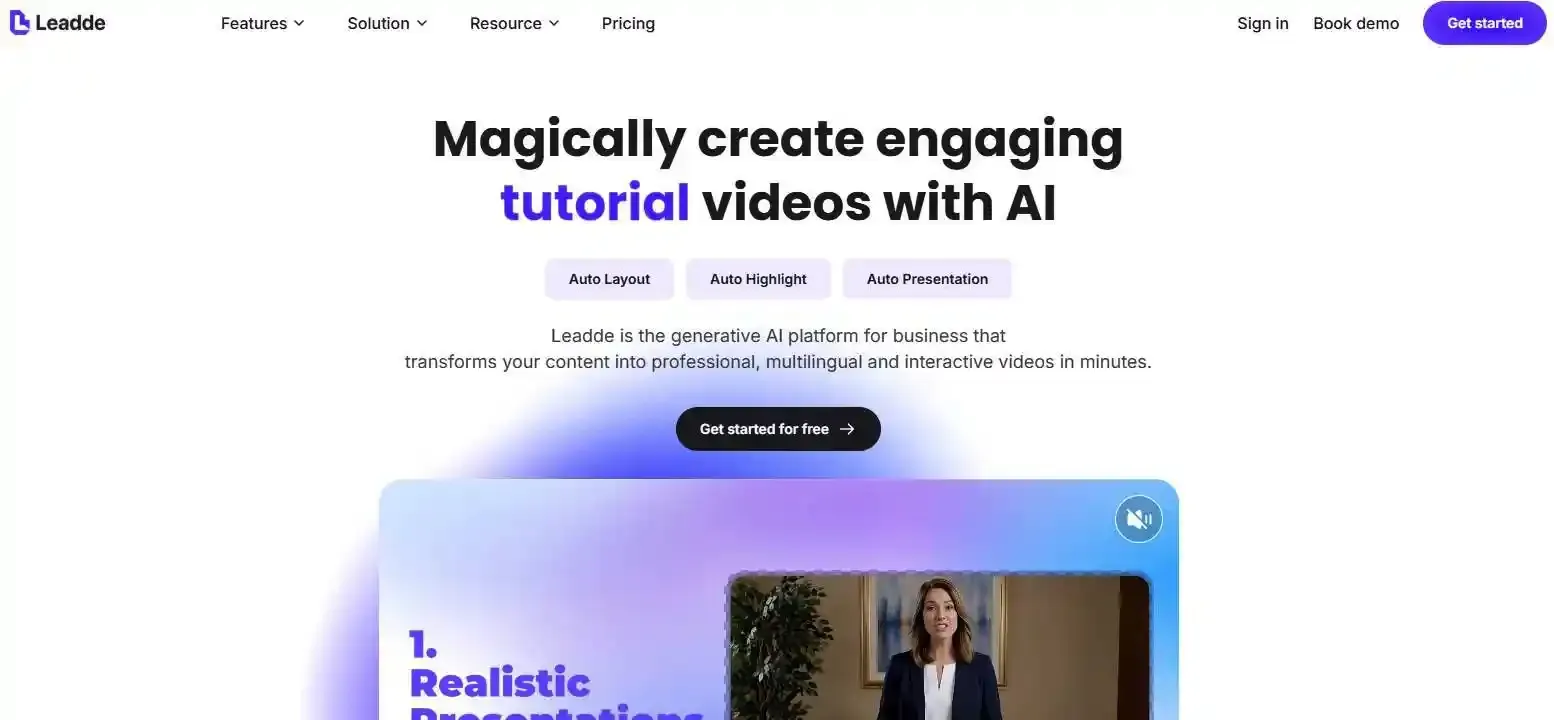
Leadde solves that by turning any document or text into a professional business video using doc to video technology—in minutes, while helping teams save over 80% in production costs and 90% in creation time.
What Is a Marketing Script Template?
A marketing script template is a reusable structure that helps teams turn a campaign idea into a clear message for marketing videos, ads, sales outreach, demos, onboarding, and customer education.
A strong template does not only organize copy. It also defines the audience, hook, problem, solution, proof, visual direction, voiceover, timing, and CTA so the script can move smoothly into production.
Adobe defines a script as written material that provides dialogue, direction, and instructions for content watched or heard by an audience. That definition is useful for marketers because a business script should guide both the message and the production plan.
Marketing script vs. video script vs. sales script
| Script Type | Main Purpose | Common Use |
| Marketing script | Persuade, educate, or convert an audience | Campaigns, ads, landing pages, product videos |
| Video script | Plan narration, visuals, timing, and scenes | YouTube, demos, explainers, social videos |
| Sales script | Guide a conversation toward a meeting or deal | Cold calls, sales outreach, discovery calls |
A marketing script can include video marketing, sales, and campaign elements. The key difference is that its goal is broader: it supports the full customer journey, from awareness to conversion and retention.
What a modern marketing script should include
A modern marketing script should include:
- Audience: Who the message is for.
- Channel: Where the script will be used.
- Hook: The opening line or idea that earns attention.
- Problem: The pain point or opportunity.
- Solution: The product, service, or idea being introduced.
- Proof: Data, testimonial, demo, case study, or trust signal.
- Visual direction: What appears on screen.
- Voiceover: What is spoken.
- CTA: What the viewer should do next.
For video ads, Google’s official ABCD framework focuses on Attention, Branding, Connection, and Direction, which maps directly to script structure: start strong, introduce the brand, build relevance, and end with a clear action.
How to Use a Marketing Script Template
A template works best when it is treated as a framework, not a fixed paragraph. Before writing, define the audience, channel, goal, offer, and action you want the viewer to take.
The same product may need different scripts for a cold audience, a warm lead, a YouTube ad, a product demo, or an onboarding video. The message should change based on the viewer’s stage in the funnel.
Start with your audience, channel, and campaign goal
Before choosing a template, answer these questions:
| Question | Example |
| Who is the audience? | Marketing managers at B2B SaaS companies |
| What do they already know? | They know video is useful but production is slow |
| Where will they see this? | LinkedIn, YouTube, landing page, email |
| What should they do next? | Book a demo, start a trial, watch a video |
| What proof do they need? | Case study, demo, cost savings, customer quote |
A script for YouTube can explain more context. A script for Shorts or Reels must move faster. A landing page video can focus on trust and clarity, while a sales outreach script should feel personal.
Choose the right script based on funnel stage
| Funnel Stage | Best Script Types |
| Awareness | Brand story, explainer, YouTube marketing, short-form social |
| Consideration | Product demo, testimonial, webinar intro, promotional video |
| Conversion | Sales outreach, warm lead, YouTube ad, ecommerce video ad |
| Retention | Customer onboarding, training, SOP, product education |
A cold audience needs context before the offer. A warm lead may already know the problem, so the script should focus on proof, urgency, and next steps.
Add proof, visuals, timing, and a clear CTA
A script becomes more useful when it includes production details. Add the proof point, scene idea, on-screen text, voiceover, and CTA before the video is created. A practical format helps writers, designers, editors, and AI video tools work from the same plan, whether you are creating PDF to video content or simple PowerPoint to video slides.
A practical format looks like this:
| Scene | Goal | Voiceover | Visual Direction | CTA |
| 1 | Hook attention | “Still turning every campaign brief into video by hand?” | Fast cuts of documents, slides, and editing timelines | None |
| 2 | Show pain | “Manual video production slows launches and increases costs.” | Team reviewing drafts and edits | None |
| 3 | Introduce solution | “Leadde turns documents and text into business videos automatically.” | Product workflow screen | Learn more |
| 4 | Drive action | “Start with your existing content and create videos in minutes.” | Finished multilingual video preview | Book a demo |
This format helps writers, designers, editors, and AI video tools work from the same plan.
15 Ready-to-Use Marketing Script Templates
Use the following templates as starting points. Replace the bracketed fields with your product, audience, offer, proof, and CTA.
Video and ad script templates
| Template | Best For | Formula |
| Basic marketing script | General campaigns | Hook → Problem → Solution → Proof → CTA |
| Marketing video script | Website and product videos | Attention → Value → Explanation → Proof → CTA |
| YouTube marketing script | How-to and educational videos | Hook → Promise → Main points → Recap → CTA |
| YouTube ad script | Paid video ads | Attention → Branding → Connection → Direction |
| Short-form social script | TikTok, Reels, Shorts | Pattern interrupt → Quick value → Proof → CTA |
| Ecommerce video ad script | Product ads | Hook → Product intro → Benefit → CTA |
Basic marketing script template
Use this when you need a simple campaign message.
Template:
- Hook: “[Audience], are you struggling with [problem]?”
- Problem: “Most teams face [pain point], which leads to [negative result].”
- Solution: “[Product] helps you [solve problem] by [key method].”
- Proof: “Teams use it to [specific benefit or result].”
- CTA: “Try [product], book a demo, or learn more today.”
Example:
“Marketing teams spend too much time turning campaign ideas into finished videos. Leadde helps teams transform documents and text into professional business videos automatically, so campaigns can move from message to video faster.”
Marketing video script template
Use this for homepage videos, product education, and campaign explainers.
Template:
| Scene | Voiceover | Visual |
| Hook | “Your team has the message. But turning it into video still takes too long.” | Documents, slides, editing timeline |
| Value | “With [Product], you can [main benefit].” | Product interface or workflow |
| Explanation | “Upload [input], choose [setting], and generate [output].” | Step-by-step product flow |
| Proof | “Use it for [use cases].” | Examples of final videos |
| CTA | “Start creating your next video today.” | CTA screen |
This structure works because it explains the problem, shows the workflow, and ends with a direct action.
YouTube marketing script template
Use this for how-to videos, educational content, and product-led thought leadership.
Template:
- Opening hook: “In this video, you’ll learn how to [desired outcome].”
- Topic promise: “By the end, you’ll know [specific result].”
- Main point 1: Explain the problem.
- Main point 2: Show the method or solution.
- Main point 3: Give an example.
- Recap: Summarize the key lesson.
- CTA: Ask viewers to subscribe, watch another video, or try the product.
Example hook:
“If your team has campaign briefs, product docs, or training slides sitting unused, this video will show you how to turn them into professional marketing videos.”
YouTube ad script template
Use this for pre-roll ads, in-stream ads, bumper ads, and Shorts ads.
Template based on Google’s ABCD framework:
| Part | Script Goal | Example |
| Attention | Hook fast | “Still waiting weeks for one business video?” |
| Branding | Introduce brand early | “Leadde helps teams turn documents into videos automatically.” |
| Connection | Show the viewer’s pain or goal | “No filming, no complex editing, no repeated localization work.” |
| Direction | Give clear next step | “Create your next business video with Leadde.” |
The script should introduce the brand early, but it should not feel forced. Connect the brand to the viewer’s problem first.
Short-form social media script template
Use this for TikTok, Instagram Reels, YouTube Shorts, and LinkedIn clips.
Template:
- Pattern interrupt: “Stop turning every PDF into another long slide deck.”
- Quick value: “You can turn it into a video instead.”
- Proof or tip: “Start with one problem, one visual, and one CTA.”
- CTA: “Save this template or try it with your next campaign.”
Short-form scripts should be direct. Use one idea per video, short sentences, and visual text that can be understood without sound.
Ecommerce video ad script template
Use this for product ads, social commerce, UGC-style videos, and direct-response campaigns.
Template:
- Hook: “This solves [specific pain] in [specific situation].”
- Product intro: “Meet [Product], a [short description].”
- Product benefit: “It helps you [benefit] without [common frustration].”
- Proof: “Customers use it for [use case].”
- CTA: “Shop now / Try it today / Get yours before [deadline].”
For ecommerce scripts, keep the product visible. Show the product early, connect it to a real pain point, and make the CTA simple.
Product, sales, and funnel script templates
| Template | Best For | Formula |
| Product demo script | SaaS and B2B tools | Pain → Workflow → Feature → Outcome → CTA |
| Explainer video script | Complex products | Problem → Why it matters → Solution → How it works → CTA |
| Promotional video script | Launches and offers | Teaser → Offer → Benefit → Urgency → CTA |
| Sales outreach video script | ABM and prospecting | Personal opener → Problem → Offer → Proof → Meeting CTA |
| Cold audience script | New prospects | Problem awareness → Trust signal → Low-friction CTA |
| Warm lead script | Retargeting and follow-ups | Context → Stronger value → Proof → Next step |
Product demo script template
Use this for SaaS products, software platforms, apps, and B2B tools.
Template:
- Pain point: “Most [audience] struggle with [problem].”
- Workflow: “Here’s how [Product] solves it.”
- Feature in action: “First, [step]. Then, [step]. Finally, [step].”
- Outcome: “The result is [clear business outcome].”
- CTA: “Book a demo to see how this works for your team.”
A strong demo script shows benefits before features. Do not list every feature. Show the workflow that leads to the outcome.
Explainer video script template
Use this when the audience needs an explainer video to understand a product, category, or process.
Template:
- Problem: “Today, [audience] face [problem].”
- Why it matters: “This creates [cost, delay, confusion, or missed opportunity].”
- Solution: “[Product or method] solves this by [simple explanation].”
- How it works: “It works in three steps: [step 1], [step 2], [step 3].”
- CTA: “Learn how to apply this to your team.”
Explainer scripts should use simple language. Avoid technical terms unless the audience already uses them.
Promotional video script template
Use this to make promotional videos for launches, events, announcements, seasonal campaigns, and limited-time offers.
Template:
- Teaser: “Something new is here for [audience].”
- Offer: “Introducing [product, feature, event, or promotion].”
- Benefit: “Built to help you [main outcome].”
- Urgency: “Available [date or period].”
- CTA: “Register, try it, or learn more.”
Promotional scripts should create excitement without exaggeration. If you include price, performance, or availability, make sure the claim is accurate.
Sales outreach video script template
Use this for cold prospects, warm leads, and account-based marketing.
Template:
- Personalized opener: “Hi [Name], I noticed [relevant trigger].”
- Business problem: “Teams like yours often struggle with [pain point].”
- Relevant offer: “[Product] helps with [specific outcome].”
- Proof: “It is commonly used for [use case or result].”
- Meeting CTA: “Would it make sense to schedule 15 minutes this week?”
The key is relevance. A sales outreach script should sound like it was written for one person, not a generic list.
Cold audience marketing script template
Use this when the viewer does not know your brand yet.
Template:
- Problem awareness: “If you are [audience], you may be dealing with [problem].”
- Relatable pain: “It usually leads to [frustration].”
- Simple solution: “A better approach is [solution].”
- Trust signal: “[Product] helps teams [credible benefit].”
- Low-friction CTA: “See how it works.”
Cold audience scripts should not push too hard too soon. Build trust before asking for a high-commitment action.
Warm lead marketing script template
Use this for retargeting, email follow-ups, webinar leads, and product page visitors.
Template:
- Context reminder: “You recently explored [topic, product, webinar, or guide].”
- Known pain: “That usually means you are looking for a better way to [goal].”
- Stronger value proposition: “[Product] helps you [specific value].”
- Proof: “Use it for [relevant use case].”
- Next step: “Book a demo, start a trial, or compare your options.”
Warm lead scripts can be more direct because the audience already has some context. Still, the script should explain why the next step is worth taking now.
Trust, education, and retention script templates
| Template | Best For | Formula |
| Testimonial video script | Social proof | Before → Challenge → Solution → Result → Recommendation |
| Brand story script | Brand campaigns | Origin → Mission → Customer problem → Belief → Vision |
| Customer onboarding script | Activation | Welcome → First value → Steps → Mistakes → Support CTA |
| Training and SOP script | Internal enablement | Task → Why it matters → Steps → Checkpoint → Recap |
Testimonial video script template
Use this to make testimonial videos for case studies, customer stories, and trust-building campaigns.
Template:
- Before: “Before using [Product], we struggled with [problem].”
- Challenge: “The biggest issue was [specific challenge].”
- Solution: “[Product] helped us [what changed].”
- Result: “Now we can [business outcome].”
- Recommendation: “I would recommend it to teams that need [use case].”
A good testimonial script should feel specific. Replace vague praise with concrete context, problem, and result.
Brand story script template
Use this for about pages, founder stories, recruiting videos, and brand campaigns.
Template:
- Origin: “We started [Company] because [reason].”
- Mission: “Our mission is to help [audience] [goal].”
- Customer problem: “We saw that [problem] was holding teams back.”
- Brand belief: “We believe [core belief].”
- Future vision: “That is why we are building [future direction].”
Brand stories work best when they connect the company’s mission to the customer’s problem. Avoid abstract claims that could apply to any brand.
Customer onboarding and training script template
Use this for new users, customer education, internal training, SOP video maker, and retention content. This template is useful when accuracy and consistency matter. It works well for onboarding flows, process documentation, compliance training, and customer success content, or even as an AI lecture video maker for educational courses.
Template:
- Welcome: “Welcome to [Product, process, or training].”
- First value moment: “By the end, you will know how to [outcome].”
- Key steps: “Step 1 is [action]. Step 2 is [action]. Step 3 is [action].”
- Common mistake: “Avoid [mistake], because it can cause [issue].”
- Support CTA: “For help, visit [resource] or contact [team].”
This template is useful when accuracy and consistency matter. It works well for onboarding flows, process documentation, compliance training, and customer success content.
AI-Ready Marketing Script Prompt and Format
AI can help teams draft video scripts faster, but the output depends on the quality of the prompt. A vague prompt usually creates generic copy. A structured prompt creates a script that is easier to edit, review, and turn into video.
OpenAI’s prompt engineering guidance recommends clear instructions and effective prompt formats to produce more useful model outputs. For marketing scripts, that means giving the model a role, context, audience, goal, tone, channel, and output format.
AI marketing script prompt template
Use this prompt when you want an AI tool to create a structured marketing script:
Prompt:
“Act as a B2B marketing scriptwriter. Create a [video/ad/sales/product demo] script for [audience]. The goal is to [campaign goal]. The product is [product name], which helps users [main value proposition]. The main pain point is [pain point]. Use a [tone] tone. The channel is [YouTube/LinkedIn/landing page/email/social]. Include a hook, problem, solution, proof, visual direction, voiceover, on-screen text, timing, and CTA. Format the output as a scene-by-scene table.”
For better output, include:
| Prompt Field | What to Add |
| Role | “Act as a B2B video scriptwriter” |
| Audience | Industry, role, funnel stage |
| Goal | Awareness, demo booking, trial signup, retention |
| Product | Name, category, value proposition |
| Proof | Case study, metric, testimonial, feature, demo |
| Channel | YouTube, LinkedIn, Shorts, landing page |
| Format | Table, bullets, script, voiceover, storyboard |
| Constraints | Word count, tone, CTA, claims to avoid |
Do not ask AI to invent data. If you do not have verified proof, use general language or add a placeholder for human review.
Scene-by-scene script format
A scene-by-scene format is the most useful for production.
| Scene | Goal | Voiceover | On-Screen Text | Visual Direction | Timing |
| 1 | Hook | “Still spending weeks on one campaign video?” | “Video production takes too long.” | Fast cuts of documents and edits | 0–5s |
| 2 | Pain | “Most teams already have the content, but not the time to turn it into video.” | “Content exists. Video does not.” | Slides, PDFs, scripts | 5–12s |
| 3 | Solution | “Leadde turns documents and text into professional business videos.” | “From document to video” | Product workflow | 12–22s |
| 4 | Proof | “Use it for training, onboarding, product education, and localization.” | “One workflow, many use cases” | Multiple video examples | 22–32s |
| 5 | CTA | “Create your next business video with Leadde.” | “Start creating faster” | CTA screen | 32–40s |
This format gives writers, reviewers, designers, editors, and AI video tools the same source of truth.
Copy-ready vs. production-ready script format
| Format | Best For | What It Includes |
| Copy-ready script | Fast drafts, ads, email, landing pages | Hook, body copy, CTA |
| Production-ready script | Video creation | Scenes, voiceover, visuals, timing, CTA |
| AI-ready prompt | Script generation with AI tools | Role, context, audience, goal, channel, format |
A copy-ready script helps you write the message. A production-ready script helps you make the asset.
Common Marketing Script Mistakes and Best Practices
Most weak scripts fail because they try to say too much, start too slowly, or focus on the company instead of the audience. A good script is specific, simple, visual, and action-oriented.
Mistakes to avoid when writing marketing scripts
| Mistake | Better Approach |
| Starting with the company history | Start with the audience’s problem |
| Explaining every feature | Show the outcome first |
| Using too much jargon | Write in spoken language |
| Adding too many messages | Keep one core idea per script |
| Forgetting visuals | Add visual direction for every scene |
| Ending with a weak CTA | Tell viewers exactly what to do next |
| Publishing AI copy without review | Check facts, tone, and brand fit |
The most common mistake is writing from the company’s point of view. Instead of “We offer a powerful solution,” write what the audience can do because of the solution.
Tips for writing scripts that convert
Use these principles to improve script clarity and conversion:
- Start with one outcome. Decide what the viewer should think, feel, or do after watching.
- Use the first few seconds wisely. Lead with a pain point, question, result, or surprising insight.
- Keep each scene focused. One scene should communicate one idea.
- Write for speech. Read the script out loud before publishing.
- Use proof before the CTA. Give viewers a reason to trust the next step.
- Recap value before asking for action. Remind viewers what they learned or gained.
- Test multiple hooks. Small changes in the opening can change performance.
- Localize carefully. Do not only translate words; adapt tone, examples, and context.
A script should sound natural when spoken. If a sentence feels too long to read aloud, it is probably too long for video.
How to measure script performance
Track the metric that matches the script goal.
| Script Goal | Useful Metrics |
| Awareness | Impressions, view-through rate, watch time |
| Engagement | Clicks, comments, saves, shares |
| Conversion | Demo bookings, form fills, purchases |
| Retention | Completion rate, training progress, support reduction |
| Sales outreach | Replies, meetings booked, opportunity creation |
Do not judge every script by the same metric. A YouTube explainer and a sales outreach video have different jobs.
From Marketing Script Template to Finished Business Video with Leadde
A script is only the starting point. Modern teams also need scenes, voiceovers, visual layouts, presenters, video localization, version control, and a repeatable production workflow.
This is where a script becomes a business video system.
Why a script alone is not enough
A plain script still leaves many production questions unanswered:
- Who will present the message?
- What visuals should appear in each scene?
- How long should each section be?
- What language versions are needed?
- How will teams update the video later?
- How will the video be managed, shared, and measured?
A production-ready script solves part of this problem. A script-to-video workflow solves the rest.
Turn documents, slides, PDFs, and text into video scripts
Leadde is designed to transform business content such as PowerPoint files, PDFs, Word documents, scripts, and text into structured video presentations. It can automatically generate outlines, scenes, voice-over scripts, and visual layouts, helping teams reuse existing content instead of starting from a blank page.
This is useful for teams that already have:
- Campaign briefs
- Product documentation
- Sales enablement decks
- Customer onboarding guides
- SOP documents
- Training materials
- Compliance content
- Internal communications
Instead of rewriting these assets manually, teams can turn them into structured video content.
Create scenes, voiceovers, visual layouts, and multilingual videos automatically
Leadde supports multilingual video workflows across 92 languages, provides 200+ AI avatars, and includes tools for interactive video experiences, analytics, version control, and content management.
A practical Leadde workflow can look like this:
| Step | Action |
| 1 | Upload a document or paste text |
| 2 | Set language, tone, audience, and detail level |
| 3 | Review the generated outline and script |
| 4 | Choose a template, presenter, image source, and video length |
| 5 | Preview the video |
| 6 | Generate and localize the final business video |
The Leadde workflow supports file and text input, language and tone settings, audience details, speaker background, learning objectives, templates, presenters, image sources, and video length settings.
That makes it especially useful for marketers who want a script template that does not stop at copy. The goal is not only to write the message, but to turn it into a finished video asset.
FAQ
What is the best structure for a marketing script?
The best general structure is Hook → Problem → Solution → Proof → CTA. For video, add scene direction, voiceover, on-screen text, visuals, timing, and a clear next step.
For YouTube ads, a useful structure is Google’s ABCD framework: Attention, Branding, Connection, Direction.
Can ChatGPT write a marketing script?
Yes. ChatGPT can draft marketing scripts when the prompt includes enough context. For better results, provide the audience, campaign goal, product value proposition, pain point, channel, tone, proof, CTA, and output format.
AI-generated scripts should still be reviewed by a human for accuracy, brand voice, legal claims, and customer relevance.
How do you turn a marketing script into a video?
To turn a marketing script into a video, convert the copy into a scene-by-scene format. Add voiceover, on-screen text, visual direction, timing, presenter notes, and CTA.
With a platform like Leadde, teams can go further by turning documents, slides, PDFs, scripts, or text into structured business videos with scenes, voiceovers, visual layouts, avatars, and multilingual options.
Conclusion
A strong marketing script template helps teams move from idea to message, from message to scene, and from scene to finished video. The best format is not only copy-ready, but production-ready: it includes audience context, visual direction, voiceover notes, proof, timing, CTA, and a workflow for turning scripts into scalable business video content.