10 Best AI Video Translators for Businesses in 2026
The best AI video translators for businesses in 2026 include Leadde, HeyGen, Synthesia, Rask AI, and ElevenLabs. Each serves different business needs, from multilingual training and product education to AI dubbing, voice cloning, and lip sync.
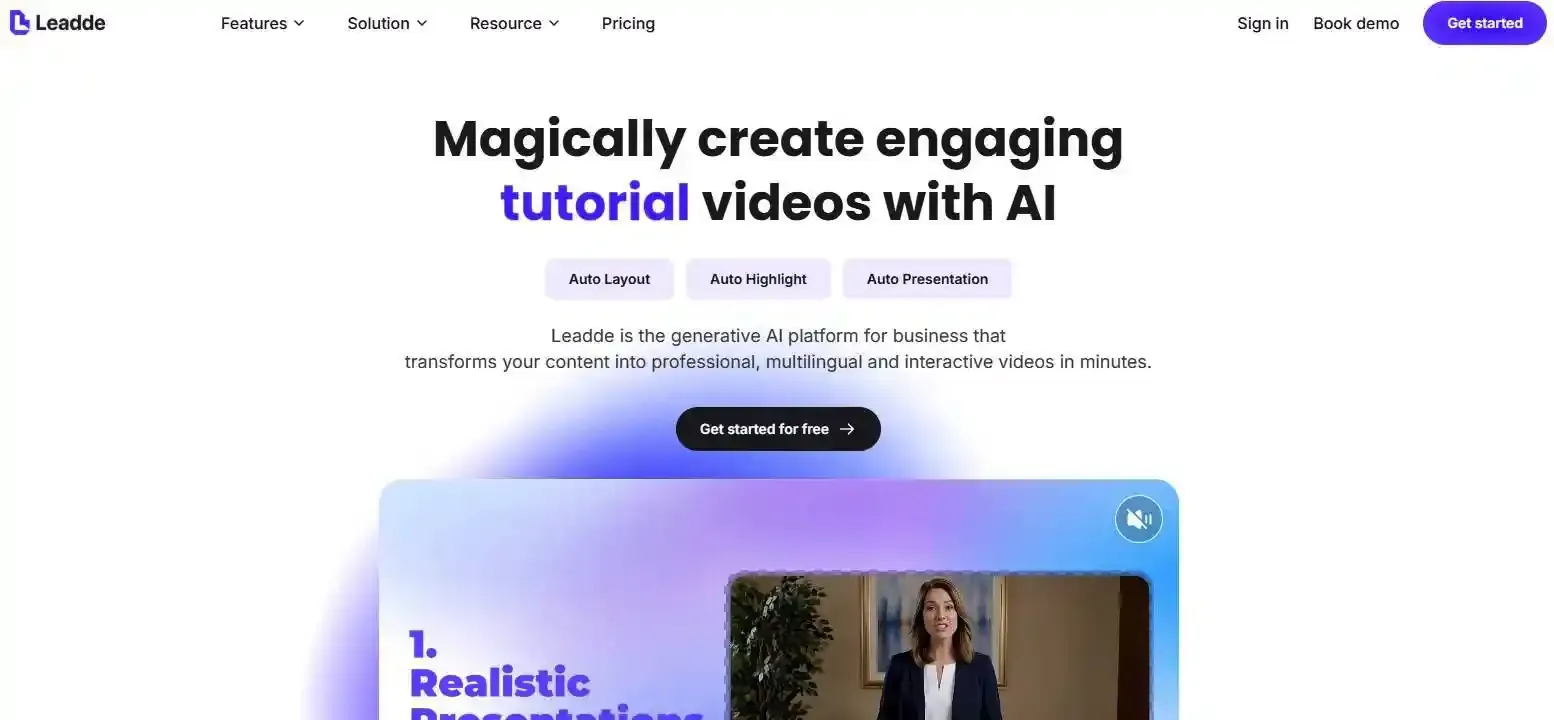
For businesses looking beyond traditional video translation, Leadde transforms PDFs, PowerPoint presentations, and business documents directly into structured, multilingual videos, simplifying content creation and localization without traditional filming.
This guide compares the 10 best AI video translators based on their features, pricing, limitations, and business use cases, helping you choose the right tool to scale multilingual video production.
Best AI Video Translators for Businesses in 2026: Top 10 Compared
The best AI video translation software depends on your source content, localization requirements, and production workflow. Some platforms specialize in translating existing videos, while others combine video creation and multilingual localization.
| AI Video Translator | Best For | Key Features |
| Leadde | Business training and document-to-video | Video translation, AI avatars, visual localization |
| HeyGen | Talking-head videos | Voice cloning, lip sync |
| Synthesia | Corporate training | AI avatars, multilingual video creation |
| Rask AI | Dedicated video localization | AI dubbing, transcript editing |
| ElevenLabs | High-quality voice dubbing | Voice cloning, multilingual audio |
| Ngram | Video creation and localization | Editable scripts, AI video generation |
| Chamelaion | Professional video translation | Lip sync, post-editing |
| VEED | Online video editing | AI dubbing, subtitles |
| Kapwing | Collaborative content production | Video editing, translated captions |
| Smartcat | Enterprise translation management | Translation memory, glossaries |
How We Selected These AI Video Translators
This comparison considers official product documentation, published industry research, pricing models, and business workflow requirements rather than language counts alone. Recommendations reflect different use cases, not an independently benchmarked performance ranking.
Leadde — Best for Multilingual Business Training and Document-to-Video
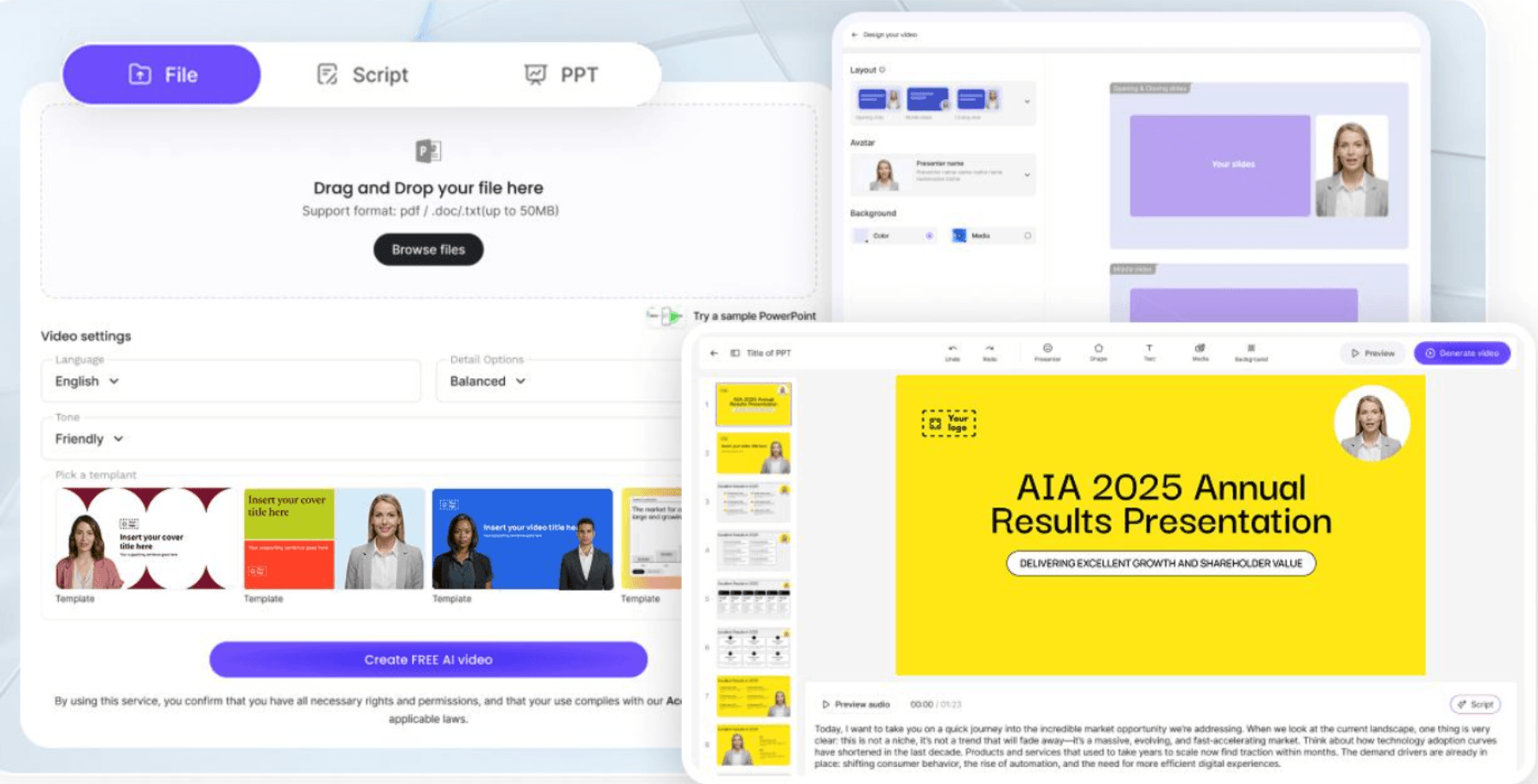
Leadde combines AI video creation with video localization. Businesses can translate existing videos or transform PDFs, presentations, and SOPs into structured multilingual videos.
- Key features: 88 languages and 175 dialects, translated narration, subtitles, on-screen text, optional lip sync, and AI avatars.
- Pros: Supports both existing video translation and document-based video creation. Up to 10 target languages can be selected in one translation run.
- Cons: Uploaded videos are limited to 30 minutes and 5 GB per file.
- Pricing: Free plan with 200 credits; paid credit-based plans available.
Best suited to L&D teams, educators, SaaS businesses, and organizations managing frequently updated training content.
HeyGen — Best for Talking-Head Video Translation
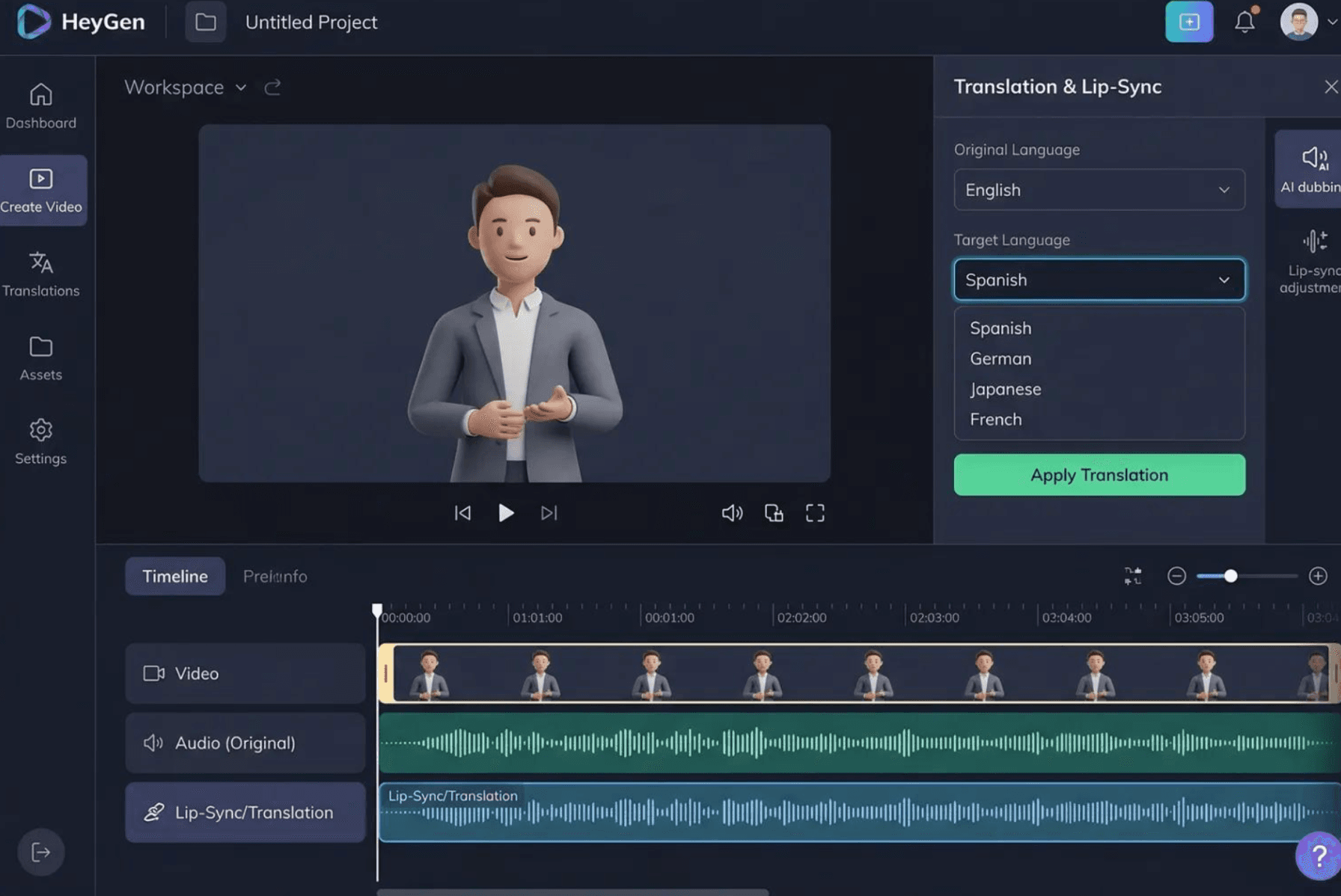
HeyGen focuses on translating presenter-led videos while preserving speaker identity and synchronizing mouth movements.
- Key features: Voice cloning, AI dubbing, lip sync.
- Pros: Suitable for executive communications, marketing videos, and spokesperson content.
- Cons: Translating embedded visual text may require rebuilding content in HeyGen Studio.
- Pricing: Free tier; Creator from $29/month.
Synthesia — Best for Corporate Avatar Training Videos
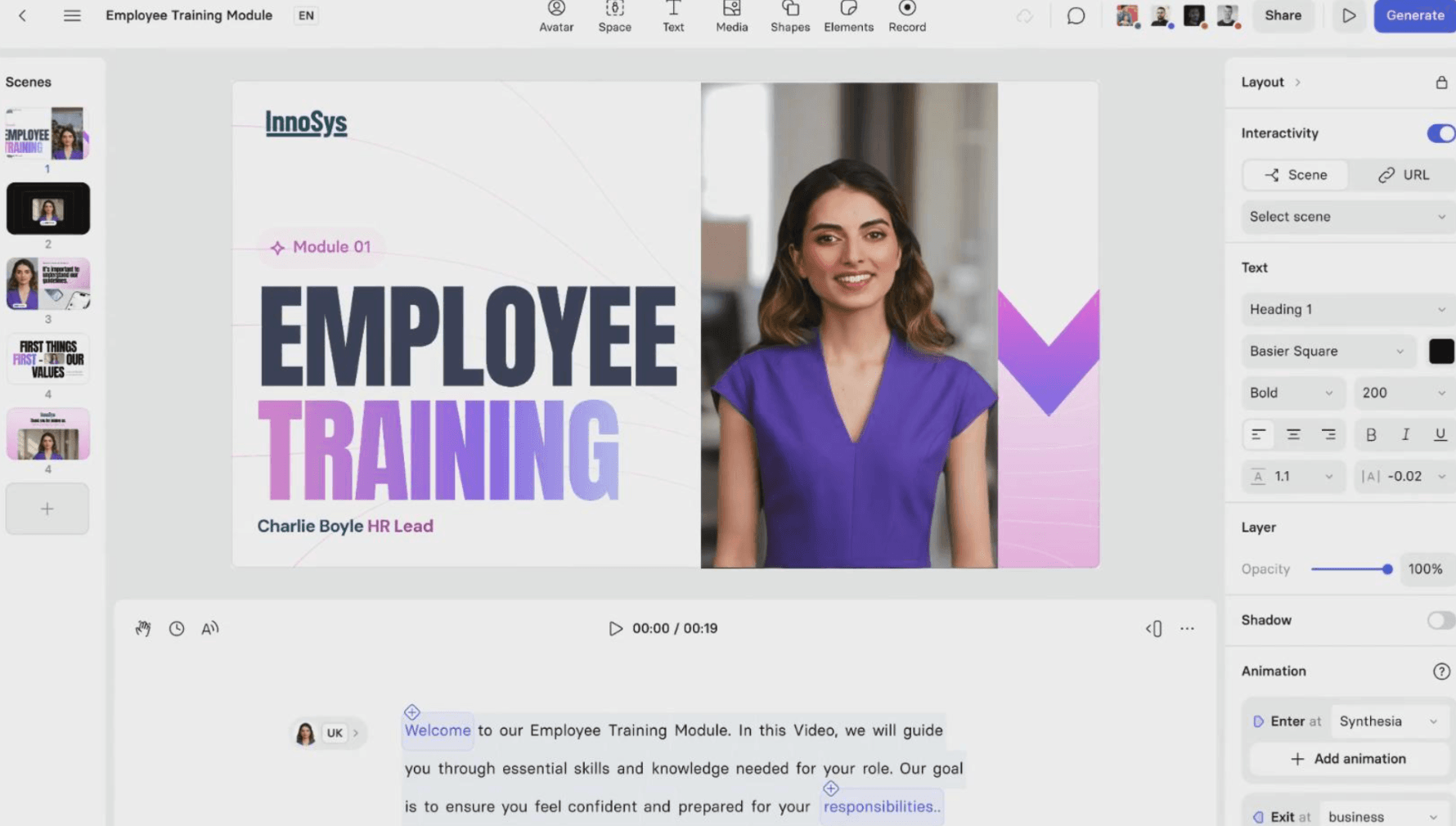
Synthesia combines AI presenters with multilingual video production, making it a practical option for standardized corporate learning content.
- Key features: AI avatars, multilingual narration, video translation.
- Pros: Suitable for repeatable training and internal communications.
- Cons: Advanced translation features depend on subscription level.
- Pricing: Free and paid plans, with enterprise options.
Rask AI — Best for Dedicated Video Localization
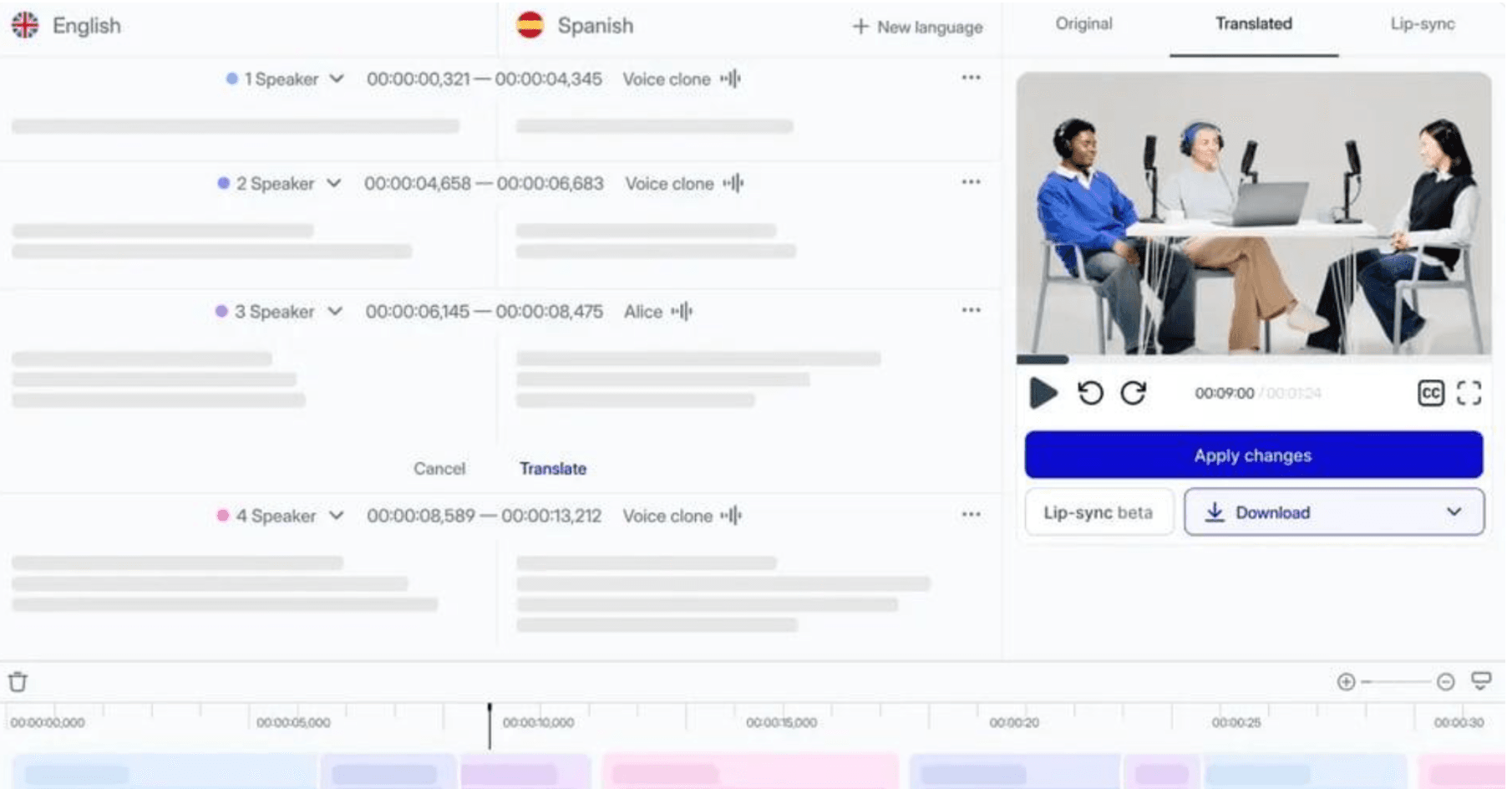
Rask AI specializes in translating existing audio and video across more than 135 languages.
- Key features: AI dubbing, voice cloning, transcript editing, lip sync.
- Pros: Dedicated translation controls and subtitle exports.
- Cons: Advanced lip sync and visual translation can consume additional minutes.
- Pricing: Usage-based subscriptions and a free trial.
ElevenLabs — Best for AI Voice Dubbing
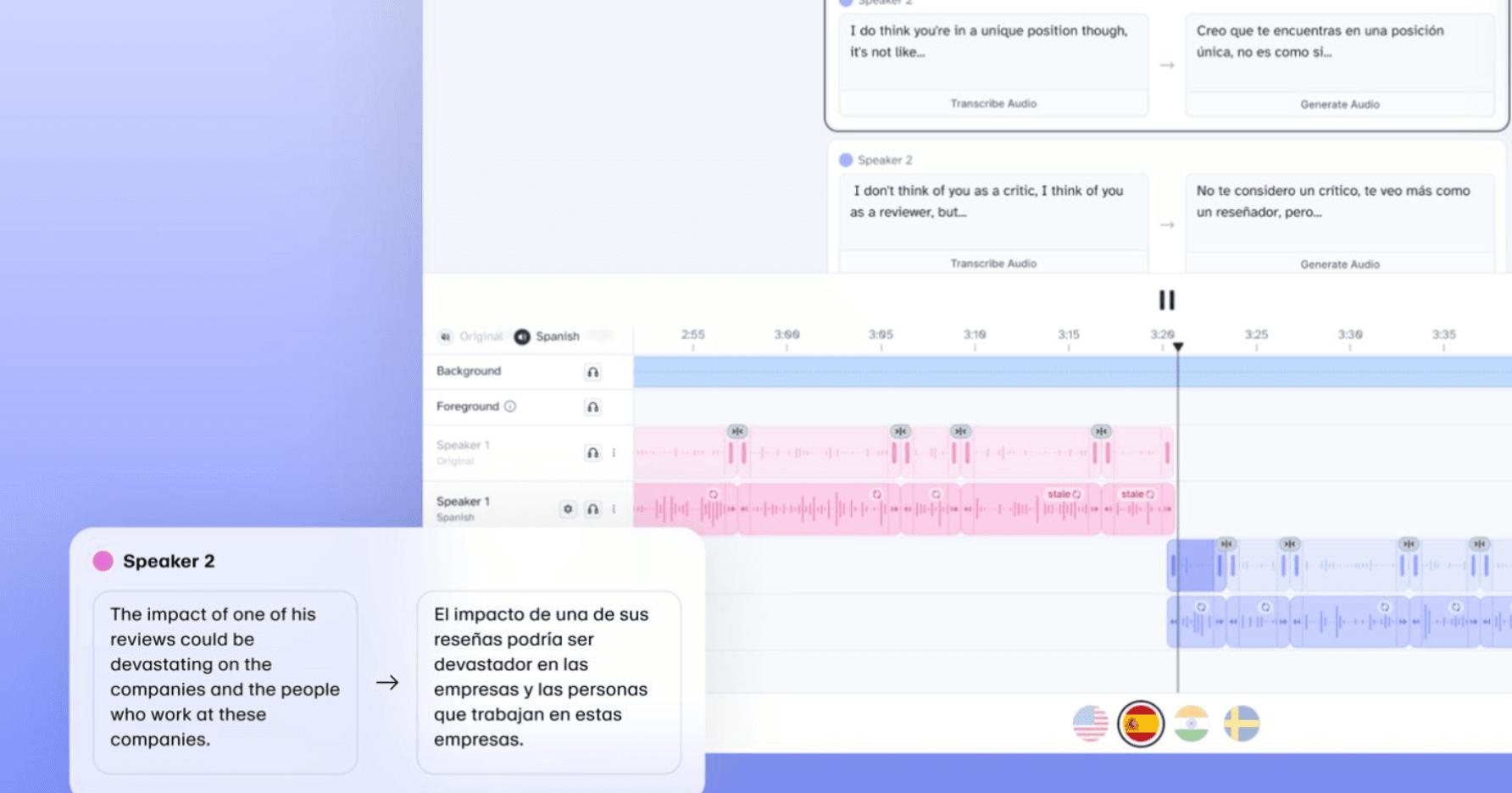
ElevenLabs prioritizes speech quality, preserving speaker characteristics and emotional expression across 90+ languages.
- Key features: AI dubbing, voice cloning, API access.
- Pros: Suitable for narration-heavy videos, podcasts, and audio localization.
- Cons: Lip sync is not included in its dubbing workflow.
- Pricing: Free tier; Starter from $6/month, with usage-based dubbing charges.
Ngram — Best for Integrated Video Creation and Localization
Ngram integrates translation into editable video projects, allowing businesses to adapt scripts, narration, and visual content.
- Key features: AI video creation, multilingual voiceovers, script translation.
- Pros: Combines video production and localization.
- Cons: Credit consumption varies by generation model and editing requirements.
- Pricing: Free tier; Basic from $29/month.
Chamelaion — Best for Professional Lip Sync and Post-Editing
Chamelaion specializes in translating existing videos with control over audio, speakers, and lip synchronization.
- Key features: AI dubbing, lip sync, background audio preservation.
- Pros: Dedicated video localization and developer API.
- Cons: Translation and lip sync may incur separate charges.
- Pricing: Video translation from €1/minute on qualifying plans.
VEED — Best for Online Video Editing and Translation
VEED combines browser-based video editing with automated subtitles and multilingual dubbing.
- Key features: Subtitle translation, AI dubbing, video editing.
- Pros: Creation, translation, and editing within one platform.
- Cons: Translation allowances vary by subscription.
- Pricing: Free and paid plans available.
Kapwing — Best for Collaborative Video Translation
Kapwing helps content teams translate, edit, and repurpose videos in a shared online workspace.
- Key features: Automatic captions, AI dubbing, collaborative editing.
- Pros: Convenient for marketing teams producing multilingual content.
- Cons: Dubbing consumes transcription, translation, and voice-generation allowances.
- Pricing: Free and paid subscriptions.
Smartcat — Best for Enterprise Translation Management
Smartcat connects video translation with broader enterprise localization workflows.
- Key features: Translation memory, terminology management, subtitles, AI dubbing.
- Pros: Helps maintain terminology consistency across multiple content formats.
- Cons: May be unnecessarily complex for occasional video translation.
- Pricing: Business subscriptions and enterprise pricing.
What Is an AI Video Translator and How Does It Work?
An AI video translator is software that converts spoken or written content within a video into another language using speech recognition, machine translation, and AI-generated voices. Advanced platforms also support voice cloning, lip synchronization, subtitle generation, and on-screen text localization.
How AI Video Translation Works
A typical AI video translation process involves:
- Transcribing the original speech.
- Translating content into the target language.
- Generating localized audio and subtitles.
- Synchronizing speech with video scenes and lip movements.
- Reviewing and exporting the translated video.
Subtitles vs. AI Dubbing vs. Lip Sync
| Method | Best For | Limitation |
| Subtitles | Webinars and interviews | Requires reading |
| AI dubbing | Training and tutorials | Potential audio-visual mismatch |
| Lip sync | Presenter-led marketing | Additional processing |
| Full localization | Product education | Requires visual and linguistic review |
Why Video Translation Is More Complex Than Text Translation
Different languages express the same information at different lengths. A translated sentence may exceed the duration of its original video scene.
OpenAI's Descript case study highlights how combining translation accuracy with speech-duration constraints can improve multilingual dubbing workflows.
Accurate translation alone does not guarantee an understandable video. Narration must also align with screen actions, visual explanations, and scene transitions.
How to Choose the Best AI Video Translator for Your Business
Translation Accuracy, Voice Quality, and Language Support
Test the specific languages your audience uses. For technical training, terminology and knowledge accuracy should take priority over realistic lip movements.
Editing, Terminology Control, and Human Review
Look for editable transcripts, terminology glossaries, pronunciation controls, and segment-level regeneration. Correcting one sentence should not unnecessarily require reproducing an entire video.
Enterprise Security, Integration, and Scalability
Evaluate data retention policies, voice-cloning consent, commercial usage rights, team permissions, API availability, customer support, and batch-processing capabilities before uploading confidential business content.
Pricing and the True Cost of Video Localization
Free AI video translators are useful for initial testing, but enterprise production requires evaluating the complete delivery cost.
A practical metric is Cost per Approved Video Minute (CPAVM):
CPAVM = Total localization expenses ÷ Approved video minutes
For example, translating 100 minutes of training content into five target languages produces 500 localized video minutes. If the total cost, including review and corrections, is $1,500, the approved-minute cost is $3.
This hypothetical calculation provides a more meaningful procurement benchmark than subscription prices alone.
How Can Businesses Use AI Video Translation?
Employee Training, Onboarding, and Compliance
HR and L&D teams can localize employee onboarding, safety instructions, and compliance training without recording separate presenters for every language. Subject-matter experts should verify safety-critical information before distribution.
Product Demos and Customer Education
SaaS companies can translate product tutorials, feature announcements, and help-center videos. Narration, interface labels, and software interactions must remain consistent across localized versions.
Global Marketing and Sales Enablement
Marketing and sales teams can adapt promotional videos, product presentations, and sales training materials for regional markets while preserving brand messaging and cultural relevance.
The same workflow helps educational institutions localize online courses and instructional videos.
Should Businesses Translate Existing Videos or Create Multilingual Videos from Scratch?
Not every localization project should begin with an existing video. The better approach depends on the source material and how frequently it changes.
When to Translate, Rebuild, or Regenerate a Video
| Source Content | Recommended Workflow |
| CEO interview | Dubbing and lip sync |
| Marketing video | Video translation |
| Software tutorial | Audio and visual localization |
| PDF training manual | Document-to-video generation |
| PowerPoint presentation | Multilingual video creation |
| Frequently updated SOP | Source-based regeneration |
Creating Multilingual Videos Directly from PDFs and Documents
Source-driven multilingual video production workflow.
Platforms such as Leadde allow businesses to convert existing knowledge materials into structured multilingual videos without first recording an original video.
For document-heavy organizations, this reduces unnecessary production steps and makes future content revisions easier to plan.
How to Reduce Localization Debt and Keep Videos Up to Date
Localization debt describes the maintenance burden that accumulates when translated content becomes inconsistent with its original source.
Consider a company that maintains an onboarding video in ten languages. A policy change potentially requires reviewing all ten versions.
Maintaining an approved source document, tracking language versions, and regenerating affected content can help reduce repetitive localization work.
How Can Businesses Translate Videos at Scale Without Losing Quality?
A Step-by-Step Enterprise Video Localization Workflow
- Prepare an approved script or source document.
- Establish a shared terminology glossary.
- Generate the required language versions.
- Review translations with qualified regional reviewers.
- Validate narration, subtitles, and visual content.
- Publish and track each localized version.
How to Test AI Video Translators Before Buying
Instead of testing only a simple talking-head video, use an Enterprise Localization Stress Test that reflects actual production requirements.
| Test Task | Evaluation Criteria |
| Translate technical terminology | Knowledge accuracy |
| Translate multiple speakers | Speaker recognition |
| Localize screen recordings | Audio-visual consistency |
| Correct one sentence | Editing flexibility |
| Update a training procedure | Maintenance efficiency |
Common AI Video Translation Mistakes to Avoid
Avoid choosing tools solely by language coverage, overlooking embedded text, using excessive speech acceleration, skipping human review, or maintaining disconnected language versions.
The objective is not simply to generate more translated videos, but to deliver accurate, understandable, and maintainable multilingual content.
Conclusion
The best AI video translator for businesses depends on content type, localization quality, and long-term production requirements. HeyGen and Rask AI are suitable options for translating existing footage, while Leadde offers an integrated approach combining video translation with multilingual document-to-video creation. Prioritize tools that support accurate communication, efficient editing, and sustainable content updates as your global video library grows.
Frequently Asked Questions
What is the best AI video translator for businesses?
Leadde is a strong option for document-based training and multilingual video creation, while HeyGen and Rask AI specialize in existing video localization. The right choice depends on source content, translation quality, editing requirements, and production volume.
Is there a free AI video translator?
Yes. Leadde, HeyGen, Ngram, and several other platforms offer free plans or trials. Free access generally includes limited generation credits, translation minutes, or export capabilities.
How accurate is AI video translation?
Accuracy varies by language, audio quality, terminology, and context. Businesses should use qualified human reviewers for technical, legal, medical, and compliance-related content rather than relying entirely on automated translation.
Can AI translate videos while preserving the original voice?
Yes. Tools such as HeyGen, Rask AI, and ElevenLabs use AI voice cloning to retain speaker characteristics across supported languages. Businesses should obtain appropriate authorization before cloning someone's voice.
How much does AI video translation cost?
Costs depend on video duration, target languages, subscription allowances, lip sync, and review requirements. Businesses should calculate the total cost of approved localized videos rather than comparing monthly subscriptions alone.
Can AI translate both speech and on-screen text in videos?
Yes. Advanced platforms such as Leadde support spoken audio, subtitles, and on-screen text localization. However, supported visual elements and editing capabilities vary between platforms.
Leadde
What is the best AI video translator for employee training?
Leadde and Synthesia are suitable for creating multilingual training videos, while dedicated translation tools can help localize existing training footage. Prioritize instructional accuracy, editing flexibility, and content update requirements.
Can AI create multilingual videos directly from PDFs and PowerPoint files?
Yes. AI document-to-video platforms such as Leadde convert written materials and presentations into structured videos with multilingual narration, visual content, and AI presenters, reducing the need for traditional filming.