
Preventing MFA Fatigue Attacks: A Guide for Users and Security
Explains the mechanism of MFA fatigue attacks, outlines correct user response protocols, and details organizational defense strategies.

A cyber security video template gives you a structured starting point for awareness training that employees remember when it matters. Choose a template, upload your security policy, phishing report, or incident summary, and Leadde generates editable scenes, narration, and subtitles.
9 video types
Showing 9 video types across 4 categories
Explains the mechanism of MFA fatigue attacks, outlines correct user response protocols, and details organizational defense strategies.

Explains session hijacking, cookie theft risks, prevention strategies for users and organizations, and incident response steps.

Explains what sideloading is, the severe security threats it introduces such as malware and credential theft, and provides mitigation guidelines for both organizations and individuals.

Explains the mechanics of quishing attacks, the risks of scanning unrecognized codes on mobile devices, and actionable prevention steps for individuals and organizations.

Covers the risks of misconfigured public cloud storage, potential data exposures, and essential mitigation practices like least-privilege permissions and encryption.

Explains the security risks posed by unmanaged network devices, how ransomware operators exploit them, and actionable prevention steps for both IT teams and employees.

Explains the definition and risks of business email compromise, analyzes attacker tactics, and outlines strict verification channels and approval workflows to safeguard company finances.

Explores the cyber security risks associated with network-connected medical devices, potential clinical workflow disruptions, and essential risk mitigation strategies for hospitals.

Overview of API key risks, common mistakes, secure storage techniques, least privilege principles, and key rotation strategies.

An informative video template gives you a structured starting point for answering one question completely, without asking the viewer to do anything afterwards. Choose a template, upload the notice, FAQ, or update you need to communicate, and Leadde drafts the scenes, narration, and subtitles.

An infographic video template gives you a structured starting point for turning numbers, findings, and comparisons into something people actually watch. Choose a template, upload your report or data summary, and Leadde builds animated scenes, narration, and captions you can edit.

A comparison video template gives you a structured starting point for weighing two options against the same criteria and letting the viewer reach the conclusion. Choose a template, upload your battlecard, spec sheet, or evaluation notes, and Leadde generates editable scenes, narration, subtitles, and visuals.

A product video template gives you a structured starting point for introducing what a product is, who it is for, and what makes it different. Choose a template, upload a spec sheet, catalogue entry, or product page, and Leadde generates editable scenes, narration, subtitles, and visuals.

A product explainer video template gives you a structured starting point for showing why a product exists before showing how it works. Choose a template, upload a release note, PRD, or help-center article, and Leadde turns it into editable scenes, narration, subtitles, and on-screen visuals.

A product promo video template gives you a structured starting point for a short campaign cut built around a launch date, an offer, or a season. Choose a template, upload your launch brief or offer terms, and Leadde generates editable scenes, narration, captions, and visuals.

A SaaS promo video template gives you a structured starting point for campaign videos whose only job is to get a visitor into a free trial. Choose a template, upload your website copy, comparison page, or customer results, and Leadde generates editable scenes, narration, and captions.

An educational video template gives you a structured starting point for teaching one topic to a class that will watch it outside the room. Choose a template, upload a lesson plan, textbook chapter, or slide deck, and Leadde generates editable scenes, narration, subtitles, and visuals.

An e-learning video template gives you a structured starting point for a course module with stated objectives, segmented content, and a checkpoint at the end. Choose a template, upload your syllabus or course outline, and Leadde generates editable scenes, narration, and subtitles.

An instructional video template gives you a structured starting point for teaching one procedure to someone who has to carry it out correctly. Choose a template, upload a user guide, setup sheet, or troubleshooting article, and Leadde generates editable scenes, narration, and subtitles.
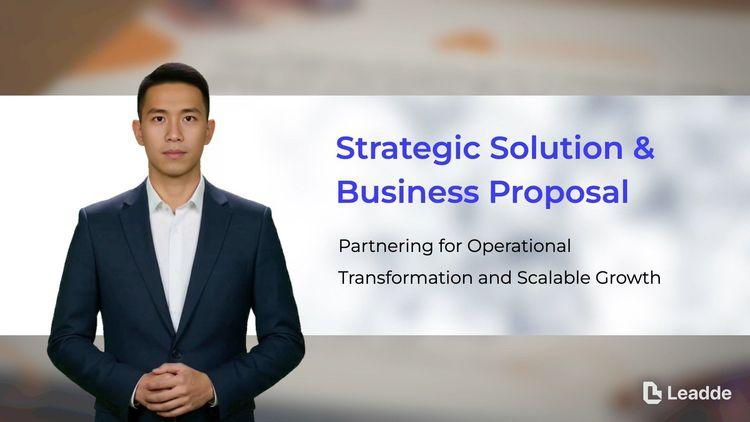
A video presentation template gives you a structured starting point for delivering a talk that your audience watches instead of attends. Choose a template, upload your PowerPoint deck, PDF, or speaker notes, and Leadde turns each slide into a narrated, editable scene.
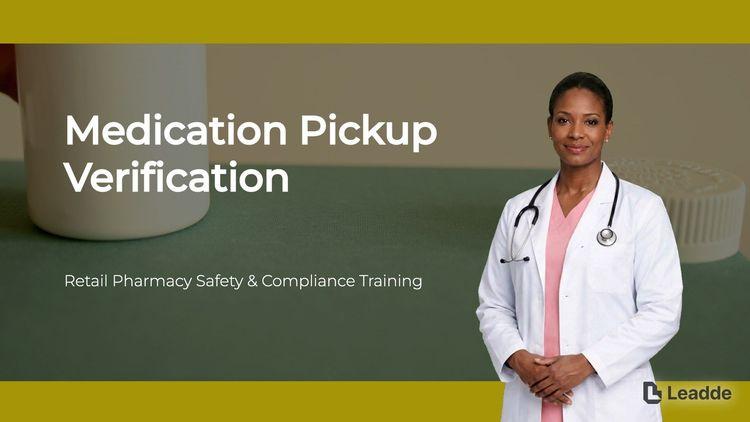
A training video template gives you a structured starting point for teaching a procedure or a system to people who have to get it right at work. Choose a template, upload your SOP, equipment manual, or rollout plan, and Leadde generates editable scenes, narration, and subtitles.

An onboarding video template gives you a structured starting point for walking a new hire or a new customer through their first week. Choose a template, upload your handbook, benefits PDF, or setup checklist, and Leadde generates editable scenes, narration, subtitles, and visuals.

A compliance video template gives you a structured starting point for communicating a policy or a regulatory change to people who then have to acknowledge it. Choose a template, upload your policy PDF or code of conduct, and Leadde generates editable scenes, narration, and subtitles.
A cyber security video template is a reusable video framework for security awareness owners who have to change behaviour, not just record attendance. Awareness content fails in a specific way: employees can recite the rules and still click the link. The template is built around that gap, teaching through recognizable examples rather than policy statements.
It supplies the scene sequence, script structure, and visual direction for that approach — a realistic artefact shown first, the tells identified one at a time, then the reporting action stated plainly and without blame. Leadde builds an editable draft from your security policy or simulation results, so awareness training can be refreshed as often as the threat pattern changes rather than once a year.


Simulation results and reported incidents make better source material than a generic awareness syllabus.
Add the security policy, phishing simulation report, or incident summary as PDF, DOCX, PPTX, or TXT, up to 200 MB.
The scene that tells someone what to do after a mistake determines whether incidents get reported at all. Say it plainly and early.
Export an HD MP4 for your learning platform or share a hosted link with password protection, and re-issue a short version quarterly rather than one long module annually.
Security teams have the evidence and the policy. What they usually do not have is a way to turn either into something an employee will watch. Leadde rebuilds the content as scenes and leaves the source documents alone.
You can turn:
A phishing simulation report into a debrief aimed at the group that clicked
A security policy into a plain-language awareness module
An incident summary into a short retraining video about that specific pattern
A password standard into an MFA enrolment walkthrough
Because each video is generated from a document, refreshing awareness content after a new threat pattern appears takes an upload rather than a production cycle.

Security awareness owners are measured on behaviour rather than attendance. Each situation here starts from evidence your own organization produced, which is what makes awareness training specific enough to change anything.
A failed phishing test is the best teaching moment you will get. Send the debrief while people still remember clicking.
Awareness week content ages in months. Rebuild it from this year's incidents rather than reusing last year's deck.

Contractors get access without induction. Give them a short briefing tied to the access they are actually granted.

Prioritize by what actually causes incidents: phishing recognition, credential reuse and MFA, safe data handling, and how to report a suspected mistake. Coverage of every threat category is less useful than depth on the four that produce most of the exposure.
Quarterly short videos work better than one long annual module, because threat patterns change faster than a yearly cycle and because a two-minute refresher gets watched properly.
Make the reporting step its own scene, put it early, and state it without blame. Awareness programmes that only describe consequences reliably reduce reporting rather than errors.
No. Leadde produces the training videos. It does not certify your programme, track attestation, or constitute evidence of compliance on its own. Leadde itself maintains SOC 2, ISO 42001, and GDPR alignment.
Choose a template, upload your policy or your latest simulation results, and refresh awareness training this quarter.


Choose a template, add your existing content, and generate an editable video project.