
Inverter vs Non-Inverter Air Conditioners: Which to Choose?
Explains the technological differences, pros and cons of inverter and non-inverter air conditioners to help viewers choose the most cost-effective and comfortable option.

A comparison video template gives you a structured starting point for weighing two options against the same criteria and letting the viewer reach the conclusion. Choose a template, upload your battlecard, spec sheet, or evaluation notes, and Leadde generates editable scenes, narration, subtitles, and visuals.
9 video types
Showing 9 video types across 4 categories
Explains the technological differences, pros and cons of inverter and non-inverter air conditioners to help viewers choose the most cost-effective and comfortable option.

This video breaks down the working principles, efficiency tradeoffs, and installation requirements of heat pump and gas water heaters to guide purchasing decisions.

An analysis comparing vertical farming and traditional greenhouse farming, highlighting differences in land use, energy consumption, crop suitability, and decision factors.

Helps viewers understand when to visit an urgent care center versus an emergency room based on medical severity, cost, and resource availability.

Explains the working principles, performance pros and cons, and decision criteria for choosing between OLED and Mini-LED televisions.

Compare live online classes and self-paced courses, highlighting their structures, ideal scenarios, and the tradeoff between flexibility and interaction.

Explores the distinct advantages of freight rail and truck shipping, comparing flexibility, scale, cost, and how supply chains successfully combine both methods.
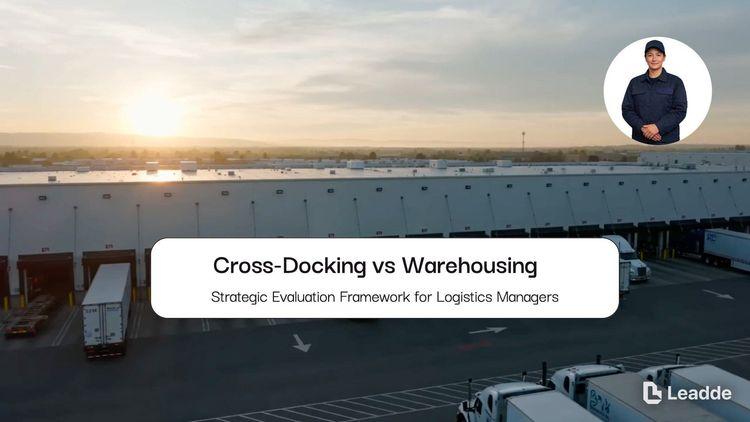
Comparing cross-docking and traditional warehousing models, analyzing storage time, advantages, risks, and how to choose the right strategy for supply chains.
Compares local and cloud backups, highlights their pros and cons, and introduces the 3-2-1 backup rule for comprehensive data protection.

An informative video template gives you a structured starting point for answering one question completely, without asking the viewer to do anything afterwards. Choose a template, upload the notice, FAQ, or update you need to communicate, and Leadde drafts the scenes, narration, and subtitles.

An infographic video template gives you a structured starting point for turning numbers, findings, and comparisons into something people actually watch. Choose a template, upload your report or data summary, and Leadde builds animated scenes, narration, and captions you can edit.

A product video template gives you a structured starting point for introducing what a product is, who it is for, and what makes it different. Choose a template, upload a spec sheet, catalogue entry, or product page, and Leadde generates editable scenes, narration, subtitles, and visuals.

A product explainer video template gives you a structured starting point for showing why a product exists before showing how it works. Choose a template, upload a release note, PRD, or help-center article, and Leadde turns it into editable scenes, narration, subtitles, and on-screen visuals.

A product promo video template gives you a structured starting point for a short campaign cut built around a launch date, an offer, or a season. Choose a template, upload your launch brief or offer terms, and Leadde generates editable scenes, narration, captions, and visuals.

A SaaS promo video template gives you a structured starting point for campaign videos whose only job is to get a visitor into a free trial. Choose a template, upload your website copy, comparison page, or customer results, and Leadde generates editable scenes, narration, and captions.

An educational video template gives you a structured starting point for teaching one topic to a class that will watch it outside the room. Choose a template, upload a lesson plan, textbook chapter, or slide deck, and Leadde generates editable scenes, narration, subtitles, and visuals.

An e-learning video template gives you a structured starting point for a course module with stated objectives, segmented content, and a checkpoint at the end. Choose a template, upload your syllabus or course outline, and Leadde generates editable scenes, narration, and subtitles.

An instructional video template gives you a structured starting point for teaching one procedure to someone who has to carry it out correctly. Choose a template, upload a user guide, setup sheet, or troubleshooting article, and Leadde generates editable scenes, narration, and subtitles.
A video presentation template gives you a structured starting point for delivering a talk that your audience watches instead of attends. Choose a template, upload your PowerPoint deck, PDF, or speaker notes, and Leadde turns each slide into a narrated, editable scene.

A training video template gives you a structured starting point for teaching a procedure or a system to people who have to get it right at work. Choose a template, upload your SOP, equipment manual, or rollout plan, and Leadde generates editable scenes, narration, and subtitles.

An onboarding video template gives you a structured starting point for walking a new hire or a new customer through their first week. Choose a template, upload your handbook, benefits PDF, or setup checklist, and Leadde generates editable scenes, narration, subtitles, and visuals.

A cyber security video template gives you a structured starting point for awareness training that employees remember when it matters. Choose a template, upload your security policy, phishing report, or incident summary, and Leadde generates editable scenes, narration, and subtitles.

A compliance video template gives you a structured starting point for communicating a policy or a regulatory change to people who then have to acknowledge it. Choose a template, upload your policy PDF or code of conduct, and Leadde generates editable scenes, narration, and subtitles.
A comparison video template is a reusable video framework for competitive intelligence and sales engineering teams supporting a buyer who is already evaluating two options. Its job is not to win an argument on screen — it is to give someone enough structure to reach a defensible conclusion and repeat it to colleagues who were not on the call.
That requirement shapes the template. It fixes the criteria before the options appear, applies the same criteria to both sides in the same order, and holds any recommendation until every criterion has been covered. Leadde builds an editable draft from your battlecard or evaluation notes, so the video argues from the same material your sales engineers already use rather than from a separate marketing version of it.


A comparison whose criteria are chosen after the winner is decided reads as a promotion, and buyers recognize it immediately.
Add the battlecard, comparison page, spec sheet, or evaluation scorecard as PDF, DOCX, PPTX, or TXT, up to 200 MB.
Check that each criterion is applied to both sides, and cut any scene that only exists to make one option look worse.
Put the comparison date on screen so viewers know how current it is, then export an HD MP4 or share a hosted link.
Competitive material usually exists as an internal document that nobody outside the company is allowed to see, which means the buyer doing the evaluation never gets the clearest version of the argument. Leadde rebuilds a shareable version from the same source, and the internal document stays internal.
You can turn:
A battlecard into an evaluation video a champion can forward to their committee
A comparison page into a criterion-by-criterion video for the same URL
A spec sheet into a variant selection guide for buyers choosing between models
An RFP response into a build-versus-buy video for the budget holder
When the other option changes, replace the source and regenerate the affected criteria rather than reshooting the whole comparison.

Competitive intelligence and sales engineering teams answer the same evaluation question in rooms they are not invited to. Each scenario here starts from internal material and ends with something a buyer can forward.
Buyers score options on a spreadsheet you never see. Send a criterion-by-criterion video built from your battlecard.

Deal reviews name the same objection every quarter. Address that criterion directly instead of avoiding it.

Your champion has to convince people who were never on a call. Give them a video they can forward unedited.

State the criteria first, apply every criterion to both options in the same order, and hold any recommendation until the end. Comparisons that introduce a new criterion halfway through are read as advocacy rather than analysis, which costs you the credibility the format is worth.
Give both options the same screen time, name at least one criterion where the other option is genuinely stronger, and put the comparison date on screen. A comparison that never concedes anything is discounted entirely, so the concession is what makes the rest believable.
It depends on your legal position and your market. Naming is more useful in categories where buyers already shortlist by name, and unnamed comparisons work better where the real alternative is a spreadsheet or an internal build. Have the script reviewed before publishing either version.
Comparisons age faster than any other video type, because the other option keeps shipping. Put the date on screen, upload the revised source when something material changes, and regenerate only the criteria that moved.
Choose a template, upload the battlecard you already maintain, and give buyers a version they can share.


Choose a template, add your existing content, and generate an editable video project.