How to Make a Talking Head Video Without a Camera (AI Avatar Workflow)
You can create a professional talking head video without a camera, studio, or on-screen presenter by using AI avatars to deliver your content with synchronized speech and facial movements.
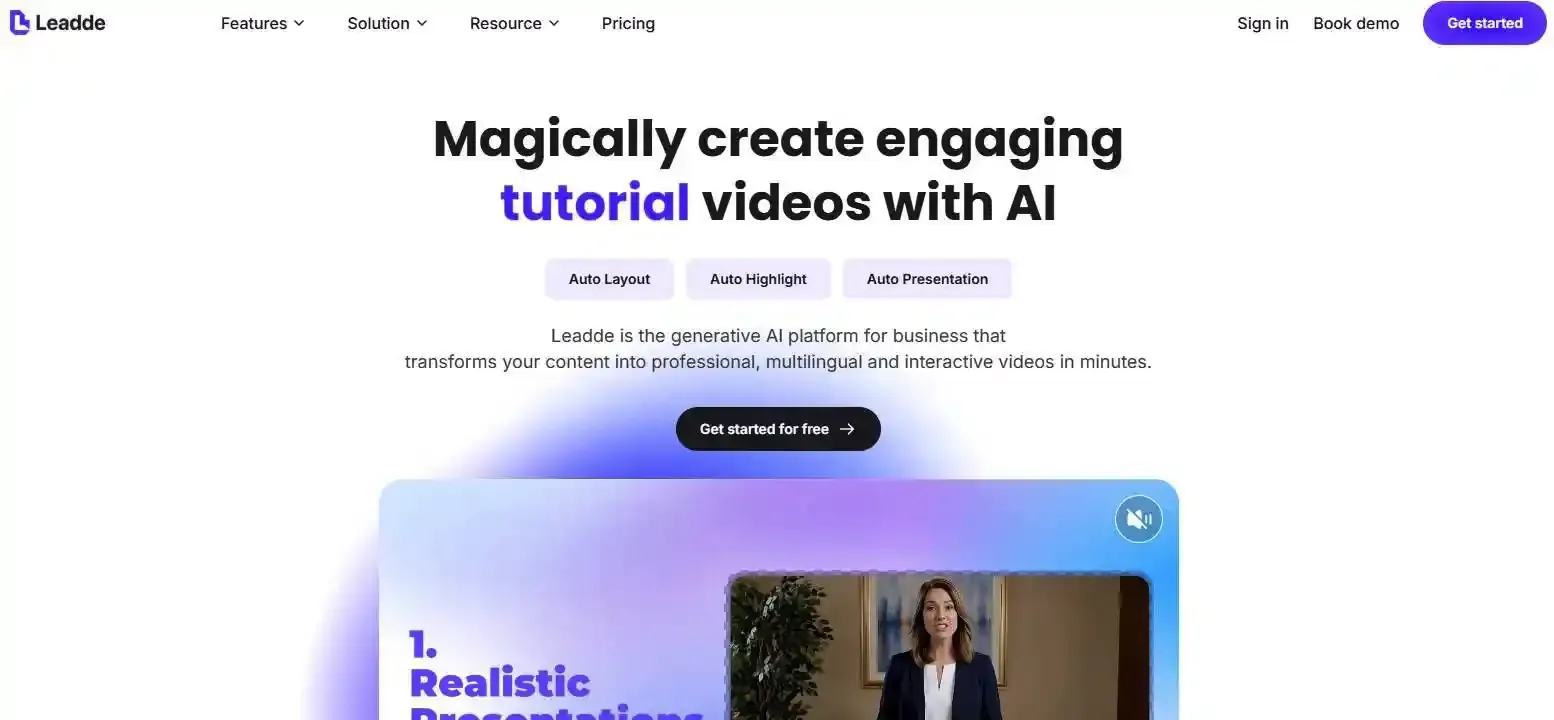
AI video platforms like Leadde take this workflow further by transforming scripts, converting PDFs into videos, and turning PowerPoint presentations into videos with AI presenters—without manual filming.
This guide explores how talking head videos work, effective examples, and step-by-step workflows for creating engaging videos for education, training, and marketing.
Talking Head Video: What Is It and How Does It Work?
A talking head video is a video format in which a human presenter or AI-generated avatar speaks to the audience, typically appearing in a head-and-shoulders or upper-body composition. It is commonly used to explain concepts, share expertise, demonstrate products, and deliver educational or corporate training content.
Unlike traditional talking head videos that require filming, AI-generated versions use digital presenters to deliver scripted content.
Key Characteristics of a Talking Head Video
Most talking head videos share several characteristics:
- Presenter-led communication: A visible speaker guides the audience through the content.
- Direct engagement: Facial expressions, eye contact, and vocal delivery create a more personal experience.
- Flexible visual support: Slides, animations, screen recordings, and graphics reinforce key messages.
- Clear narrative structure: Information is organized around a specific communication objective.
Benefits and Limitations of Talking Head Videos
| Benefits | Limitations |
| Creates a personal connection | Can become visually repetitive |
| Simplifies knowledge delivery | Complex concepts may require additional visuals |
| Suitable for multiple industries | Traditional production requires filming |
| Supports expert-led communication | Updating recorded content may require reshooting |
| Adaptable to AI video workflows | AI-generated expressions may lack naturalness |
The format works particularly well when the speaker adds context, credibility, or guidance to the information being presented.
Are Talking Head Videos Effective for Learning?
A systematic review of instructor presence in educational videos found that learners generally respond positively to visible instructors. However, instructor presence alone does not consistently improve learning outcomes.
From an instructional design perspective, show the presenter when establishing context or explaining key ideas, and prioritize relevant visuals when teaching complex concepts or procedures.
PubMed Central (PMC)+1
What Are the Different Types of Talking Head Videos? (With Examples)
Talking head videos can be divided into several formats based on how the presenter and supporting information appear on screen.
Traditional Talking Head and Interview Videos
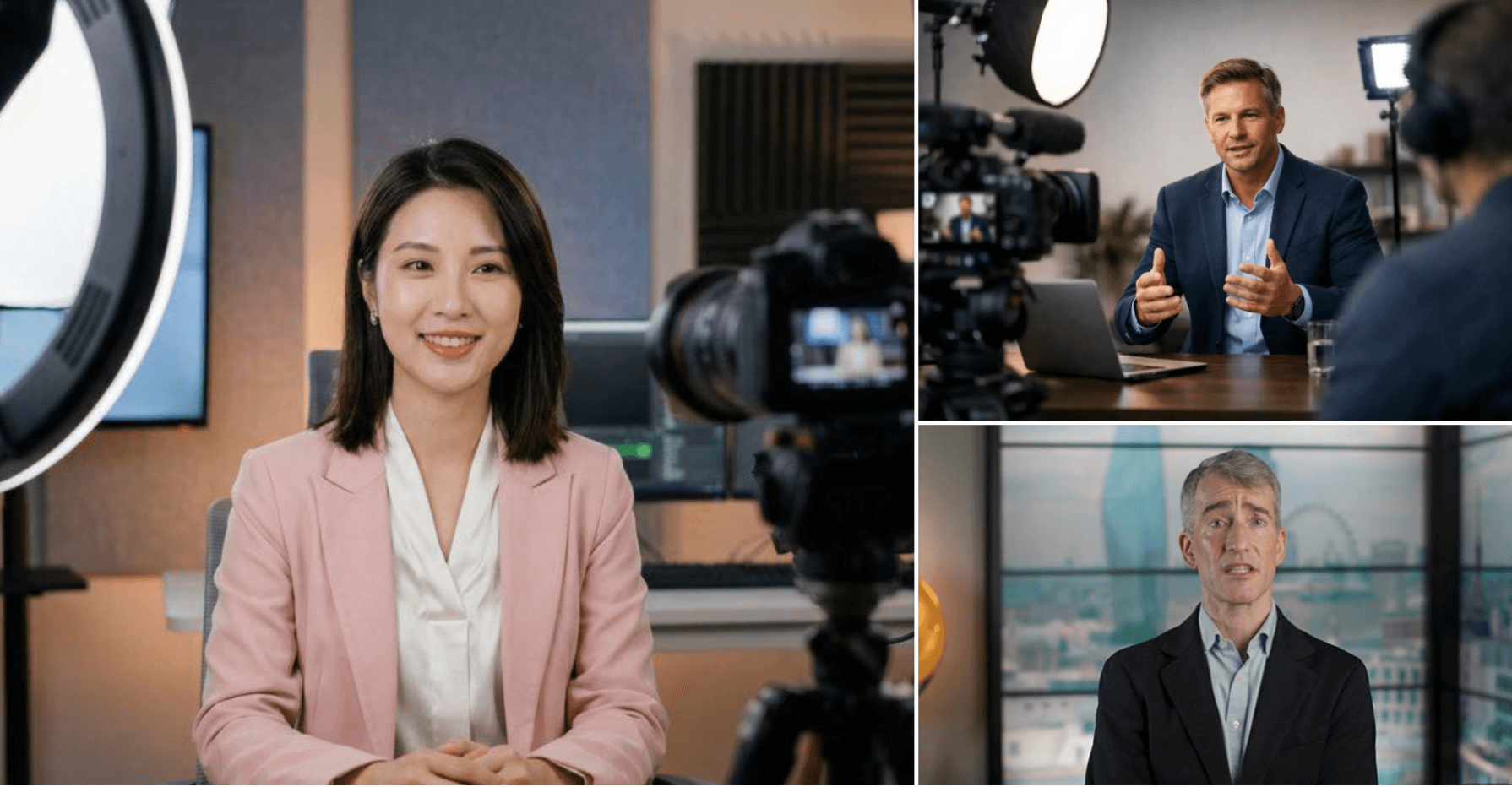
Traditional talking head videos feature real people speaking directly to the camera or responding to interview questions.
Common examples include expert interviews, YouTube commentary, executive announcements, and customer testimonials. This format is particularly valuable when personal credibility and authentic human experiences matter.
Picture-in-Picture and Screen Recording Videos
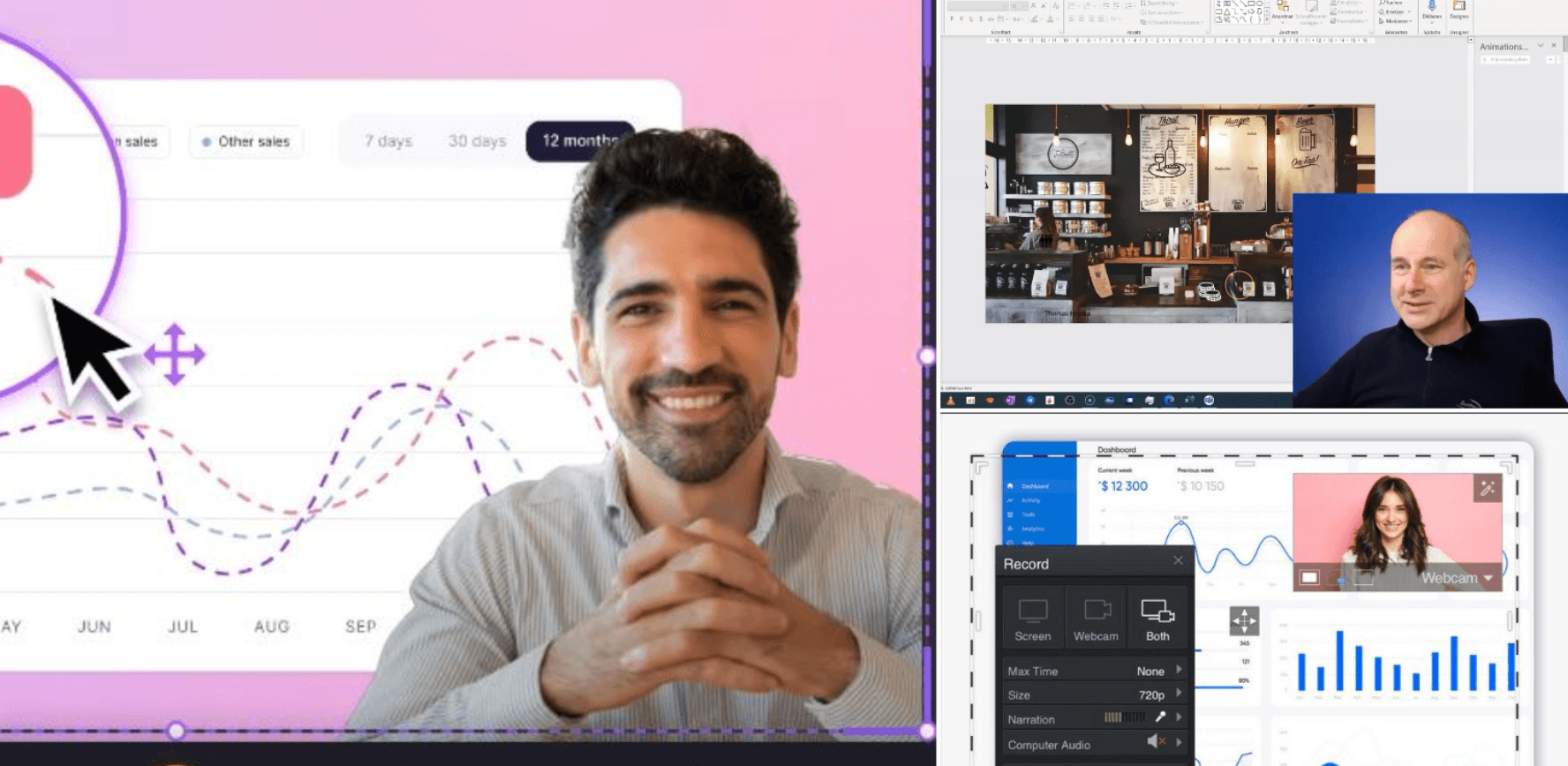
This format combines a presenter with slides, software demonstrations, or screen recordings. Green-screen backgrounds can also help integrate the speaker into a larger visual presentation.
For example, HubSpot uses titles and animations to support marketing education, while Slack demonstrates how relatively simple presenter-led videos can communicate product information effectively.
AI Avatar Talking Head Videos

AI talking head videos use digitally generated presenters instead of requiring someone to appear in front of a camera.
Typical applications include:
- Employee onboarding and compliance training
- Online courses and educational videos
- Product tutorials and explainer videos
- Multilingual customer education
Platforms like Leadde combine AI avatars with structured content generation, making this format particularly relevant for organizations converting existing knowledge into video.
How to Make a Talking Head Video Step by Step
Whether you use a camera or an AI avatar, effective video production begins with understanding what the audience needs to learn.
Prepare Your Equipment and Recording Setup
For traditional talking head videos, a basic setup includes:
| Equipment | Recommendation |
| Camera | Smartphone, webcam, or digital camera |
| Microphone | Lavalier or USB microphone |
| Lighting | Natural window light or soft lighting |
| Background | Clean, distraction-free environment |
| Teleprompter | Optional script delivery assistance |
| Editing software | Video and audio editing tools |
Prioritize clear audio, stable framing, and adequate lighting before investing in expensive equipment.
If you use an AI avatar, you can skip the physical recording setup entirely.
Write a Script and Plan Your Visuals
Start with a clear audience objective. Instead of writing a script that focuses exclusively on narration, use a two-column video script to plan what viewers hear and see simultaneously.
| Narration | On-Screen Visuals |
| Introduce the problem | Presenter on screen |
| Explain the concept | Diagram or illustration |
| Demonstrate the solution | Screen recording |
| Summarize key points | Presenter with text highlights |
This approach reduces unnecessary editing decisions and ensures every visual supports the message.
Record, Edit, and Publish Your Video
Rather than recording the entire script continuously, divide it into manageable sections.
This modular recording method makes it easier to correct mistakes, replace outdated information, and reuse individual segments without recreating the entire video.
Before publishing, remove unnecessary pauses, improve audio clarity, add captions, and verify content accuracy.
How Do You Make Talking Head Videos More Engaging?
An engaging talking head video does not necessarily require constant camera movement or elaborate animations. It requires visual choices that help viewers understand the information.
Use B-Roll, Captions, and Visual Storytelling
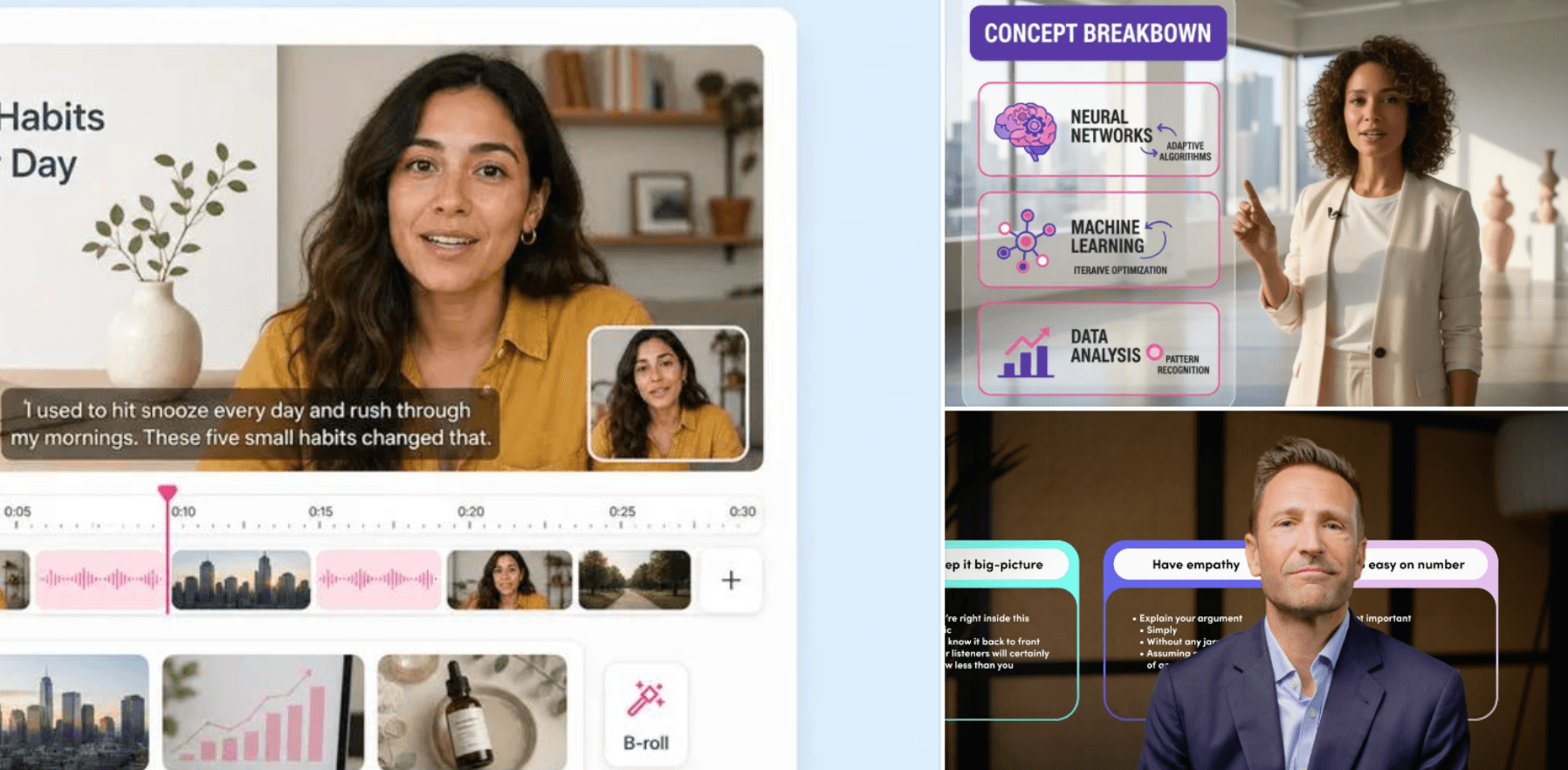
Several techniques can improve the viewing experience:
- B-roll: Demonstrate what the presenter is describing.
- Captions: Improve accessibility and reinforce spoken information.
- Motion graphics: Explain relationships and abstract concepts.
- Camera angles: Introduce visual variety when appropriate.
- Visual highlighting: Direct attention toward essential information.
Avoid adding visual effects simply to fill empty space. In educational videos, excessive movement can compete with the information learners need to process.
When Should You Show the Presenter Instead of B-Roll?
The following presenter–visual decision framework helps determine which visual format best supports each communication objective.
| Communication Goal | Recommended Visual |
| Establish credibility | Talking head |
| Explain an abstract concept | Diagram or illustration |
| Demonstrate a procedure | Screen recording |
| Compare information | Chart or table |
| Reinforce a takeaway | Presenter with highlighted text |
| Deliver a personal message | Full-screen presenter |
The presenter should guide the audience, not compete with the content.
This distinction is especially important when creating training videos, where understanding and knowledge retention matter more than visual stimulation alone.
How to Create an AI Talking Head Video Without Filming
AI talking head video generators eliminate the need for traditional filming by combining digital presenters, synthetic speech, facial animation, and automated video production.
How Do AI Talking Head Generators Work?
Most AI talking head generators use some combination of the following technologies:
| Technology | Function |
| Text-to-Speech (TTS) | Converts written scripts into narration |
| Lip Synchronization | Aligns mouth movements with speech |
| Facial Animation | Generates expressions and movements |
| Head Motion | Simulates natural presenter behavior |
| Identity Preservation | Maintains consistent facial appearance |
Microsoft Research's VASA-1 study demonstrated that a static portrait and speech audio could generate a realistic talking face at up to 40 FPS under specific experimental conditions.
The research highlights how natural facial expressions and head movements, alongside accurate lip synchronization, contribute to believable AI presenters.
Create a Talking Head Video From Text, Photos, or Audio
A typical camera-free production workflow involves five steps:
- Choose an AI avatar or create a talking avatar from an authorized portrait.
- Enter your video script or upload audio.
- Select the voice, language, and visual presentation style.
- Generate the talking head video.
- Review pronunciation, facial movements, and content accuracy.
This workflow is useful for creators who already have a prepared script. However, businesses often need to start with existing documents rather than finished narration.
Turn a PDF or PowerPoint Into a Talking Head Video With Leadde
Leadde takes a content-first approach to AI video creation by transforming documents, presentations, and training materials into structured videos with AI avatars.
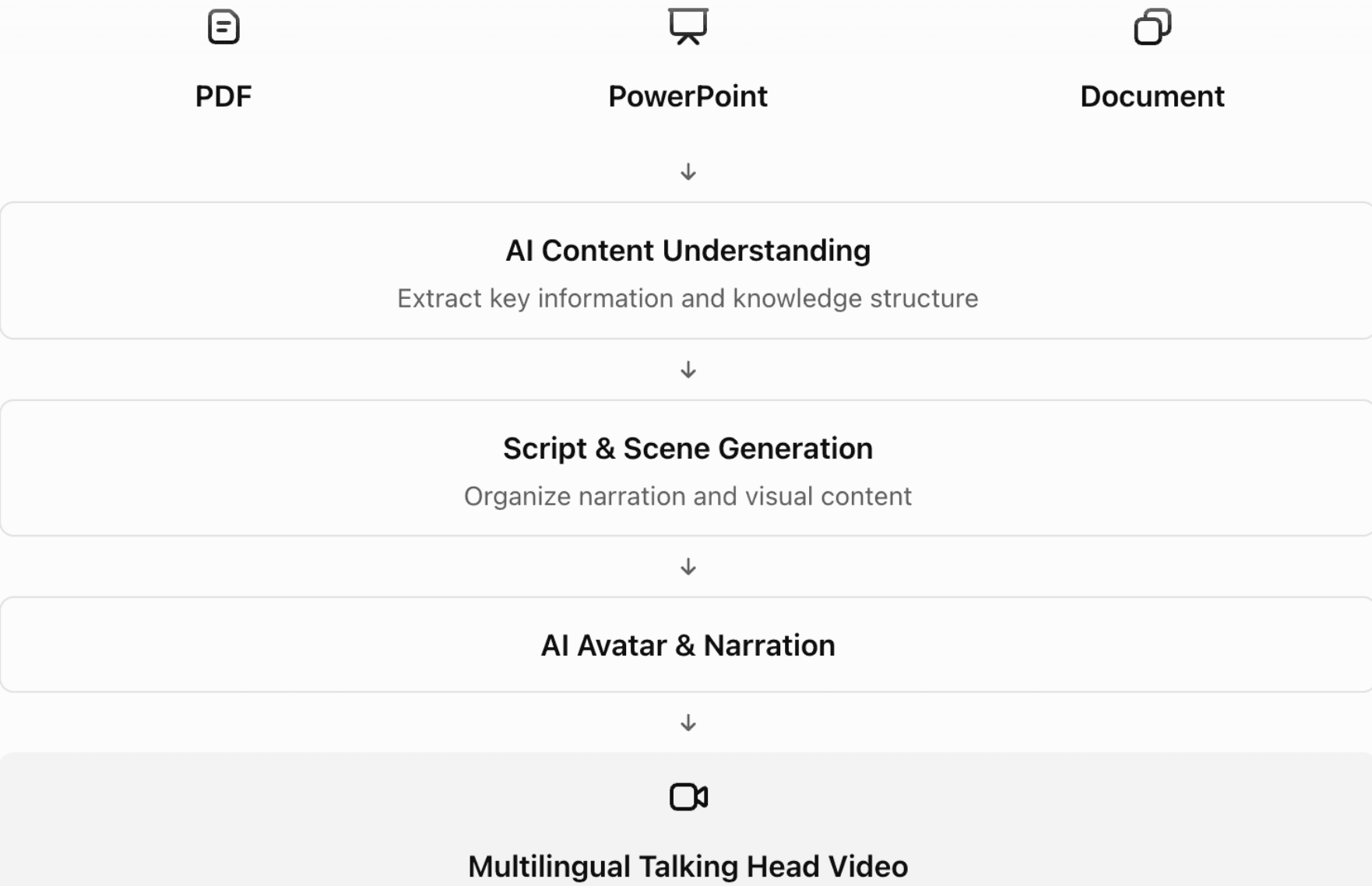
Consider an HR team converting an employee onboarding PDF into a training video. Instead of manually rewriting the document, scheduling a presenter, and recording multiple scenes, the team can use Leadde to generate structured narration and AI-led visual explanations from the source material.
This approach is particularly practical for organizations that produce frequently updated training materials, educational resources, and product documentation.
Try Leadde to turn your existing documents into AI talking head videos without filming.
AI Talking Head Video Quality Checklist
Before publishing an AI-generated video, evaluate both presenter realism and communication quality.
Traditional vs. AI Talking Head Videos: Which Should You Choose?
The right production method depends on your communication objectives, available resources, and how frequently your content changes.
Traditional vs. AI Talking Head Video Comparison
| Feature | Traditional Talking Head | AI Talking Head |
| Camera required | Yes | No |
| Human presenter | Required | Optional |
| Emotional authenticity | Natural human expression | Model-dependent |
| Production process | Filming and editing | AI-generated |
| Content updates | May require reshooting | Can be regenerated |
| Localization | Dubbing or additional filming | AI-assisted |
| Scalability | Resource-dependent | Greater automation potential |
| Best for | Interviews and testimonials | Training and knowledge videos |
When to Use Human Presenters, AI Avatars, or Both
Choose human presenters when personal experiences, emotional authenticity, and individual credibility are central to the message.
Choose AI avatars when producing repeatable educational content, product tutorials, employee training, or multilingual videos.
A hybrid approach can combine both formats. For example, a company could record a personal welcome message from its CEO while using AI avatars to deliver standardized onboarding modules.
How to Scale, Update, and Localize Talking Head Videos
For organizations managing large video libraries, production efficiency extends beyond creating the initial video.
A sustainable workflow should preserve source documents, organize scripts into reusable modules, track content versions, and review translated terminology before distribution.
Document-to-video platforms such as Leadde can support this process by reducing the manual work between updating source information and generating revised video content.
Always obtain appropriate permission when using someone's likeness or voice, and disclose AI-generated presentation where necessary.
Conclusion
Creating an effective talking head video no longer requires a camera or recording studio. By combining clear scripts, purposeful visuals, and AI avatars, educators and businesses can produce engaging videos while simplifying content updates and localization. Leadde extends this approach by transforming existing documents into structured, multilingual talking head videos.
Frequently Asked Questions
How long should a talking head video be?
The ideal length depends on the audience and communication objective. Short marketing videos may only require 30–90 seconds, while educational and training videos can be several minutes long. For complex subjects, divide the content into shorter, focused learning modules.
Can I make a talking head video with my phone?
Yes. A smartphone, stable camera position, clear audio, and adequate lighting are sufficient for many traditional talking head videos. Alternatively, browser-based AI avatar generators allow you to create talking head videos without recording yourself.
How do I make a talking head video less boring?
Use relevant B-roll, diagrams, captions, screen recordings, and concise narration. Break complex ideas into manageable sections and display the presenter when their presence adds value. Avoid excessive visual effects that distract viewers from the main message.
Can AI create a realistic talking head video from a photo?
Yes. Audio-driven facial animation technology can transform a static portrait into a speaking digital presenter. Quality varies between models, particularly in lip synchronization, facial expressions, and head movements. Always use images you have permission to animate.
What is the best AI talking head video generator?
The best tool depends on your needs. HeyGen is worth evaluating for avatar-led videos, Synthesia for corporate training content, and Leadde for converting documents, PDFs, and presentations into structured educational and training videos.
Can I create talking head videos in multiple languages?
Yes. AI video platforms can generate narration in different languages without requiring separate filming sessions. For professional applications, translated scripts, specialized terminology, pronunciation, and cultural appropriateness should be reviewed before publication.
How do I update a talking head video without recording everything again?
Use a modular script and maintain the original source documents. With AI-generated videos, you can revise outdated information and regenerate the relevant content. Document-to-video platforms like Leadde can also help streamline the conversion of revised materials into updated videos.
Editorial note: The Leadde workflow is based on its supplied official product documentation. The HR example is illustrative, and the decision frameworks and quality checklist are editorial recommendations rather than independently tested product results.